Are you searching for a hassle-free way to check your Al Ansari balance? Whether you’re managing your daily expenses, monitoring your salary disbursal, or planning your financial goals, staying updated on your account balance is essential.
Al Ansari Exchange, a trusted name in the UAE, offers multiple convenient methods to access your balance securely. From mobile apps to ATMs, each option is designed for ease and efficiency.
But why is regular balance monitoring so important, and how can you make the most of Al Ansari’s services? In this blog, we’ll explore the methods, benefits, and essential tips to help you manage your finances confidently.
What is Al Ansari Exchange and Its Payroll Solutions?
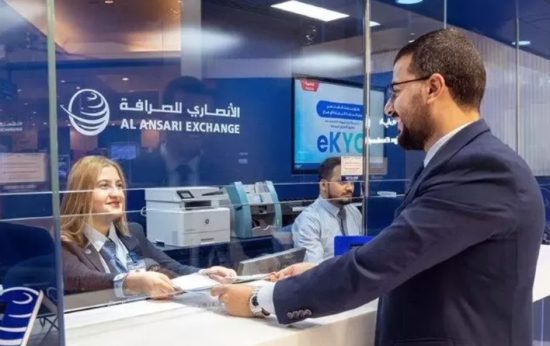
Image – Source
Al Ansari Exchange is a leading financial service provider in the UAE, widely recognized for its extensive branch network and reliable financial solutions. Established to facilitate seamless currency exchanges, remittances, and payment services, the institution has earned a reputation for efficiency and customer satisfaction.
In the UAE, Al Ansari Exchange is particularly prominent due to its alignment with government regulations, such as the Wages Protection System (WPS).
It has played a significant role in ensuring that employees across sectors receive their salaries securely and on time. With innovative digital platforms and accessible in-branch services, it continues to be a cornerstone of financial trust for millions.
What Are Al Ansari’s Payroll Solutions and the Role of the Salary Card?
The payroll solutions offered by Al Ansari Exchange are tailored to meet the specific needs of businesses and employees. Employers can streamline salary disbursals through the PayPlus Card, ensuring compliance with the UAE’s labor laws.
The Al Ansari PayPlus Card serves as a salary account alternative, allowing employees to access their wages conveniently. Key features of the payroll solutions include:
- Secure disbursement of salaries via the WPS system.
- Accessibility to funds through ATMs and online platforms.
- Cost-effective management for employers, reducing paperwork and administrative tasks.
With these payroll solutions, both employers and employees can benefit from enhanced financial control, transparency, and efficiency.
How to Apply for the Al Ansari PayPlus Card?

Application Process for Employers
Employers in the UAE who wish to streamline their salary disbursal process can apply for the Al Ansari PayPlus Card as part of the payroll solution.
The process is straightforward and ensures compliance with the Wages Protection System (WPS). Here’s how employers can get started:
1. Visit the Nearest Al Ansari Branch: Employers can approach any Al Ansari Exchange branch to initiate the payroll solution enrollment process.
2. Submit Required Documents: Employers need to provide the following:
- Valid trade license.
- Emirates ID copy of the authorized signatory.
- Proof of WPS registration (if applicable).
3. Agreement and Setup: Sign a payroll agreement with Al Ansari Exchange. The employer’s company is integrated into the payroll system.
4. Card Issuance: Once the setup is complete, Al Ansari Exchange issues PayPlus Cards to employees. Employers can distribute these cards to their staff.
Application Process for Employees
Employees generally don’t need to apply for the PayPlus Card directly, as employers handle the process. However, here’s what employees should know:
1. Card Activation: After receiving the card, employees need to activate it by contacting Al Ansari customer support or through the mobile app.
2. Set Up Credentials: Employees are guided to set up their PIN and online account credentials.
3. Start Using the Card: The card can be used immediately for ATM withdrawals, online transactions, and balance checks.
This dual-application process ensures that both employers and employees experience a smooth transition into Al Ansari’s payroll system.
What Are the Fees and Charges for the Al Ansari PayPlus Card?
Understanding the fees associated with the Al Ansari PayPlus Card ensures transparency and better financial planning. With minimal charges for issuance, maintenance, and optional services, the card is designed to remain affordable for employees while offering maximum utility.
Here’s a breakdown of its fees and charges.
1. Card Issuance and Annual Fees
The Al Ansari PayPlus Card comes with transparent and minimal fees, ensuring accessibility for both employers and employees. Here’s an overview of the associated costs:
- Card Issuance Fee: A one-time fee is charged when the card is issued. This fee covers the cost of activating and personalizing the card for the employee.
- Annual Maintenance Fee: An annual charge is applied for the continued use of the card. This fee ensures that the cardholder enjoys uninterrupted access to financial services.
| Service | Fee (AED) |
| Card Issuance | 20-30 AED |
| Annual Maintenance | 10-20 AED |
Note: Fees may vary slightly depending on promotional offers or specific agreements with employers.
2. Transaction Fees
The PayPlus Card is designed to offer affordable transaction options, but certain services come with nominal charges:
- ATM Withdrawals: A small fee applies for withdrawals at ATMs outside the Al Ansari network.
- Balance Inquiry: Checking your balance at ATMs may incur a minimal cost, depending on the provider.
- Point-of-Sale Transactions: These are generally free, encouraging seamless usage for purchases.
3. Other Applicable Charges
To maintain service flexibility, additional fees apply to optional services:
- Card Replacement Fee: In case of loss or damage, a nominal fee is charged for issuing a replacement card.
- PIN Reset: Resetting your PIN through customer support incurs a small fee.
- SMS Notifications: Cardholders opting for SMS notifications for transactions may be charged a minimal monthly fee.
| Additional Service | Fee (AED) |
| Card Replacement | 10-15 AED |
| PIN Reset | 5 AED |
| SMS Notifications | 2-3 AED/month |
These straightforward fees ensure that the PayPlus Card remains an affordable and valuable financial tool for employees.
What Are the Different Methods to Perform an Al Ansari Balance Check?

Al Ansari Exchange offers several convenient methods to check your balance, catering to both online and offline preferences. Whether you prefer the mobile app, online portal, ATM, or SMS service, each option is designed for ease of access and security. Here’s how you can efficiently monitor your finances.
1. Using the Al Ansari Mobile App
The Al Ansari Mobile App is one of the most convenient ways to check your balance. Accessible and user-friendly, it allows you to manage your finances on the go. Here’s how you can check your balance using the app:
- Download the App
- Available on both iOS (App Store) and Android (Google Play Store).
- Ensure the app is downloaded from official sources to avoid security risks.
- Log In to Your Account
- Use your registered credentials to access your account.
- If you’re a first-time user, register by entering your card details and setting a secure PIN.
- Navigate to Balance Inquiry
- Once logged in, find the “Balance Inquiry” option on the dashboard or menu.
- Your current balance will be displayed instantly.
Benefits of Using the Mobile App
- 24/7 access to your financial details.
- Additional features like transaction history, fund transfers, and card management.
- Enhanced security with multi-factor authentication.
2. Online Portal Access
The Al Ansari Online Portal provides another efficient way to check your balance:
- Log In to the Portal
- Visit the Al Ansari Exchange official website.
- Use your card credentials to log in securely.
- Check Balance
- Click on the “Balance Inquiry” option to view your account status.
Security Measures:
- Always use a secure and private internet connection.
- Regularly update your password to prevent unauthorized access.
3. ATM Balance Inquiry
Checking your balance at an ATM is quick and simple. Follow these steps:
- Locate a Supported ATM
- Visit any ATM that supports the Al Ansari PayPlus Card.
- Many ATMs in the UAE accept the card for balance inquiries and cash withdrawals.
- Insert Your Card and Enter PIN
- Insert your card and input your PIN.
- Select Balance Inquiry
- Choose the “Balance Inquiry” option to view your balance.
4. SMS Balance Check
For those who prefer offline methods, SMS balance check is a great option:
- Compose an SMS
- Use your registered mobile number and send a pre-defined code to the provided number.
- Receive a Response
- Instantly receive an SMS with your current balance details.
| Method | Advantages | Potential Costs |
| Mobile App | Convenient, feature-rich | Free |
| Online Portal | Accessible via web | Free |
| ATM | Widely available, secure | Minimal fee |
| SMS | Works offline | Small fee per SMS |
Each method is tailored to provide flexibility and ease of access, ensuring that users can monitor their finances effortlessly.
What Are the Benefits of Regularly Checking Your Al Ansari Balance?
Regularly checking your Al Ansari balance is more than a routine task; it is a crucial habit for maintaining financial health and ensuring peace of mind. Here’s why staying updated on your balance is beneficial:
1. Helps Track Your Spending
By consistently monitoring your balance, you can:
- Understand where your money is going.
- Identify spending patterns and make informed budgeting decisions.
- Avoid unnecessary expenses and focus on financial goals.
For instance, if you notice frequent deductions for small transactions, you can address these habits to save more effectively.
2. Avoids Overdraft Fees or Transaction Rejections
Knowing your balance before making a transaction can:
- Prevent situations where insufficient funds lead to declined transactions.
- Avoid overdraft fees that might result from overestimating available funds.
- Enhance your financial reliability, especially in urgent situations.
3. Encourages Better Financial Planning
Regular balance checks help you:
- Align your spending with your income.
- Set aside funds for emergencies or savings.
- Plan for major expenses without compromising your monthly budget.
- Improves Financial Security
Frequent balance monitoring can also help detect any unauthorized or unusual activity. If you notice unexpected changes in your balance, you can take immediate steps to secure your account.
| Benefit | How It Helps |
| Tracking Spending | Improved budgeting and reduced unnecessary expenses. |
| Avoiding Overdrafts | Prevents declined transactions and associated fees. |
| Better Financial Planning | Encourages savings and planned spending. |
| Enhanced Security | Early detection of suspicious activities. |
By making balance checks a regular practice, you gain better control over your finances, helping you achieve both short-term and long-term financial stability.
What Common Issues Might Occur While Checking Your Al Ansari Balance?

While Al Ansari offers convenient ways to check your balance, users may occasionally encounter issues. Here are some common problems and practical solutions:
1. Forgot Login Credentials
Losing or forgetting your credentials for the Al Ansari Mobile App or Online Portal can be frustrating but is easily resolved:
- Use the “Forgot Password” Option:
- On the login page of the app or portal, click on the “Forgot Password” link.
- Enter your registered email or phone number to receive a password reset link or OTP.
- Contact Customer Support:
- If the automated reset doesn’t work, Al Ansari’s customer service team can assist you.
2. Tips to Avoid This Issue
- Use a secure password manager to save your credentials.
- Regularly update your password, but ensure it’s something memorable to you.
3. Connectivity or App Errors
Technical issues with the Al Ansari Mobile App or online services can disrupt balance checks. Common problems include app crashes, slow responses, or server downtime.
Solutions:
- Check Your Internet Connection: Ensure you’re connected to a stable network.
- Update the App: Outdated versions can cause errors. Regularly update the app via the App Store or Google Play Store.
- Clear Cache: If the app is slow, clearing the app’s cache can improve performance.
Contact Support: Persistent issues can be reported to Al Ansari’s technical team.
4. ATM Issues
ATMs provide a reliable way to check balances, but issues like unavailability or transaction errors can occur.
Common Problems and Fixes:
- ATM Out of Service: Locate an alternative ATM nearby using the Al Ansari website or app.
- Incorrect PIN: Re-enter your PIN carefully. After multiple failed attempts, contact support to reset your PIN.
- Card Retention by ATM: Immediately call the bank or ATM provider to retrieve your card.
Prevention Tips:
- Use ATMs within the Al Ansari network for better support.
- Always verify your card and PIN before initiating a transaction.
By understanding these common issues and their solutions, you can ensure smooth access to your financial details without unnecessary interruptions.
How Can You Reach Customer Support for Al Ansari Balance Check?
Efficient and responsive customer support is a key feature of Al Ansari Exchange. Whether you’re facing technical issues or need assistance with your account, their dedicated support team ensures timely help.
What Are the Best Ways to Contact Al Ansari Exchange?
- Phone Support:
- Dial the Al Ansari Exchange Customer Care Hotline: +971-600-54-6000
- Available during business hours for queries regarding balance checks, card issues, and more.
- Email Support:
- For non-urgent inquiries, send an email to info@alansariexchange.com.
- Ensure you include your contact details and a brief description of your issue for faster resolution.
- Visit the Official Website:
- Navigate to www.alansariexchange.com for:
- FAQs on balance checks and other services.
- Updates on services, branches, and contact options.
- Navigate to www.alansariexchange.com for:
Availability of Customer Service
Al Ansari’s customer service team operates during regular business hours, ensuring accessibility across all channels:
- Phone: Available 7 days a week during operational hours.
- Email: Responses are typically sent within 24-48 hours.
- Branches: Visit any of their branches for in-person assistance with card activation, balance inquiries, or technical issues.
With multiple channels of support, Al Ansari ensures that customers can resolve their concerns quickly and effectively.
What Are the Best Tips for a Secure Balance Check Experience?

Security is paramount when managing financial information, and Al Ansari Exchange prioritizes protecting your personal and account details. By following these tips, you can ensure a secure experience while checking your balance.
1. Use a Secure Internet Connection
Always connect to a private, trusted Wi-Fi network when accessing the Al Ansari Mobile App or Online Portal. Public networks can expose your data to potential threats.
2. Regularly Update Your Credentials
- Change your login password every few months to prevent unauthorized access.
- Avoid using easily guessable information, such as birthdays or common words.
- Use a combination of uppercase letters, numbers, and special characters.
3. Keep Your Card Details Confidential
Never share your card number, PIN, or OTP with anyone. Al Ansari Exchange will never ask for these details via email, phone, or SMS.
4. Enable Notifications
Activate transaction notifications on your Al Ansari account to monitor activity in real time. This allows you to detect and report unauthorized transactions promptly.
5. Update the Mobile App Regularly
- Check for updates on the App Store or Google Play Store to ensure you have the latest features and security patches.
- Enable automatic updates for convenience.
6. Beware of Phishing Attempts
Stay vigilant about fraudulent emails or messages claiming to be from Al Ansari Exchange. Verify any communication by contacting customer support directly.
7. Logout After Each Session
Always log out of your account when you’re finished checking your balance, especially on shared devices.
| Security Tip | Why It’s Important |
| Use Secure Networks | Protects your data from potential hackers. |
| Update Credentials Regularly | Minimizes the risk of unauthorized access. |
| Enable Notifications | Monitors account activity in real time. |
| Beware of Phishing Attempts | Prevents falling victim to scams or fraud. |
By adhering to these tips, you can enjoy a seamless and secure experience while managing your finances with Al Ansari Exchange.
Conclusion
Managing your finances effectively starts with staying informed about your account balance. Al Ansari Exchange provides multiple secure and convenient methods to check your balance, including the mobile app, online portal, ATMs, and SMS services.
Regularly monitoring your balance helps you avoid overdrafts, track spending, and make better financial decisions. By following security tips, such as using secure networks and enabling notifications, you can ensure your financial details remain protected.
Whether you’re an employer or employee, Al Ansari’s services simplify financial management in the UAE. Explore these tools today and take charge of your financial health with confidence and ease.
FAQs
How can I download the Al Ansari Mobile App?
The Al Ansari Mobile App is available on both the App Store (iOS) and Google Play Store (Android). Simply search for “Al Ansari Exchange,” download the app, and register using your account details.
What is the fastest way to check my Al Ansari balance?
The fastest method is using the Al Ansari Mobile App or the SMS balance check feature. Both options provide instant access to your balance anytime, anywhere.
Are there any fees for balance inquiries?
Most balance inquiries via the mobile app or online portal are free. ATM and SMS balance checks may incur minimal charges depending on the service provider.
Can I check my balance without internet access?
Yes, you can use the SMS balance check or visit any supported ATM to check your balance without needing an internet connection.
What should I do if I forget my card PIN?
Contact Al Ansari customer support immediately to reset your PIN. Alternatively, visit the nearest branch with your valid ID for quick assistance.
Is the Al Ansari online portal secure?
Yes, the portal uses advanced encryption and secure protocols to protect your account information, ensuring safe online access to your balance.
Can I view my transaction history along with my balance?
Yes, both the mobile app and the online portal provide access to your transaction history, helping you track your spending in detail.
Disclaimer
UAE Business Blog does not own the above images used in this blog; the copyrights of those blogs belong to the respective owners only.