
Have you recently changed your mobile number and wondered how it might affect your Emirates ID? Do you rely on OTP verifications for banking, government services, and online transactions?
An outdated mobile number linked to your Emirates ID can lead to missed notifications, restricted access to essential services, and even legal complications.
But how can you update your mobile number in Emirates ID? What are the required documents, and how long does the process take? Can it be done online, or do you need to visit a service center?
Understanding the steps involved in updating your registered mobile number is crucial for maintaining seamless access to UAE services. In this guide, we’ll explore the complete process, requirements, potential issues, and solutions to help you update your details smoothly and efficiently.
Why Do You Need to Update Your Mobile Number in Emirates ID?
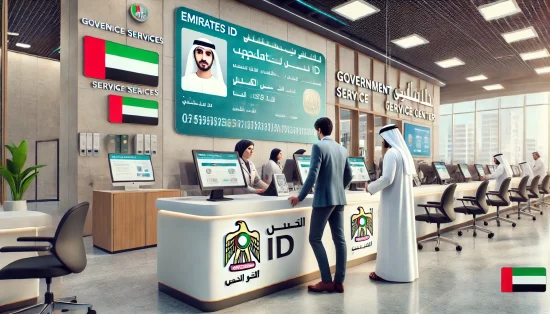
Updating your mobile number in Emirates ID is essential for maintaining seamless access to government and private services in the UAE. Your registered number is linked to various online services, making it a key component of your identity verification process.
Key Reasons to Update Your Mobile Number:
- OTP Verification: Many government portals, banking services, and online transactions require a one-time password (OTP) sent to your registered number.
- Access to UAE Smart Services: Services such as visa renewal, health insurance, and residency applications often require a valid mobile number.
- Banking and Financial Transactions: Notifications for bank transactions, salary deposits, and security alerts are sent to your registered number.
- Legal Compliance: The UAE government mandates that any change in personal details, including your mobile number, must be updated within 30 days.
- Avoid Service Disruptions: Delays in updating your number can lead to missed notifications, affecting important services such as visa status updates or medical insurance claims.
Regularly updating your Emirates ID contact details ensures smooth communication and prevents potential service interruptions.
What Are the Requirements for Changing Your Registered Mobile Number?
Before updating your mobile number in Emirates ID, you need to ensure that you have the required documents and details ready. The process is straightforward, but missing information may cause delays.
Essential Requirements:
- Valid Emirates ID: Your Emirates ID number is necessary to process the update request.
- Registered Mobile Number: You must have access to your current number to receive OTP verification. If you no longer have access, you may need to verify your identity using other methods.
- UAE Pass or ICP Smart Services Account: Logging in with UAE Pass simplifies the process and allows secure verification. However, you can also proceed as a guest.
- New Mobile Number: The new number must be a UAE-registered SIM card to comply with regulations.
- Passport Details: You may need to provide your passport number and other personal details for authentication.
- Active Email Address: A confirmation of your request and payment receipt will be sent to your email.
Having these details ready ensures a smooth and hassle-free update process.
How to Change Registered Mobile Number in Emirates ID Online?
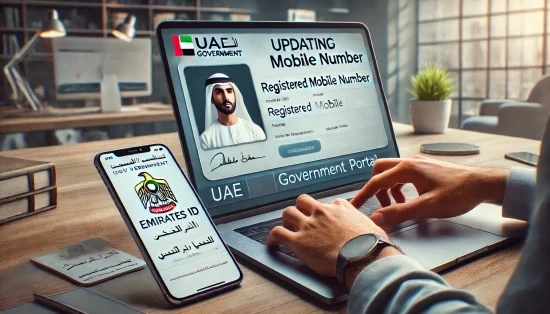
Updating your mobile number online is the fastest and most convenient method. The Federal Authority for Identity, Citizenship, Customs & Ports Security (ICP) provides an easy-to-follow process through its Smart Services Portal. Below is the Step-by-Step Process of change registered mobile number in Emirates ID,
Step 1: Visit the ICP Smart Services Website
- Go to the ICP Smart Services portal.
- Select the Public Service above.
- Select “More Services and Click “Personal Information – Update.” Service card.
- Click “Start Service” to begin.
Step 2: Enter Your Personal Details
- Select your nationality and file type as “Visa.”
- Enter your Emirates ID number, file number, passport number, and last entry date into the UAE.
- Provide your name (English & Arabic auto-generated) and email address.
Step 3: Update Mobile Number
- Enter your new mobile number in the provided field.
- An OTP will be sent to your new number for verification.
- Verify the OTP and complete the CAPTCHA.
Step 4: Review and Submit the Application
- Double-check all details before proceeding.
Step 5: Make the Payment
- The service fee for updating your mobile number is AED 53.
- Pay securely via credit/debit card.
Step 6: Confirmation & Processing
- After successful payment, you’ll receive an email confirmation and invoice.
- The update usually takes 2 to 7 days. If rejected, a refund will be processed.
This method ensures a quick and secure way to update your contact details without visiting a service center.
Can You Change Your Emirates ID Mobile Number Offline?
Yes, if you prefer an in-person process or face issues with the online method, you can update your mobile number at an ICP service center or a typing center in the UAE. Below steps are the offline methods for updating your mobile number,
1. Visiting an ICP Service Center
- Locate the nearest ICP Customer Happiness Center.
- Carry your Emirates ID and passport.
- Request the mobile number update service.
- Provide your new mobile number and complete the verification process.
- Pay the applicable service fee (same as online).
2. Using an Authorized Typing Center
- Visit an authorized typing center in the UAE.
- Provide your Emirates ID, passport details, and new mobile number.
- The staff will complete the application on your behalf.
- Make the payment and receive a reference number for tracking.
Updating your mobile number offline is a suitable option for those who prefer face-to-face assistance or have difficulties with online verification.
How to Check If Your Mobile Number Has Been Successfully Updated?
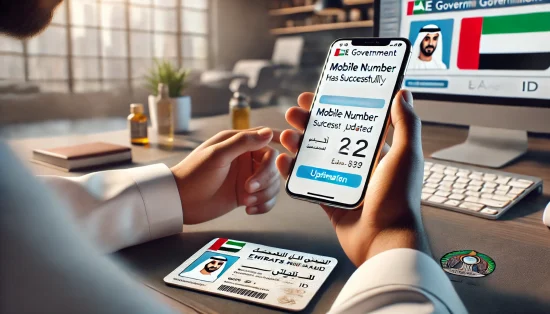
Once your request is processed, you can verify whether your mobile number has been updated using multiple methods.
Ways to Check the Update Status:
- Confirmation SMS or Email: You’ll receive a notification once the update is approved.
- ICP Smart Services Portal: Log in to the ICP website. Navigate to your profile and check the registered mobile number.
- UAEICP Mobile App: Open the app and sign in. Check the personal information section for your updated number.
- Government Service Transactions: If OTPs are sent to your new number for services, it confirms a successful update.
If the update doesn’t reflect after 7 days, contact ICP or visit a service center for further assistance.
Is There a Fee for Changing the Mobile Number in Emirates ID?
Yes, updating your mobile number in Emirates ID requires a service fee of AED 53. This fee is the same whether you update online via ICP Smart Services, the UAEICP mobile app, or through an ICP service center.
Payment Process:
- Online & App: Pay via credit/debit card on the ICP platform.
- Service Center & Typing Centers: Pay directly at the counter using cash or card.
Once payment is made, you’ll receive an email receipt and tracking number to check the status of your request. If your application is rejected, the amount will be refunded.
Ensure that you complete the payment step properly to avoid processing delays or cancellations.
Conclusion
Keeping your Emirates ID mobile number updated is essential for hassle-free access to government and financial services in the UAE.
Whether you choose the ICP online portal, UAEICP mobile app, or a service center, updating your contact details ensures smooth communication and compliance with legal requirements.
Failing to update your number may lead to missed OTPs, financial risks, service disruptions, and potential fines. The process is quick, taking 2 to 7 days, and costs AED 53. Always verify your update by checking the ICP portal, mobile app, or email confirmation.
By regularly updating your Emirates ID details, you can secure your identity, prevent access issues, and ensure uninterrupted services across banking, telecom, and government platforms.
FAQs
Can I update my mobile number in Emirates ID without UAE Pass?
Yes, you can update your mobile number without UAE Pass by selecting the guest user option on the ICP Smart Services portal. However, using UAE Pass provides faster verification and access to additional services.
What happens if I enter the wrong mobile number while updating?
If you enter an incorrect number, you must restart the application process and submit a new request. Ensure all details are accurate before proceeding, as incorrect updates can delay service access.
Is there a limit on how many times I can change my registered mobile number?
There is no strict limit on updating your number, but frequent changes may require additional verification. It’s best to update only when necessary to avoid unnecessary complications.
Do I need to visit a service center for mobile number updates?
No, you can update your number fully online via ICP Smart Services or the UAEICP app. However, if you face issues, you may visit an ICP Customer Happiness Center or a typing center for assistance.
How can I contact ICP UAE for help with mobile number changes?
You can contact ICP through their customer service number (600-522-222) or visit their official website. Alternatively, you can visit an ICP service center for in-person support.
Will my Emirates ID details be automatically updated across other government services?
Not always. While ICP updates your Emirates ID record, you may need to manually update your details with banks, telecom providers, and government portals like MOHRE and TAMM.
Can I use an international number for my Emirates ID registration?
No, only UAE-registered mobile numbers can be linked to your Emirates ID. If you are using an international number, you must obtain a UAE SIM card before updating your details.