Are you wondering how to check your SEWA bill quickly without the hassle of standing in queues or making unnecessary trips? With digital services now at the core of everyday life in the UAE, the Sharjah Electricity and Water Authority (SEWA) has made it easier than ever to monitor and pay your utility bills.
Whether you’re a resident, business owner, or managing a rental property, knowing how to use SEWA’s online portal, mobile app, or offline options ensures you stay on top of your payments.
In this guide, you’ll discover the step-by-step process to check your SEWA bill through various channels, including the website, app, SMS, and helpline, so you never miss a due date again.
What Is SEWA?
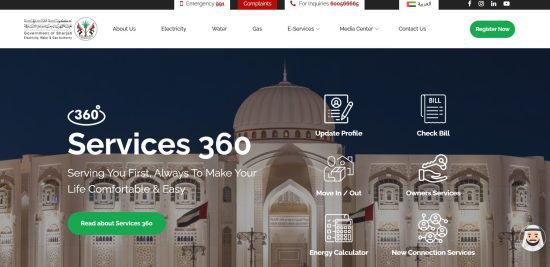
The Sharjah Electricity and Water Authority (SEWA) is a government-owned utility service provider responsible for delivering electricity, water, and natural gas across the emirate of Sharjah.
Established to meet the growing demands of urban infrastructure, SEWA plays a crucial role in powering homes, businesses, and industries.
Whether you’re a long-term resident or a newly moved-in tenant, managing your utility account with SEWA is essential for uninterrupted services.
SEWA’s importance lies not only in utility distribution but also in its efforts toward sustainability and smart technology integration. It offers:
- Centralized management of utilities
- A range of digital services for bill check and payment
- Ongoing upgrades to infrastructure for efficiency
Residents are required to register with SEWA when moving into a new property. The authority also handles emergency support, outage management, and water quality monitoring. By understanding SEWA’s role, consumers can better utilize its services and stay informed about their usage and billing.
How Can You Check Your SEWA Bill Online?
Checking your SEWA bill online is one of the most efficient methods available to consumers in Sharjah. The official SEWA portal offers a straightforward and secure way to access your billing information. This service is available 24/7, allowing residents to monitor their bills without visiting a customer care center.
To check your bill:
- Visit the SEWA website www.sewa.gov.ae
- Look for the “Bill Inquiry” or “Check Bill” option on the homepage
- Enter your Consumer ID or SEWA Account Number
- Submit your details to view the bill summary
You may also need to verify using your registered mobile number or email for account security. Once submitted, your current bill, due date, and any outstanding balances will be displayed. Users can also download a PDF copy of their bill for their records or official use.
What Are the Different Methods to Pay Your SEWA Bill?
SEWA provides several convenient payment options to suit all types of users, whether they prefer digital tools or traditional methods. The goal is to make the process smooth, timely, and accessible to everyone in Sharjah.
Here are the main SEWA bill payment methods:
- Online Portal: Pay securely via the SEWA website using debit or credit cards.
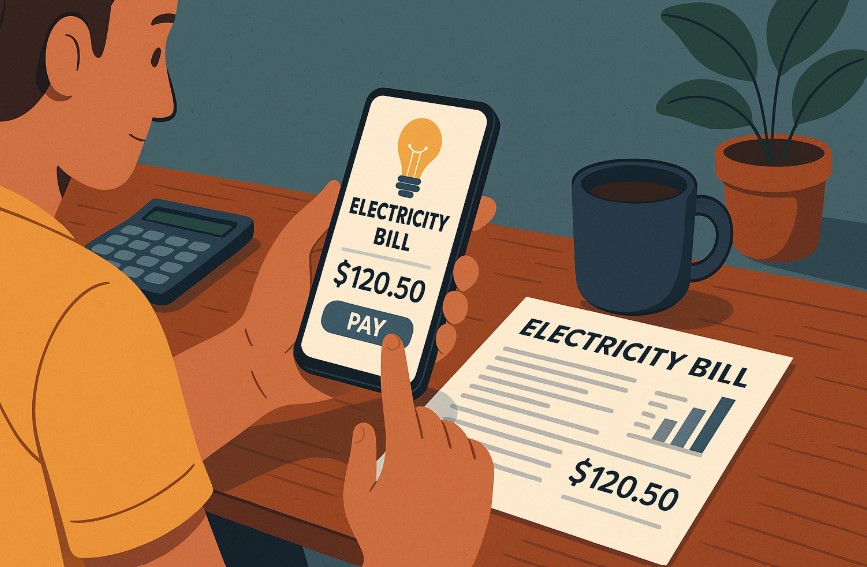
- SEWA Mobile App: Access your account and pay directly through the mobile application.
- Bank Transfers/ATMs: Several local banks allow payments through internet banking or physical ATMs.
- Payment Kiosks: Located throughout Sharjah, these machines accept card payments and provide instant receipts.
- Customer Happiness Centers: Accept in-person payments during working hours.
Each method ensures confirmation and receipt generation after payment. Additionally, registered users can track past payments and manage multiple utility accounts. Whether you’re managing residential or commercial property, SEWA offers flexibility to avoid service disconnection or late charges.
How Do You Register or Login to the SEWA Online Portal?
To access digital services like SEWA bill check, downloading bills, and paying online, you must first register on the SEWA online portal. The registration process is designed to be user-friendly and secure, ensuring your utility data remains confidential.
Here’s how to register:
- Go to the SEWA website and click on the “Register” or “New User” option
- Fill in details such as your name, Consumer ID, mobile number, and email
- Set a strong password and complete the verification process
Once registered, logging in is simple, just enter your email and password on the login screen. After logging in, you can:
- View current and past bills
- Pay bills securely
- Access usage history and digital receipts
- Update contact or billing information
Having a SEWA account not only simplifies utility management but also allows real-time tracking and easier issue resolution through digital customer support channels.
Can You Pay Your SEWA Bill Without an Online Account?
Yes, SEWA offers flexible options for those who prefer not to register for an online account. This is especially helpful for temporary residents, landlords managing multiple properties, or users needing one-time access. You can still check and pay your SEWA bill using your Consumer ID or Account Number without logging in.
Here are non-account options:
- Guest Payment via SEWA Website: Allows one-time access to billing using only your account number and mobile verification.
- SEWA Kiosks: No login required; just input your account details.
- Bank or ATM Payments: Most UAE banks offer bill payment services without needing access to your SEWA profile.
- SMS to 7011: Send your Consumer ID via SMS to receive your bill summary.
- Customer Centers: Visit and present your ID for support.
These options help ensure no disruption to your utility services, even without a registered profile.
What Information Do You Need to Check or Pay Your SEWA Bill?
To effectively manage your SEWA utility bill, having the right information on hand is essential. The most important piece of data you’ll need is your Consumer ID or SEWA Account Number, which is printed on any past bill or activation letter from SEWA.
Other details that may be required include:
- Registered Mobile Number: Used for SMS-based inquiries and account verification.
- Email Address: Sometimes required for digital receipts and login recovery.
- Meter Number: Helps with troubleshooting and consumption-related inquiries.
- Reference Number: Found on your digital or paper bill, used for guest logins or complaints.
Ensuring that this information is accurate and up to date is vital. It enables seamless access whether you’re using the online portal, mobile app, or visiting a physical center. Always keep a digital copy of your previous bill for quick access to these identifiers.
What Should You Do If There Is an Issue With Your SEWA Bill?
If you encounter a discrepancy or unexpected charge on your SEWA bill, it’s important to act quickly to avoid late fees or disconnection. SEWA has a clear and customer-focused support process in place for resolving billing concerns.
Follow these steps if you notice an issue:
- Double-check the bill for unusual spikes in usage or incorrect charges
- Login to the SEWA portal and check past bills to compare usage
- Contact SEWA Customer Support by calling 991 or using their contact form
- Visit a SEWA Center with your bill and valid identification
- File a formal complaint if the issue remains unresolved after initial inquiry
Be prepared to share your Consumer ID, supporting documents, and evidence of any previous correspondence. SEWA aims to investigate and resolve issues within a reasonable timeframe, offering adjustments where necessary.
Is It Safe to Use Online Platforms to Pay Your SEWA Bill?
Yes, SEWA’s online and mobile platforms are designed with multiple layers of security to protect your data and payment details. As digital transactions become more common in the UAE, SEWA has taken proactive steps to ensure secure and encrypted communication.
Here’s how SEWA ensures safe digital payments:
- SSL Encryption: Secures your connection during every online transaction
- Verified Payment Gateways: Integration with trusted banks and card networks
- Two-Factor Authentication: Adds a layer of protection during login and payments
- Secure Mobile App: Regularly updated and maintained for vulnerabilities
To ensure maximum safety, always access SEWA services directly from the official website or mobile app. Avoid using public Wi-Fi when making payments and double-check URLs to prevent phishing scams.
Saving digital receipts and enabling SMS/email alerts can also enhance your financial security when paying your SEWA bill online.
Are There Any SEWA Mobile App Features You Should Know About?
The SEWA mobile app is a user-friendly platform that allows customers to manage utility services directly from their smartphones.
Available for both Android and iOS devices, the app is designed for convenience and offers access to all essential billing and account services without the need to visit a customer service center.
Key features of the SEWA mobile app include:
- Bill Inquiry and Payment: Instantly view current bills and pay using card options.
- Account Management: View account history, billing cycles, and usage summaries.
- Service Requests: Apply for new connections, disconnections, or updates to existing services.
- Notifications and Alerts: Receive due date reminders, outage notifications, and promotional updates.
- Multiple Account Access: Manage more than one property or account under a single login.
The app offers secure access and is regularly updated to ensure seamless functionality and security compliance.
How Can You Track Your SEWA Usage and Save Money?
Monitoring your electricity, water, and gas usage through SEWA is essential for better financial control and environmental responsibility. SEWA provides digital tools that allow consumers to understand how much energy they’re using and adjust their habits to save on monthly bills.
To track and reduce usage:
- Login to the SEWA Portal or Mobile App: Both platforms display real-time usage stats.
- Compare Historical Bills: Identify months with higher consumption.
- Use SEWA Energy-Saving Tips: Found on their portal and through awareness campaigns.
- Switch to Energy-Efficient Appliances: Especially in high-consumption areas like kitchens and AC units.
- Check for Water Leaks or Electrical Faults: Small issues can lead to significant wastage.
By being proactive with monitoring, users can avoid sudden bill spikes, plan utility budgets effectively, and contribute to Sharjah’s overall sustainability goals.
SEWA Bill Check and Payment Table (Quick Comparison)
Here’s a simplified comparison of the different SEWA bill check and payment methods available. Each option varies in terms of accessibility, login requirements, and flexibility for users based in Sharjah:
| Method | Check Bill | Pay Bill | Registration Required | Key Notes |
|---|---|---|---|---|
| SEWA Website | Yes | Yes | Yes | Most complete option for users |
| SEWA Mobile App | Yes | Yes | Yes | Offers usage tracking and payment alerts |
| SMS to 7011 | Yes | No | No | Quick access to bill info, no internet needed |
| Bank/ATM | No | Yes | No | Supports payments via most UAE banks |
| Kiosk Machine | Yes | Yes | No | Available across Sharjah in physical locations |
| Guest Web Portal | Yes | Yes | No | Convenient for one-time bill access |
| SEWA Support Center | Yes | Yes | No | Offers in-person support for all customers |
This table helps users quickly choose the most suitable method for bill checking and payment based on their preferences and technical comfort.
Conclusion
Staying on top of your SEWA bill is essential for maintaining uninterrupted electricity, water, and gas services in Sharjah. With multiple digital and offline options now available, SEWA has made it simple and convenient for users to check their bills, monitor usage, and make payments on time.
From using the official portal to mobile apps and SMS, each method caters to different user preferences and lifestyles.
By understanding the process and keeping your account information handy, you can manage your utilities efficiently without delays or disconnections.
Whether you’re a tech-savvy resident or prefer in-person assistance, SEWA’s multi-channel support ensures your needs are met promptly and securely.
FAQs
How often is the SEWA bill generated?
SEWA typically issues utility bills on a monthly basis, depending on your usage cycle. You’ll receive a new bill with an updated due date and consumption breakdown each month.
Can I get SEWA bill alerts via email or SMS?
Yes, SEWA offers bill notifications through both SMS and email if your contact details are registered. These alerts help you track due dates and payment confirmations.
What happens if I miss the SEWA bill payment deadline?
Missing a SEWA payment may result in late fees or disconnection of services. SEWA usually sends reminders before action is taken, allowing you to settle dues promptly.
Can expatriates register for SEWA online services?
Absolutely. Expatriates living in Sharjah can register on SEWA’s online platform using their Emirates ID and Consumer ID, provided they are the account holders or tenants.
How can I get a duplicate copy of my SEWA bill?
You can download a duplicate bill copy from the SEWA website or mobile app after logging in. It’s available in PDF format for printing or digital use.
Does SEWA offer any payment extensions or installment options?
SEWA may offer installment plans for large outstanding amounts under specific circumstances. You’ll need to visit a SEWA center or call their helpline to inquire.
Is it possible to change the account holder’s name on a SEWA bill?
Yes, changing the name on your SEWA account requires a property ownership or tenancy contract and a visit to a SEWA customer center with valid ID.