
Are you waiting for your Emirates ID and unsure how to check its status? Whether you’re a new resident or renewing your existing ID, tracking your Emirates ID is an essential step to stay informed. Fortunately, the UAE government has streamlined the Emirates ID tracking process, making it accessible online and via various channels.
By simply using the PRAN (application number) or Emirates ID number, you can monitor the progress of your card from submission to delivery. Knowing where your ID stands in the process helps avoid unnecessary delays and ensures you take timely actions if needed.
In this blog, you’ll discover how to track your Emirates ID online through the official ICP portal, Emirates Post, and third-party services. We’ll also explore common issues, expected timelines, and what to do if your card is delayed or lost. Let’s dive into it.
What Is Emirates ID?

The Emirates ID is a mandatory identification card issued by the Federal Authority for Identity, UAE Citizenship, Customs, and Ports Security (ICP) in the UAE. Every resident, whether citizen, GCC national, or expatriate, must possess an Emirates ID.
It serves as your legal proof of identity and includes essential biometric data such as your photograph, fingerprint, and personal information.
This card is more than just an ID, it’s your key to accessing government and private sector services. From applying for jobs and opening a bank account to registering a car or signing a lease agreement, your Emirates ID is required across numerous sectors.
It also plays a crucial role in visa-related processes and healthcare services. Keeping your ID up to date and understanding its status is vital for staying compliant with UAE regulations and avoiding disruptions to essential services.
How Can You Track Your Emirates ID Status Online?
Tracking your Emirates ID online is fast, easy, and doesn’t require any paperwork. Whether you’ve applied for a new ID or a renewal, the UAE government provides a few digital options to monitor your application’s progress.
You’ll need one of the following to track your ID:
- PRAN Number (application number) sent via SMS
- Emirates ID number (if you’re renewing)
You can track your Emirates ID using three main methods available through official and trusted platforms.
1. ICP Official Portal Method
Visit icp.gov.ae and go to the ID Card Status page. Enter your PRAN or Emirates ID number, complete the CAPTCHA, and hit “Check.” You’ll see your card’s current status—whether it’s being processed, printed, or ready for delivery.
2. Emirates Post Tracking
Once the ID is printed, it’s dispatched via Emirates Post. Go to emiratespost.ae and input your tracking number (often the PRAN) to monitor the delivery.
3. Third-party Services Overview
Some authorised service providers like Amer Centers and business consultancies offer status tracking assistance. They use the same official data but package it with customer support.
Always verify the legitimacy of third-party portals before sharing personal information.
Where Can You Check Your Emirates ID Application Status?
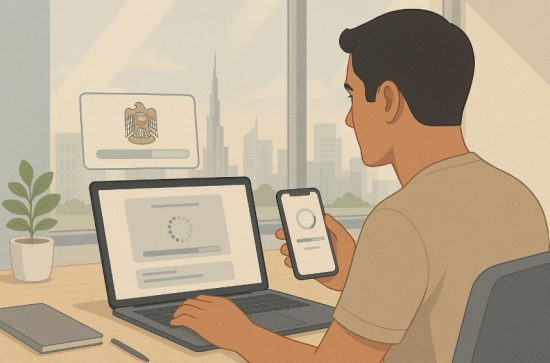
You can check the status of your Emirates ID application directly through reliable platforms. These include government portals and approved service centers.
ICP Website Tool Explained
The most recommended way is through the ICP website at icp.gov.ae. Navigate to “ID Card Status,” input your PRAN or Emirates ID number, and click “Check.” The tool will instantly fetch your card status from the national database.
Required Details for Tracking
- PRAN Number (given via SMS when you apply)
- Emirates ID number (if it’s a renewal)
- Full name and date of birth (for extra verification in rare cases)
Common Issues When Checking Status
- Invalid PRAN or ID number
- Server maintenance causing delays in response
- Incomplete application due to missing documents
If you’re facing issues, revisit your receipt to confirm your PRAN or ID number. Double-check all inputs, and if problems persist, consider contacting customer support for assistance. Tracking your application through the ICP ensures accurate and timely updates, keeping you informed every step of the way.
When Should You Start Emirates ID Tracking After Applying?
Knowing when to start tracking your Emirates ID helps set realistic expectations and prevents unnecessary anxiety. Here’s what you should know:
Standard Processing Times
Generally, it takes 7 to 10 working days from the application submission for the Emirates ID to be processed. However, this may vary based on your application type and location.
When Tracking Becomes Available?
You can begin tracking your ID approximately 24–48 hours after submission. During this time, your PRAN will be registered in the system, and initial verification begins. Once this is complete, you can view the status online.
Timeline Expectations
Here’s a general timeline:
- Day 1–2: Biometrics and document review
- Day 3–5: Printing process begins
- Day 6–7: ID sent to Emirates Post
- Day 8–10: Delivery to your registered address or collection center
While tracking early won’t harm, meaningful updates generally appear after 48 hours. For urgent cases, like travel plans or job applications, consider applying for expedited processing or contact ICP to request updates. Monitoring your status ensures you stay ahead of delays and allows for quicker resolution of any issues that arise.
Why Is Your Emirates ID Still Under Processing?

If your Emirates ID is showing “Under Processing” for longer than expected, there may be underlying reasons. Let’s look at the key causes and solutions.
Possible Delays
- High application volume during peak periods
- Incomplete documentation or unclear uploaded files
- System upgrades or maintenance delays
These delays are typically temporary and can often be resolved without resubmitting your application.
Verification Issues
In some cases, the biometric verification or ID photo might not meet requirements, leading to delays. Double-check if you’ve missed any appointments or need to resubmit documents.
Contacting ICP support
If your ID has been processing beyond 10 business days, contact ICP through the details below:
| Support Channel | Details |
| Phone | 6005 30003 |
| Website Live Chat | icp.gov.ae > Ask Hamad |
| Customer Happiness Centres | Visit your nearest ICP branch |
| Email Support | info@icp.gov.ae |
Always provide your PRAN, Emirates ID number, and full name when contacting support. This helps speed up the resolution. Keeping track of your card’s progress regularly allows you to act fast when delays occur, ensuring you receive your ID without disruptions.
What If Your Emirates ID Is Delayed or Lost?
A delay or loss of your Emirates ID can be frustrating, but resolving it is simple with the right steps. If your card status shows printed but not delivered after 10 days, it’s likely delayed in transit or held at the Emirates Post office.
Here’s what you should do:
- Visit emiratespost.ae and check the delivery status using your PRAN.
- Contact Emirates Post at 600 599 999 for direct inquiry.
If your ID is lost or stolen:
- Immediately report it to the nearest ICP Customer Happiness Centre.
- Bring original documents (passport, entry permit, etc.).
- Apply for a replacement online or through ICP centers.
- Pay the fee of 300 AED for replacement, plus 70 AED (center) or 40 AED (e-form).
You’ll receive a new Emirates ID within 48 hours, or faster with express delivery. Always act quickly to avoid misuse of your personal data and ensure continuity in accessing essential services.
Can You Track Emirates ID Delivery with Emirates Post?

Yes, you can track the delivery of your Emirates ID through Emirates Post, once the printing is complete. Emirates Post is responsible for delivering physical ID cards across the UAE.
To check delivery:
- Visit emiratespost.ae
- Click on “Track Shipment”
- Enter your tracking or PRAN number
- Review the status update
Typical delivery statuses include:
- Dispatched from facility
- Out for delivery
- Ready for collection
If your card shows “Delivered” but you haven’t received it, call Emirates Post or visit the nearest branch with your Emirates ID receipt. You may also get SMS alerts with tracking links once your card is in transit.
Keeping an eye on your delivery status helps ensure timely pickup or redelivery if needed. Always collect the ID in person and present valid documents for verification.
Tips to Avoid Delays in Emirates ID Application and Tracking
Avoiding delays in your Emirates ID process is easier than you might think. A little preparation and attentiveness go a long way.
Here’s how to stay ahead:
- Double-check all information in your application form
- Submit clear, high-resolution copies of required documents
- Attend biometric appointments on time
- Use the same mobile number you provided during application
- Keep your PRAN number saved securely
Avoiding errors during submission is the most effective way to keep your ID processing smooth. Also, make it a habit to check your ID status every 2–3 days after applying. If any issues arise, act immediately instead of waiting.
Keeping your documentation and communication streamlined ensures that your Emirates ID is issued promptly and without unexpected obstacles.
Conclusion
Tracking your Emirates ID has never been easier, thanks to the digital solutions provided by the UAE government. Whether you’re using the ICP website, Emirates Post, or seeking help through service centers, you can stay informed every step of the way.
Understanding where your ID stands in the process not only prevents anxiety but also ensures timely action if issues arise. From applying correctly to avoiding common delays, this guide has walked you through everything you need to know about Emirates ID tracking.
Use your PRAN or ID number to monitor progress and rely on verified portals and support channels for assistance.
Keeping track of your ID is your responsibility, and with the tools now at your fingertips, it’s easier than ever. Stay informed, act fast, and enjoy seamless access to UAE services with your Emirates ID in hand.
FAQs
How long does it take to get an Emirates ID after application?
Typically, it takes 7 to 10 working days for an Emirates ID to be processed and delivered.
Can you track Emirates ID status without the PRAN number?
No, the PRAN or Emirates ID number is required to track your application through the ICP portal.
What should you do if the Emirates ID is returned to ICP?
Contact ICP support immediately with your PRAN and personal details to arrange redelivery or collection.
Is there a mobile app for Emirates ID tracking?
Yes, you can use the ICA UAE Smart App to track your ID status and manage other identity services.
What does card is being processed mean?
It means your application has been received and is currently under review or undergoing printing.
How can expats check their Emirates ID status?
Expats can use the ICP website and enter their PRAN or ID number to view the current status of their card.
Can someone else track your Emirates ID for you?
Yes, but they will need your PRAN or Emirates ID number and possibly your name or other verification details.