Are you unsure how to view or pay your Du WiFi bill in the UAE? With many customers now managing utilities online, knowing how to check your Du internet bill has become more essential than ever.
Whether you’re new to Du services or a long-time user looking for a more efficient way to monitor your charges, learning the step-by-step methods to access your monthly bill can help you avoid late fees, overcharges, or service disruptions. Du offers various convenient ways to check, pay, and download your bill securely using digital tools, apps, or even physical locations.
In this guide, we’ll walk you through everything you need to know to do a Du WiFi bill check, understand your statements, and make timely payments, all from the comfort of your home. Let’s simplify your monthly billing experience and make sure you’re always one step ahead.
What Is Du WiFi and Why Is It Important to Check Your Bill Regularly?
Du is one of the leading telecommunications providers in the UAE, offering a range of home internet and mobile services. Its WiFi services cater to thousands of residential and business customers across the country.
As a Du user, regularly checking your bill is not just about staying informed but also about managing your finances and ensuring there are no discrepancies.
Monitoring your Du WiFi bill helps you:
- Avoid unexpected service interruptions
- Stay updated on data usage or plan changes
- Detect any unauthorized charges or billing errors
- Track your monthly spending for better budgeting
Du issue monthly statements that reflect your usage, service fees, and applicable VAT. These are generated within eight days after your billing cycle ends and sent directly to your registered email.
Reviewing this document allows you to understand your bill in detail and address any inconsistencies promptly. Being proactive with your bill review can save you money and ensure that your internet experience remains seamless and uninterrupted. It also encourages responsible usage and enables informed decisions when it comes to upgrades or plan changes.
How Can You Check Your Du WiFi Bill Online?
Du provides multiple digital platforms to help customers easily access and review their internet bills. You don’t need to wait in queues or call customer service when you can do everything in a few clicks or taps. Here’s how to check your Du WiFi bill online through different methods.
Using Du’s Official Website
You can visit the Du official website and go to the “My Account” section. After logging in using your UAE PASS or Du credentials, click on the Billing tab. Select the month you wish to view and click on the download icon. A new window opens with a detailed PDF version of your bill.
Accessing the “My Account” Portal
Logging into the “My Account” portal gives you access to current and previous bills.
Here you can:
- View your billing history
- Open and download itemised bills
- See due dates and payment options
It’s advisable to use your registered credentials rather than OTP for full access to all features.
Du Quick Pay Method
The Quick Pay option allows users to check and pay their bills without logging in:
- Visit the Du Quick Pay page
- Enter your mobile or account number
- View the outstanding amount and proceed to payment if needed
This method is best for quick checks or when you’re in a hurry.
| Method | Login Required | Access Type |
| Website “My Account” | Yes | Full bill with itemisation |
| Quick Pay | No | Bill summary only |
| Du App | Yes | Full features and history |
Du App Step-by-Step Process
- Download or open the Du app
- Log in with UAE PASS or Du credentials
- Tap on “Bill History”
- Tap on “View Latest Bill”
- Choose previous months from the dropdown to view or download past bills
You can also enable notifications for future bill alerts within the app.
No matter which method you choose, Du ensures your billing details are secure, transparent, and accessible 24/7.
What Are the Different Ways to Pay Your Du WiFi Bill?
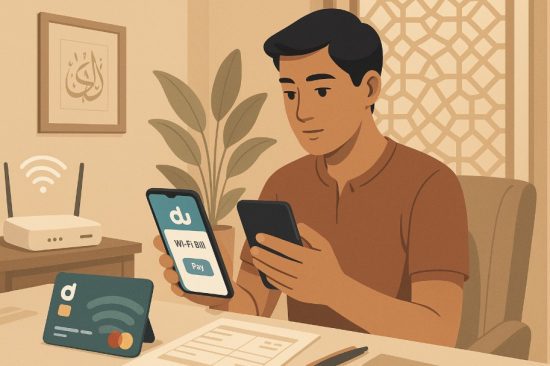
Paying your Du WiFi bill is now easier than ever with multiple digital and offline channels available. Whether you prefer online payments or visiting a payment kiosk, Du has several options tailored to your convenience. Let’s explore them one by one.
Du Website (Credit/Debit Card)
The official Du website allows secure payments using:
- GCC Visa/MasterCard
- International American Express credit cards
Simply log into “My Account”, select the billing tab, and choose your preferred payment method. You can also save your card for future use.
Du Mobile App
The Du app gives you control over your payments:
- Log in and go to “Make a Payment.”
- Enter the payable amount
- Use saved or new card details
- Confirm with OTP and receive a receipt
Apple users can also pay using Apple Pay. Enabling biometric ID simplifies monthly payments up to AED 2,500.
Auto-Pay Options
Auto-pay is available via:
- Du app settings
- My Account dashboard
You can enable auto-debit monthly from your registered card, ensuring you never miss a due date.
Du Payment Kiosks and Partner Outlets
Offline options include:
- Du Quick Pay machines in malls and Du stores
- 4200+ NT Payment self-service kiosks
- Exchange houses like Al Ansari, Al Fardan, Wall Street
- Emirates Post and Axiom outlets
| Payment Channel | Mode | Accepted Cards |
| Du App | Online | Visa, MasterCard, AmEx |
| Website | Online | Visa, MasterCard, AmEx |
| NT Kiosks | Offline | Visa, MasterCard, JCB |
| Exchange Houses | Offline | Cash, Card |
Multiple choices make it convenient to pay on time, no matter where you are.
Can You Download or View a Du WiFi Bill Statement?
Yes, Du provides multiple ways for users to view or download their WiFi bill statements easily. Whether you use the Du app, website, or rely on email delivery, your monthly internet usage and charges are always at your fingertips.
On the Du App, you can navigate to “Bill History” and tap “View Latest Bill” to download the current month’s PDF. To check earlier bills, just select the month from the dropdown menu. All bills downloaded are itemised and suitable for documentation or reimbursement purposes.
Through the My Account section on the Du website, you can find a similar function under “Billing”. Select your billing month, then click the corresponding icon to open and save the PDF file.
Additionally, Du sends a soft copy of your bill to your registered email every month. This ensures that even if you’re unable to access the app or website, your billing details are always available.
Downloading your bill is a secure and organised way to keep track of your expenses.
What Should You Do If There’s an Error in Your Du WiFi Bill?
Errors in your internet bill can happen, and knowing how to act quickly is essential. Whether you’ve been charged incorrectly or see unusual data usage, Du provides multiple ways to report and resolve billing issues effectively.
Start by reviewing your downloaded itemised bill from the app or website. Compare it with your actual usage or the previous month’s bills. If the discrepancy persists, contact Du Customer Care immediately through the 155 IVR or the Du app’s support feature.
You can also visit a Du store for direct support or raise a ticket through “My Account”.
Make sure to provide:
- Your account number
- Screenshot or copy of the bill
- Description of the issue
Du typically investigate and respond within a few business days. The process may include adjustments, refunds, or clarifications, depending on the issue.
Taking prompt action and keeping a record of your complaints ensures faster resolution and prevents future billing errors.
Is It Safe to Use Online Methods for Du Bill Check and Payment?
Online methods for checking and paying your Du WiFi bill are designed to be secure, user-friendly, and efficient. Du uses encryption and verification layers to ensure your data and payments are protected.
When you log into the Du website or app, you’re using a secure server with authenticated credentials like UAEPASS or OTP. Transactions made with saved cards go through multi-factor authentication, ensuring only you can access your payment information.
To maintain safety:
- Only use official Du platforms
- Avoid using public WiFi for transactions
- Enable Face ID or Touch ID on mobile devices
- Set up alerts for bill generation and payment confirmation
You’ll also receive payment receipts for every transaction, which you can view, download, or share from your device.
Du’s digital tools are built with your privacy and data security in mind, giving you peace of mind while managing your bills online.
Conclusion
Regularly checking your Du WiFi bill not only helps you stay on top of your expenses but also promotes better control over your internet usage. With convenient digital platforms like the Du app, website, and Quick Pay, managing your bill has never been easier.
By taking just a few minutes each month to review your statements, you can avoid surprises, maintain uninterrupted service, and spot any irregular charges before they escalate.
Make it a monthly habit and take advantage of Du’s reliable online features to ensure that your WiFi experience remains stress-free, secure, and well-managed.
FAQs
How can I log into my Du account to view my WiFi bill?
You can log in using your UAEPASS or Du credentials through the Du website or app. This provides access to billing, payments, and history.
Can I check my Du WiFi bill without registering?
Yes, you can use the Quick Pay option on the Du website by entering your account or mobile number for a summary of your bill.
How do I use the Du Quick Pay option?
Go to the Du Quick Pay page, enter your account number, and the bill amount will appear for payment using your card.
Where can I download a copy of my Du WiFi bill?
You can download it from the Du app under Bill History or from My Account on the Du website after logging in.
Can I use international cards to pay my Du WiFi bill online?
Yes, Du accepts international Visa, MasterCard, and American Express cards through its app and website.
What’s the difference between postpaid and prepaid bill checks in Du?
Postpaid bills show usage after the billing cycle, while prepaid users top up and don’t receive monthly bills.
Who should I contact for a billing dispute with Du?
You can call Du customer care at 155, visit a store, or raise a complaint through the Du app or website.