Do you need a simple and reliable way to check your RAKBANK C3 Card balance in the UAE? Whether you use your card for salary payments, online shopping, or ATM withdrawals, keeping track of your balance is essential to avoid declined transactions and manage your expenses effectively. But what if you’re unsure how to check your balance or face issues while doing so?
RAKBANK offers multiple ways to check your C3 Card balance, including mobile banking, online banking, ATMs, SMS banking, and customer service. Each method is designed for ease and accessibility, ensuring that you can access your funds anytime, anywhere.
In this guide, we’ll walk you through step-by-step instructions on how to check your RAKBANK C3 Card balance and manage your card efficiently.
What is RAKBANK C3 Card?
The RAKBANK C3 Card is a prepaid payroll card issued by RAKBANK (Ras Al Khaimah Bank) in the UAE. It is primarily designed for employees who receive their salaries through companies partnered with RAKBANK.
Unlike traditional debit or credit cards, the C3 Card allows users to receive their wages, make purchases, and withdraw cash without the need for a personal bank account.
Key Features of the RAKBANK C3 Card:
- Prepaid Functionality: The card is preloaded with salary payments from employers.
- ATM Access: Cardholders can withdraw cash from RAKBANK ATMs and other UAE ATMs.
- Retail Payments: The card can be used for shopping at POS terminals in UAE stores.
- Online Transactions: It allows users to pay bills and shop online securely.
- Mobile Banking Support: Users can check balances, transfer funds, and manage their accounts via the RAKBANK Mobile App or online banking.
- No Minimum Balance Requirement: Unlike regular bank accounts, the C3 Card does not require a minimum balance.
This card is particularly beneficial for employees in industries where bank accounts are not commonly used, such as construction and domestic services.
It ensures that salaries are transferred securely and efficiently, providing financial inclusion to workers who might not have access to a traditional bank account.
Who Can Get a RAKBANK C3 Card?
The RAKBANK C3 Card is primarily designed for employees in the UAE whose companies have partnered with RAKBANK for payroll services. It is an ideal solution for workers who do not have a personal bank account but need a secure and convenient way to receive their salaries.
Eligibility Criteria:
- Employees of registered companies: The card is issued through employers who use RAKBANK’s payroll system.
- Individuals without a traditional bank account: The C3 Card provides financial access to workers who do not meet standard banking requirements.
- Workers in industries with large unbanked populations: Common sectors include construction, domestic work, and hospitality.
- UAE residents with valid documents: Employees must have a valid Emirates ID and a work visa under a UAE-based employer.
Unlike personal debit or credit cards, individuals cannot apply directly for the C3 Card. Instead, the employer facilitates the issuance process, ensuring that salaries are credited to the card every month.
This makes it a reliable option for workers who need instant access to wages, ATM withdrawals, and cashless payments without maintaining a bank account.
How to Check RAKBANK C3 Card Balance? (Step-by-Step Methods)
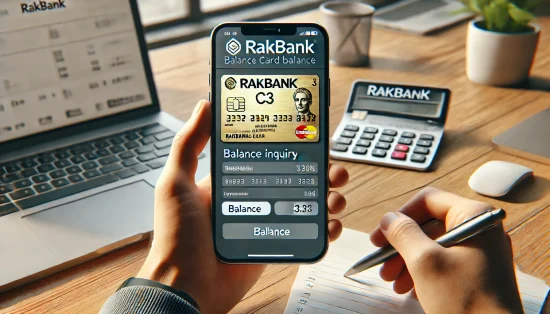
Keeping track of your RAKBANK C3 Card balance is essential to manage your expenses and avoid declined transactions. RAKBANK provides multiple ways to check your balance, ensuring convenience for all users.
Below are the step-by-step methods to check your RAKBANK C3 Card balance in the UAE.
1. Using the RAKBANK Mobile App
The RAKBANK Mobile App offers a quick and secure way to check your card balance from anywhere.
Steps to Check Balance via the Mobile App:
- Download & Install: Get the app from the Google Play Store or Apple App Store.
- Log in: Use your RAKBANK online banking credentials or register as a new user.
- Go to Account Overview: Navigate to the “Card Management” or “Account Overview” section.
- Select Your C3 Card: Choose the C3 Card from the list of accounts.
- Check Your Balance: The available balance and recent transactions will be displayed.
The mobile app is ideal for real-time balance updates and managing transactions on the go.
2. Via RAKBANK Online Banking
For those who prefer desktop banking, RAKBANK’s online portal provides an easy way to check your C3 Card balance.
Steps to Check Balance via Online Banking:
- Visit the RAKBANK Website: Go to www.rakbank.ae and log in.
- Enter Your Credentials: Provide your username and password.
- Navigate to “Cards”: Select “Cards” or “Account Overview.”
- Select Your C3 Card: Choose your C3 Card from the list.
- View Your Balance: The current balance will be displayed on the screen.
Online banking is useful for those who prefer checking their balance on a computer or laptop.
3. Checking Balance at a RAKBANK ATM
If you prefer a physical method, you can check your C3 Card balance at any RAKBANK ATM in the UAE.
Steps to Check Balance at an ATM:
- Find a RAKBANK ATM: Use the ATM locator on the RAKBANK website or app.
- Insert Your C3 Card: Place your card into the ATM slot.
- Enter Your PIN: Type in your 4-digit PIN for verification.
- Select “Balance Inquiry”: Choose the option to check your balance.
- View Your Balance: The ATM screen will display your available balance. You can also print a mini statement if needed.
This method is perfect for those who don’t have internet access but need to check their balance quickly.
4. Checking Balance via SMS Banking
RAKBANK allows users to check their C3 Card balance using SMS Banking for instant updates.
Steps to Check Balance via SMS:
- Register for SMS Banking: Ensure your mobile number is registered with RAKBANK.
- Send an SMS: Type “BAL” and send it to the designated RAKBANK SMS number.
- Receive Balance Information: You will get an SMS with your available balance.
SMS Banking is a fast and convenient option for users without internet access.
5. Contacting RAKBANK Customer Service
If you face issues with the above methods, you can contact RAKBANK customer service for balance inquiries.
Steps to Check Balance via Customer Service:
- Call RAKBANK Hotline: Dial 600544049
- Verify Your Identity: Provide details such as card number, Emirates ID, or security information.
- Request Balance Inquiry: Ask the agent to provide your current balance.
- Receive Balance Information: The representative will inform you about your available balance.
This method is useful if you need assistance with your account or encounter issues checking your balance through other channels.
Checking your RAKBANK C3 Card balance regularly helps in better financial management and ensures that you have enough funds for daily expenses.
How to Get a RAKBANK C3 Card in the UAE?
Since the RAKBANK C3 Card is primarily a payroll solution, employees cannot apply for it independently. The application and issuance process is handled directly by employers in partnership with RAKBANK.
Steps to Get a RAKBANK C3 Card:
- Employer Registration: The company must have a corporate payroll account with RAKBANK to issue C3 Cards for employees.
- Employee Enrollment: Employers submit employee details, including a passport copy, Emirates ID, and visa copy to RAKBANK.
- Card Issuance: Once approved, the C3 Card is issued and delivered to the employer, who then distributes it to the employees.
- Card Activation: Employees receive an activation guide with their card. They must follow the instructions to activate it before use.
- Salary Crediting: After activation, the employer credits salaries directly to the C3 Card every month.
Employees can use their C3 Card immediately for ATM withdrawals, online payments, and retail purchases. Since the card is linked to RAKBANK’s Wage Protection System (WPS), it ensures timely salary transfers while providing a financial solution for workers without a bank account.
What to Do If You Can’t Check Your RAKBANK C3 Card Balance?

Sometimes, you may face issues while checking your RAKBANK C3 Card balance due to technical errors, incorrect login credentials, or service disruptions. If you are unable to access your balance, follow these troubleshooting steps:
1. Verify Your Internet Connection: If you are using the RAKBANK Mobile App or Online Banking, ensure you have a stable internet connection. Try switching between Wi-Fi and mobile data to see if the issue resolves.
2. Check Your Login Credentials: If you forgot your username or password, reset it through the RAKBANK website or mobile app. Ensure that your RAKBANK online banking account is activated if you are a new user.
3. Ensure Your Card is Active: Expired or inactive cards may not show balance details. Contact RAKBANK customer service to verify if your card is still valid.
4. Try Alternative Balance Check Methods: If online banking or the app isn’t working, try using an ATM, SMS banking, or calling customer service. Ensure that you are sending the correct SMS format to the designated RAKBANK number.
5. Contact RAKBANK Customer Support: If all methods fail, call RAKBANK customer service at 600 54 4049. Provide your C3 Card number and personal verification details to get real-time assistance. By following these steps, you can resolve most balance inquiry issues and ensure smooth access to your C3 Card funds.
Tips for Managing Your RAKBANK C3 Card Efficiently
Proper management of your RAKBANK C3 Card ensures secure transactions, better financial control, and a hassle-free banking experience. Here are some essential tips to help you use your card efficiently.
- Monitor Your Balance Regularly: Always check your balance before making payments or withdrawals. Use the RAKBANK Mobile App, Online Banking, or SMS Banking for real-time balance updates.
- Keep Your PIN Secure: Never share your PIN with anyone, including friends or colleagues. Change your PIN regularly to enhance security. Avoid using easy-to-guess PINs such as birth dates or repeated numbers.
- Use ATMs and Online Services Safely: Always check for suspicious activity when using an ATM. Ensure you are on the official RAKBANK website or app when accessing online banking. Log out from online banking and the mobile app after use.
- Enable SMS and Email Alerts: Activate transaction alerts to track spending and detect any unauthorized activity. If you notice any suspicious transactions, report them immediately to RAKBANK.
- Know the Card’s Limitations: Be aware of withdrawal limits at ATMs and spending limits for purchases. Understand any transaction fees for withdrawals at non-RAKBANK ATMs.
- Contact RAKBANK for Any Issues: If your card is lost, blocked, or not working, contact RAKBANK Customer Service (600 54 4049) immediately. For salary credit delays, verify with your employer or HR department.
By following these best practices, you can keep your RAKBANK C3 Card secure, avoid unnecessary fees, and ensure smooth financial transactions.
Conclusion
The RAKBANK C3 Card is a convenient payroll solution that allows users to access their salaries without needing a personal bank account. Checking your balance regularly helps you plan your finances, avoid overdraft issues, and ensure smooth transactions.
With multiple options available, such as mobile banking, ATMs, SMS banking, and online banking, managing your card is easier than ever.
If you face any issues while checking your balance, troubleshooting steps like verifying your internet connection, login credentials, and card status can help.
In case of persistent problems, RAKBANK customer service is available to assist you. By following the right methods and best practices, you can ensure the secure and efficient use of your RAKBANK C3 Card for everyday transactions.
FAQs
How can I check my RAKBANK C3 Card balance without the internet?
You can check your balance using RAKBANK ATMs or SMS banking. Simply insert your card at an ATM and select Balance Inquiry, or send BAL via SMS to RAKBANK’s designated number.
Is there a fee for checking my RAKBANK C3 Card balance?
RAKBANK does not charge a fee for balance inquiries through mobile banking, online banking, or ATMs. However, using non-RAKBANK ATMs may incur additional charges.
Can I check my C3 Card balance from outside the UAE?
Yes, you can check your balance via RAKBANK Online Banking or the Mobile App. Ensure you have an active internet connection and the required login credentials for access.
What should I do if my RAKBANK C3 Card balance is incorrect?
First, check your recent transactions through RAKBANK Mobile App or Online Banking. If you notice an error, contact RAKBANK Customer Service to resolve the issue.
How can I reset my RAKBANK C3 Card PIN if I forget it?
You can reset your PIN at a RAKBANK ATM or by calling RAKBANK Customer Support. Follow the instructions provided to create a new secure PIN.
Can I link my RAKBANK C3 Card to a bank account?
No, the RAKBANK C3 Card is a prepaid payroll card and is not linked to a personal bank account. It is designed for salary disbursement and transactions only.
What should I do if my RAKBANK C3 Card is lost or stolen?
Immediately call RAKBANK Customer Service at 600544049 to block your card. You can then request a replacement card through your employer or a RAKBANK branch.