Have you recently driven through Abu Dhabi or plan to visit soon with your vehicle? Then, understanding how the Abu Dhabi toll registration works is absolutely essential. Abu Dhabi’s toll system, known as DARB, is a mandatory registration process designed to ease traffic congestion and promote smarter urban mobility.
Whether you’re a UAE resident, an expat, or a tourist renting a car, you need to register your vehicle if you intend to cross any toll gates within the city. The process may seem confusing at first, especially with deadlines, required documents, and app-based account management.
But don’t worry, this guide covers everything, from how to register and pay to exemptions and fines. It provides a detailed breakdown of each step to ensure you’re fully compliant and avoid unnecessary penalties. Let’s dive in and explore all you need to know about the Abu Dhabi toll registration process.
What Is the Abu Dhabi Toll System?
Abu Dhabi’s toll system was introduced to manage the increasing traffic flow and reduce congestion in high-density areas. This modern, automated system aims to encourage the use of public transport and smoother vehicle distribution during peak hours.
The toll system operates under the name DARB and does not require physical tags or toll stickers on vehicles. Instead, it is linked digitally to your registered account and vehicle license plate. When you cross a toll gate, the system automatically deducts the toll fee from your DARB account.
Toll gates are strategically placed at four key bridges in Abu Dhabi:
- Sheikh Zayed Bridge
- Al Maqta Bridge
- Sheikh Khalifa Bridge
- Mussafah Bridge
These gates are active during the following peak hours:
- Morning: 7:00 AM to 9:00 AM
- Evening: 5:00 PM to 7:00 PM
- Active Days: Monday to Saturday
- Toll-Free Days: Sundays and public holidays
The toll system ensures drivers are more aware of traffic patterns and more likely to opt for alternatives such as carpooling or public transport. It also helps authorities in long-term urban planning and infrastructure development. Ultimately, it’s about improving road safety, reducing carbon emissions, and keeping the city moving efficiently.
Who Needs to Complete Abu Dhabi Toll Registration?
If you own, rent, or drive a vehicle in Abu Dhabi, toll registration is not optional. Every driver passing through a toll gate must have a registered DARB account.
Here’s who must register:
- UAE Residents: If your vehicle is registered in any emirate, including Abu Dhabi, Dubai, or Sharjah, you need to register.
- Tourists and Visitors: Driving a rental or bringing your vehicle from another country? You still need to complete the toll registration.
- Car Renters: Whether you’re renting from a premium or local provider, it’s your responsibility to check if the vehicle is registered.
- Commercial and Business Vehicles: Company cars, delivery trucks, and other commercial fleets also fall under the registration requirement.
- Multi-vehicle Owners: Even if you own several vehicles, each one must be registered individually under the same account.
It’s important to note that even Dubai-registered vehicles are not exempt. So, if you regularly drive from Dubai to Abu Dhabi, make sure your vehicle is registered to avoid hefty fines. Missing this registration can quickly result in accumulating penalties, so it’s crucial to register as soon as you plan to cross a toll gate.
How Can You Register for the Abu Dhabi Toll System?
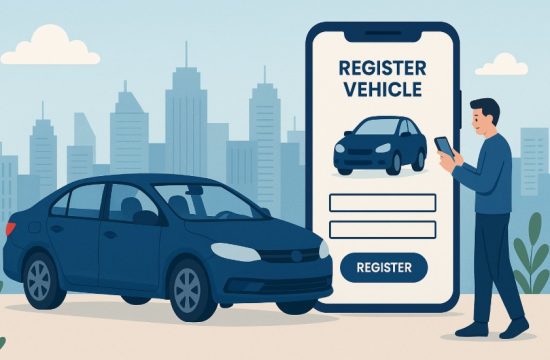
Registering for the Abu Dhabi toll system is a straightforward process. You can do it online through the DARB website or via the DARB mobile app. Both platforms are accessible and user-friendly for residents, tourists, and corporate drivers.
What Platforms Are Available for Registration?
You can register through:
- Official DARB Website: Accessible via any browser.
- DARB Mobile App: Available on iOS and Android platforms.
These platforms allow you to manage your entire toll account—from registering vehicles to adding funds and disputing fines.
How Do You Create an Account Step by Step?
To create your DARB toll account, follow these steps:
| Step | Action |
| 1 | Visit the DARB website or download the app |
| 2 | Choose “Individual Registration” |
| 3 | Enter your email address |
| 4 | Verify the OTP sent to your email |
| 5 | Enter your Emirates ID or Traffic Code |
| 6 | Add your vehicle license plate number |
| 7 | Enter a valid UAE phone number |
| 8 | Set a secure password for your account |
| 9 | Select your payment method (credit/debit) |
| 10 | Add funds to your wallet |
| 11 | Complete activation |
Once your account is active and funded, you are ready to use the toll system.
What Documents and Information Do You Need to Provide?
Make sure to have the following ready before starting:
- Valid Emirates ID or traffic code
- Vehicle registration (Mulkiya)
- UAE mobile number
- Valid credit or debit card for payment
- Email address for verification
If you are registering a rental or company vehicle, you may also need to provide additional establishment codes or authorization documents. Be sure all details match your official documents to avoid processing delays. By completing these steps, your account will be ready, and toll deductions will automatically occur when you pass through the gates.
What Are the Vehicle Registration Requirements?
To successfully register for Abu Dhabi tolls, your vehicle must meet certain criteria and be supported with valid documentation. This ensures accurate toll deductions and avoids system mismatches that could lead to fines.
Every vehicle, whether privately owned, rented, or commercial, must have:
- A valid vehicle registration card (Mulkiya)
- A unique license plate number
- An associated Emirates ID or traffic code
- Active UAE mobile number and email address
Your vehicle registration must be up-to-date and reflect the same ownership information as your DARB account. If you’re using a leased or rented vehicle, confirm with your rental provider that all documentation is in order.
For multi-vehicle ownership, each vehicle must be added separately under the same DARB account. The system doesn’t allow for bulk registration under a single entry. In addition, foreign plates are not automatically compatible, and you may need assistance from local transport offices.
By ensuring your vehicle meets all these requirements, you can avoid system errors, invalid entries, or unexpected fines due to incomplete registration.
How Do You Set Up and Manage Your Toll Wallet?
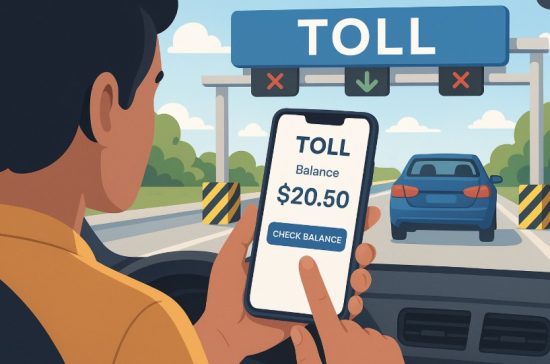
Managing your toll wallet is essential to avoid failed payments and fines. The toll wallet functions like a prepaid account that automatically deducts charges each time you cross a gate.
To set up your wallet:
- Log into your DARB account
- Navigate to the “Wallet” section
- Select your top-up method (credit card/debit card or mobile payment)
- Enter the amount and confirm payment
Your wallet supports:
- Manual top-ups via card
- Auto-recharge settings to avoid low balances
- Click-to-pay options directly through the portal
Ensure that your wallet always has sufficient funds, especially if you’re a frequent commuter. Without adequate balance, the system will still register the toll crossing and issue a violation notice.
You can also monitor transactions, check wallet history, and modify payment methods anytime. It’s recommended to enable auto-recharge if you travel regularly, which ensures your balance is always ready for toll deductions.
When Will You Be Charged Toll Fees and How Much Are They?
Understanding toll charges helps you manage your wallet better and avoid surprises. Abu Dhabi’s toll system uses a consistent pricing model with peak and off-peak schedules.
Here’s when charges apply:
| Charge Details | Information |
|---|---|
| Toll Fee per Crossing | AED 4 |
| Peak Hours | 7:00 AM to 9:00 AM, 5:00 PM to 7:00 PM |
| Active Days | Monday to Saturday |
| Toll-Free Days | Sundays and UAE public holidays |
Each toll is applied per vehicle and per direction. For instance, passing through a gate in the morning and again in the evening on the same day results in two charges.
There’s no daily or weekly cap currently in place. That means if you cross multiple times during peak hours, each will incur a fee. Monitoring your route and timing can help minimize daily expenses. Keeping track of this schedule allows you to plan your trips and reduce costs by traveling during toll-free hours when possible.
What Happens If You Don’t Register or Pay on Time?
Failing to register or maintain your wallet balance can lead to fines. The system allows a grace period, but delays can result in escalating penalties.
Here’s what you need to know:
- Grace Period: 10 working days from your first toll crossing
- First Offense Fine: AED 100
- Second Offense: AED 200
- Third Offense and Beyond: AED 400 each
Fines can reach up to AED 10,000 monthly if left unchecked.
Additional violations may include:
- Using an unregistered vehicle
- Maintaining a zero wallet balance
- Letting your account become inactive
To avoid these issues:
- Register before your first toll crossing
- Enable auto-recharge in your account
- Set reminders to check your account weekly
If you receive a violation, you can log in to your dashboard, review the details, and pay directly. Disputes can also be raised online if you believe the fine was applied in error.
Are Any Vehicles Exempt from Abu Dhabi Toll Charges?
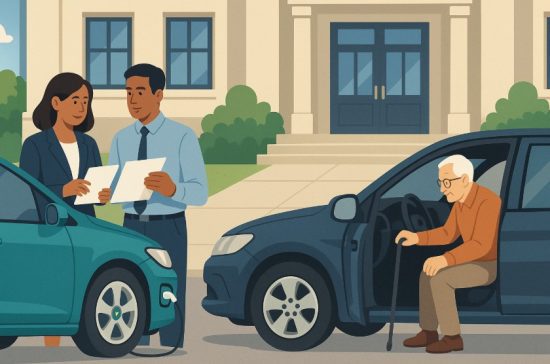
Yes, specific categories of vehicles are eligible for toll exemptions under Abu Dhabi’s guidelines. These exemptions are designed to support the elderly, people with disabilities, and other special segments of the population.
Eligible categories include:
- UAE senior citizens
- People of determination
- Low-income Emirati citizens
- Public transport and emergency vehicles
- Electric vehicles (temporarily)
To apply for exemption:
- Log into your DARB account
- Navigate to the exemption section
- Select your category and upload supporting documents
- Submit your Emirates ID and vehicle registration
Note:
- Only one vehicle per person can be exempted
- Your vehicle must be registered in your name
- Each application is reviewed and approved individually
Approved vehicles will not incur toll charges, but it’s crucial to keep documents updated to maintain exemption status.
How Can You Check and Update Your Toll Account?
Your toll account is your main tool for managing everything from vehicle info to wallet balance. Keeping it accurate and updated ensures smooth toll processing.
To check or update your account:
- Log in via website or mobile app
- Go to the dashboard section
- Review your registered vehicle, wallet, and personal info
You can:
- Edit vehicle or contact details
- Add or remove vehicles
- Change your payment method
- Check recent transactions and toll charges
- View and pay pending fines
The platform also allows you to set notifications for low wallet balances or new fines. If you’ve sold a vehicle or no longer use a registered car, remove it from your account immediately. Keeping your account updated avoids future confusion, billing issues, or incorrect toll charges.
What Should You Know Before Passing Through a Toll Gate?
Preparation is key before entering a toll zone in Abu Dhabi. By ensuring everything is in place, you can avoid unnecessary stops or surprise fines.
Before crossing:
- Confirm your vehicle is registered
- Ensure your DARB wallet has enough funds
- Check for active exemptions, if applicable
- Verify toll operating hours to plan your route
During travel:
- Drive through the designated toll lane
- Don’t stop or try to avoid the gate
- Ensure your number plate is clean and readable
After crossing:
- Check your DARB app for toll deductions
- Keep your wallet topped up for upcoming trips
By staying aware of the system and its operation, you’ll avoid surprises and enjoy a seamless driving experience in the city.
Quick Reference Table: Toll Registration & Usage Summary
Understanding all components of the Abu Dhabi toll system helps you make informed decisions.
Here’s a quick summary to guide you:
| Topic | Details |
| Registration Deadline | Within 10 working days of first crossing |
| Platforms Available | DARB website and mobile app |
| Toll Fee | AED 4 per crossing during peak hours |
| Peak Timing | 7:00 AM to 9:00 AM and 5:00 PM to 7:00 PM |
| Toll-Free Days | Fridays, Sundays, and public holidays |
| Required Documents | Emirates ID, Mulkiya, mobile number, card |
| Wallet Recharge | Manual and auto-recharge options |
| Exemption Categories | Seniors, disabled, low-income, public transport |
| Penalty for No Registration | AED 100–400 per violation, max AED 10,000 |
| Toll Gates | Sheikh Zayed, Al Maqta, Sheikh Khalifa, Mussafah |
Always refer to your dashboard for real-time updates and stay informed to avoid any unwanted surprises on the road.
Conclusion
Successfully navigating Abu Dhabi’s toll system starts with proper registration, accurate documentation, and regular account management. Whether you are a resident, tourist, or commercial driver, completing your DARB toll registration helps ensure compliance and peace of mind on the road.
With a user-friendly process, clear toll schedules, and available exemptions, it’s easier than ever to stay informed and avoid penalties. Stay prepared, stay funded, and make every journey in Abu Dhabi a smooth one.
FAQs
What happens if I forget to register within 10 days?
You will start receiving fines beginning from AED 100, increasing with each additional violation.
Can I use my Dubai-registered car in Abu Dhabi without registering?
No, you must register all vehicles, including those from other emirates, before using toll roads.
How can I dispute a toll fine?
You can log in to your DARB account, access the violations section, and submit a formal dispute request online.
Is there a limit to how many cars I can register?
You can register multiple vehicles under one account, but each must be entered separately with valid documents.
Do toll charges apply on Fridays?
No, toll charges are not applied on Fridays, Sundays, and official public holidays.
Can I get notified when my wallet balance is low?
Yes, you can enable alerts within your DARB account settings to get notified when your wallet funds are running low.
Can I use the toll gate if my exemption application is pending?
It’s best to wait until your exemption is approved; otherwise, standard toll charges may apply.