Navigating through Dubai’s toll gates without hassle starts with one simple step, activating your Salik tag. Whether you’re a resident or a visitor driving through the city, a Salik tag is essential to ensure smooth travel across the toll zones.
You may have already bought a tag, but if it’s not activated correctly, you could face unwanted fines. That’s why understanding the activation process is crucial. In this guide, you’ll discover everything you need to know about how to activate your Salik tag the right way, using various methods like online portals, apps, and even a simple phone call.
We’ll also walk you through where to buy your tag, what documents are needed, and what to do if you run into issues. Let’s help you get started with your Salik journey in the most hassle-free way possible.
What Is a Salik Tag and Why Do You Need It?
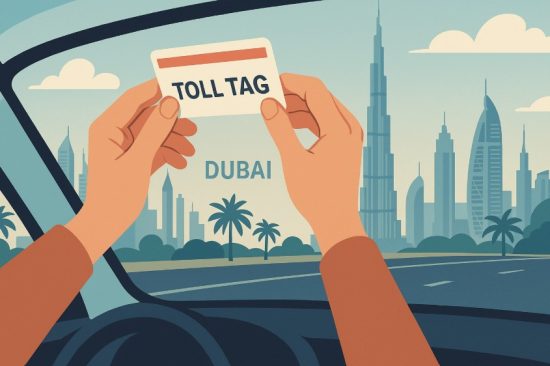
The Salik tag is an essential component of Dubai’s toll collection system. Powered by RFID technology, the tag is a small sticker that must be attached to your vehicle’s windshield. Once activated, it allows you to drive through any Salik toll gate across Dubai without stopping, ensuring seamless travel and automatic deduction of the AED 4 toll fee from your Salik account.
This system helps reduce traffic congestion by eliminating the need for manual toll payments. It’s designed for both residents and visitors driving private or commercial vehicles in Dubai.
You need a Salik tag because:
- It is mandatory for all vehicles passing through toll gates.
- It enables automatic toll deductions from your Salik account.
- Driving through a Salik gate without an activated tag may result in fines.
- It supports efficient traffic management in Dubai.
- The tag is required for both residents and tourists driving their own vehicles.
The Salik system is directly linked with your vehicle and your registered account, allowing you to manage balances, monitor trips, and add or remove vehicles as needed. If you’re driving in Dubai, having an active Salik tag is non-negotiable.
Where Can You Purchase a Salik Tag in Dubai?

Before you activate a Salik tag, you must purchase one. You can buy it from several official sources across Dubai, both online and offline. The process is straightforward and offers multiple convenient platforms, depending on your preference.
Online Options (Salik Portal, Apps)
You can purchase a Salik tag online through the official Salik website or via the Smart Salik App. The website guides you to the ‘Purchase Tag’ section, where you must enter your vehicle details, delivery address, and mobile number. After verifying the OTP sent to your phone, you can complete the payment. Once your payment is confirmed, the tag is dispatched and activated automatically.
Additionally, some apps like Careem and AW Rostamani offer Salik tag purchase services in collaboration with the RTA.
Offline Options (Petrol Stations, Service Centers)
If you prefer an in-person purchase, Salik tags are available at several fuel stations and service points across Dubai:
- Emarat
- ENOC
- EPPCO
- ADNOC
- Salik Service Counters
- Customer Happiness Centers (such as Deira and Umm Ramool)
These locations offer immediate tag issuance. After purchase, you will receive a tag pack containing your tag number and activation key, both necessary for the activation process.
Cost Breakdown (Tag, Delivery, and Recharge Value)
Here’s a detailed breakdown of the costs involved in purchasing a Salik tag in Dubai:
| Component | Cost (AED) | Description |
| Salik Tag Price | 50 | One-time cost of the RFID tag |
| Prepaid Toll Credit | 50 | Credited to your account upon activation |
| Delivery Fee (Online Only) | 20 | Applies if ordering through the website or mobile app |
| Total (Online) | 120 | Tag, balance, and delivery combined |
| Total (Offline) | 100 | No delivery charge for petrol station or service center buys |
Whether you buy your tag online or offline, ensure that your vehicle details and contact number are accurate to avoid activation delays. Once received, the tag should be stuck on your vehicle as per the installation guidelines.
What Documents Do You Need to Activate a Salik Tag?
Activating your Salik tag requires specific documents and details to ensure proper registration. This is essential to link the tag correctly with your vehicle and Salik account.
To proceed with the activation, you need to keep the following documents ready:
- Salik tag number (printed on the back of the tag)
- Activation key (provided in the tag kit or on receipt)
- Mobile number (registered in the UAE and used for communication)
- Vehicle registration card details
This is mandatory if your vehicle is registered outside Dubai or has an export plate It’s important that all the details you submit during activation match the vehicle’s registration exactly. Incorrect data may delay activation or result in fines at toll gates.
You do not need to upload scanned documents for online activation. Instead, just enter the required information during the process. However, if you activate your tag through service centers or phone support, be prepared to provide this information verbally or show it upon request.
The activation process is simple, but accuracy is vital. Having the above documents ready ensures that your activation is processed smoothly without any errors or delays.
How to Activate Salik Tag Online?

Activating your Salik tag online is one of the fastest and most efficient methods. The digital platforms are user-friendly and available 24/7, making the process convenient for vehicle owners across Dubai.
Official Website
Start by visiting the official Salik website. If you don’t already have an account, you can register using your mobile number and vehicle information.
Once logged in:
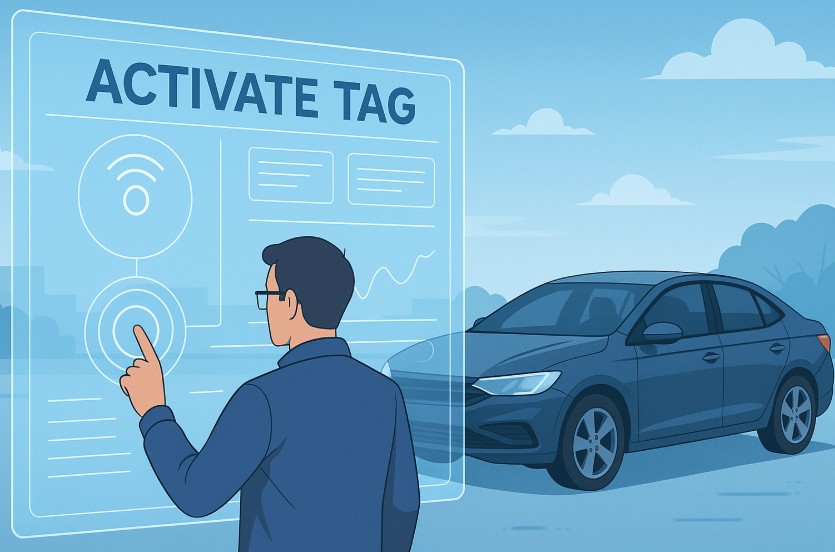
- Go to the “Activate Tag” section.
- Enter your Salik tag number and activation key.
- Fill in your vehicle registration details accurately.
- Confirm and submit the form.
- You will receive an SMS and email once your tag is successfully activated.
Salik App
You can download the Smart Salik App from iOS or Android stores.
After installing:
- Sign in or create a new account.
- Navigate to “Tag Activation”.
- Provide your tag number, activation key, and vehicle registration details.
- Submit the request, and the system will process your activation.
- A confirmation will be sent to your phone and email.
RTA Dubai App
Another reliable platform is the RTA Dubai App.
Follow these steps:
- Log in using your Emirates ID and registered mobile number.
- Tap on “Salik” and then select “Tag Activation”.
- Enter all required details and review before submission.
- Once the data is validated, the system activates your tag.
- Wait for confirmation via SMS or email.
The online activation process typically takes 15 minutes. It’s highly recommended to double-check your information before submitting to avoid delays. Once activated, your tag can be used immediately at any Salik toll gate.
Can You Activate a Salik Tag by Phone?
Yes, activating your Salik tag by phone is one of the most convenient options available, especially if you prefer speaking with a representative or do not have access to the internet. The Salik Call Centre operates 24/7 and is designed to guide customers through the activation process with ease.
To activate your tag by phone, follow these steps:
- Call 800 SALIK (800 72545) from your registered mobile number.
- Select your preferred language: press 1 for Arabic or 2 for English.
- Press 4 to access the Tag Activation option in the voice menu.
- Follow the automated instructions provided.
- When prompted, provide your Salik tag number and vehicle registration details.
- Once your data is confirmed, your tag will be activated within minutes.
You don’t need to physically visit any center or upload documents. The process is quick and requires only your verbal confirmation and correct information. Once activation is complete, a confirmation SMS is sent to your registered number.
Phone activation is especially helpful for those who are less tech-savvy or need assistance with other Salik services during the same call. It’s a flexible method that adds another layer of accessibility to the Salik system.
How to Activate Salik Tag via Dubai Drive or Dubai Now App?

Dubai’s digital infrastructure offers more than one app to activate your Salik tag. Both the Dubai Drive App and the Dubai Now App are approved channels and are widely used by vehicle owners in the UAE.
To activate through the Dubai Drive App, start by downloading the app and logging in with your mobile number or Emirates ID.
Once you’re in:
- Navigate to the “Salik” section from the menu.
- Select “Tag Activation”.
- Enter your Salik tag number, activation key, and vehicle registration details.
- Review your information and submit the activation request.
- A confirmation SMS or email will follow within minutes.
If you’re using the Dubai Now App, the process is very similar. After login:
- Tap on “Services” and choose “Salik”.
- Select “Activate Tag”.
- Input your tag and vehicle information.
- Submit your request and wait for the confirmation.
Both apps allow users to amend vehicle details, recharge accounts, and track toll usage after the tag is activated. These platforms are ideal for tech-savvy users who want a centralized digital experience.
How Long Does It Take to Activate a Salik Tag?
One of the best aspects of the Salik system is how fast and efficient the activation process is across all methods. Whether you activate your tag online, via app, or by phone, the service is typically completed in 15 minutes or less.
Here’s a quick breakdown of average activation times by method:
- Website and App: Instant to 15 minutes (depending on system load)
- Call Centre: Approximately 10 minutes
- Dubai Drive and Dubai Now Apps: Around 15 minutes after submission
It’s important to note that you will receive an SMS and/or email once your tag is successfully activated. This confirmation acts as proof that your vehicle is now registered with the Salik toll system.
If you do not receive the confirmation message within the standard time, double-check:
- If your entered data is correct
- That your tag is properly linked to your account
- Whether your mobile number is registered correctly
If there are still delays, you can contact Salik support to verify the activation status.
Can You Use the Toll Gate Immediately After Buying a Tag?
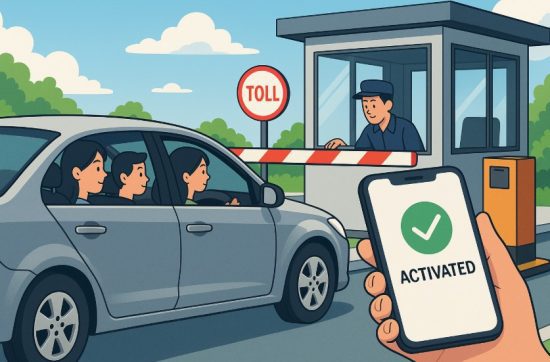
This is one of the most common questions new drivers ask. The short answer is only if your tag is activated. Simply purchasing a Salik tag doesn’t make it functional until it’s linked to your vehicle through the activation process.
Online vs. Offline Activation Timelines
If you buy your tag online, it is typically activated automatically once payment is completed and an SMS confirmation is sent. You can begin using Salik gates as soon as you stick the tag to your windshield.
However, if you purchase it offline from a petrol station or a service center, you must manually activate the tag through:
- Salik website
- Salik app
- RTA Dubai app
- Salik call center
This manual process can take 10 to 15 minutes, and you should not drive through a Salik toll gate until you receive the confirmation SMS.
Precautions to Avoid Fines
- Ensure your tag is correctly placed on your windshield as instructed.
- Activate the tag before driving through a toll gate.
- Keep Salik balance above the minimum to avoid auto-deductions failing.
- Use your registered mobile number during activation to ensure updates reach you.
What Happens If Your Tag Is Inactive at a Toll Gate?
Driving through a toll gate with an unregistered or inactive Salik tag will result in an automatic fine, which will be sent to your registered vehicle account. Fines can accumulate if the issue is not resolved immediately.
Here’s a quick reference table to compare:
| Purchase Type | Activation Needed? | Time to Use Toll Gate | Confirmation Required? |
| Online Purchase | No (Auto-activated) | After SMS of successful payment | Yes |
| Offline Purchase | Yes | After manual activation | Yes |
To avoid penalties, always wait for the confirmation message before using any Salik gate.
Can You Transfer a Salik Tag Between Vehicles?

No, Salik tags cannot be transferred between vehicles. Each tag is uniquely registered to one vehicle and must remain associated with that vehicle until deactivated or replaced.
If you buy a new car or sell your existing one, follow these steps:
- Deactivate the current Salik tag if the vehicle is being sold or scrapped.
- Purchase a new tag for the new vehicle.
- Use your existing Salik account to add the new vehicle and activate the new tag.
Attempting to transfer a tag may result in toll errors and fines, as the system uses vehicle plate numbers and RFID details to process deductions. Also, the RFID tag can lose its effectiveness if removed and reused, which is another reason it’s non-transferable.
If you own multiple vehicles, make sure each one has its own Salik tag. You can manage all vehicles under one Salik account, but the tags must be unique.
What If You Lose, Damage, or Misplace Your Salik Tag?
If your Salik tag is lost, damaged, or stolen, it’s essential to act quickly to avoid unauthorised toll charges and violations. A non-functional tag means tolls won’t be deducted correctly, which can lead to fines.
Here’s what you should do:
- Deactivate the lost or stolen tag immediately through the Salik website, Smart Salik App, or Salik Call Centre (800-72545)
- Purchase a new Salik tag and complete the activation process again.
- Ensure the new tag is placed on the windshield correctly.
If the tag is physically damaged, inspect it for cracks or tears. Even minor damage can affect RFID functionality.
In this case:
- Buy a replacement tag
- Use your existing Salik account to update the tag and vehicle info
- Activate the new tag before using toll gates
Failure to replace or deactivate a lost tag could mean you’re still charged if someone else uses it. Always treat your tag like a toll-linked ID to your vehicle.
How to Recharge Your Salik Account After Activation?
Once your Salik tag is activated, it’s crucial to maintain a sufficient balance in your account to ensure smooth toll payments. Salik offers multiple recharge methods that are easy to use and accessible on various platforms.
You can recharge your account using:
- Smart Salik App: Download the app, log in, and choose “Recharge Account” to top up using a credit or debit card.
- Salik Website: Visit the official site, sign in to your account, and select the “Recharge” option. Payment can be made via card or direct banking.
- SMS Recharge: Send an SMS to 5959 with your account details and recharge amount. This method is quick and suitable for regular top-ups.
- RTA Dubai App: Log in to your profile and access Salik services to recharge directly.
Some bank apps in the UAE also support direct Salik recharge. Enabling auto-recharge is recommended to prevent low balance situations that may lead to toll violations.
Recharges reflect instantly or within minutes. You’ll also receive confirmation via SMS and email after every successful transaction. Keeping your account funded ensures uninterrupted access through toll gates across Dubai.
How to Check Your Salik Tag Balance and Transaction History?

Monitoring your Salik account balance and toll usage is essential to avoid fines. Salik provides several convenient ways for users to keep track of their account activity in real time.
To check your balance, use any of the following methods:
- Smart Salik App: Log in to view your current balance and transaction history.
- Salik Website: After logging into your account, click on “View Account” to access detailed statements and recent deductions.
- SMS Inquiry: Send a specific code to 5959 to receive your balance via SMS.
- RTA Dubai App: Use the Salik section to monitor your account on the go.
You’ll also find features like:
- Daily transaction logs
- Toll gate crossing history
- Recharge records
- Vehicle management
Using these platforms ensures you’re always informed about your account status. It’s advisable to check your balance before long trips or when approaching the minimum threshold to avoid system issues.
Can Tourists or Visitors Use a Salik Tag in Dubai?
Yes, tourists driving their own vehicles in Dubai must purchase and activate a Salik tag before using toll roads. This rule applies to both short-term visitors and international drivers bringing their cars into the UAE.
Here’s what tourists need to know:
- A Salik tag is mandatory for passing through any toll gate.
- You must purchase, activate, and correctly install the tag on your windshield.
- Tags can be purchased online or from petrol stations.
- Activation can be done via Salik app, website, or call center.
The process for tourists is the same as for residents, but it’s important to use a valid UAE mobile number during registration to receive activation confirmations.
If you’re renting a car, most rental companies will already have a tag installed. However, if you’re driving a personal vehicle from outside the UAE, you’ll need to set everything up independently before using toll roads.
Common Issues During Salik Activation and How to Fix Them?
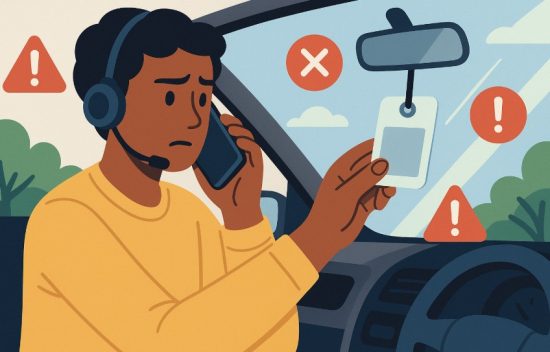
Although the Salik activation process is simple, users may occasionally face minor challenges. Understanding common problems and their solutions can help you resolve them quickly.
Incorrect Tag Placement
If the tag is not installed correctly on the windshield, the toll gate may not detect it.
- Place the tag near the rear-view mirror on the inside of the windshield.
- Avoid placing it near metal tints or obstructions.
Unlinked Account Issues
Sometimes, the tag isn’t properly connected to your Salik account.
- Ensure your account and vehicle details match exactly during activation.
- Use the correct activation key and mobile number.
Delayed Activation Confirmation
If you don’t receive SMS or email confirmation within an hour:
- Double-check if your contact details are accurate.
- Contact Salik support to verify the activation status.
Faulty or Damaged Tag
Physical damage can make the RFID unreadable.
- Inspect for any cracks or damage.
- Replace the tag if it’s defective.
If you’re ever uncertain, call 800-72545 for assistance or visit a Customer Happiness Centre for in-person support.
Conclusion
Activating your Salik tag in Dubai is a straightforward process when you understand the correct steps. Whether you prefer the convenience of mobile apps, online platforms, or speaking directly to a customer representative, Salik offers multiple methods tailored to your needs.
Ensuring that your tag is activated, properly placed, and linked to your vehicle helps you travel stress-free across Dubai’s toll gates. Always keep your Salik account funded and updated with your latest vehicle details to enjoy uninterrupted service. Now that you’re equipped with all the essential information, you can activate your Salik tag confidently and drive with peace of mind.
FAQs
Do I need to activate my Salik tag after purchasing it online?
No, online purchases are automatically activated once payment is confirmed, and you receive an SMS.
How will I know if my Salik tag is activated successfully?
You’ll receive an SMS and email confirmation once your tag is successfully activated.
Can I use one Salik tag for multiple vehicles?
No, each vehicle must have its own Salik tag. Tags are not transferable between vehicles.
What should I do if I don’t receive an activation confirmation?
Check your entered details and contact Salik support at 800-72545 to verify activation.
How do I attach the Salik tag correctly on my windshield?
Stick the tag behind the rearview mirror inside the windshield for best signal detection.
Is there a fee to activate a Salik tag?
No, tag activation is free of charge across all methods.
What if I enter a toll gate without activating my Salik tag?
You may be fined, as the system will not detect an unregistered tag during crossing.