If you’re thinking about ending your eLife subscription in the UAE, you’re not alone. Whether you’re relocating, switching providers, or simply downsizing, the cancellation process can feel confusing.
With contracts, equipment return policies, and possible penalties, it’s essential to understand how to properly navigate the exit process without unnecessary charges or delays.
Etisalat (now e& UAE) offers several ways to cancel your eLife subscription including through the customer care hotline, an in-store visit, or via their mobile app and website.
However, not every method works for every type of subscription. For full home-service packages like internet and TV, you’ll often need to call or visit an e& business centre to return devices and settle final bills.
In this guide, we’ll take you through every step, from understanding your contract and fees to cancellation options, common pitfalls, and how to protect yourself from surprise charges. Let’s break down the process of canceling your eLife subscription in the simplest way possible.
What Is eLife and Why Might You Want to Cancel It?
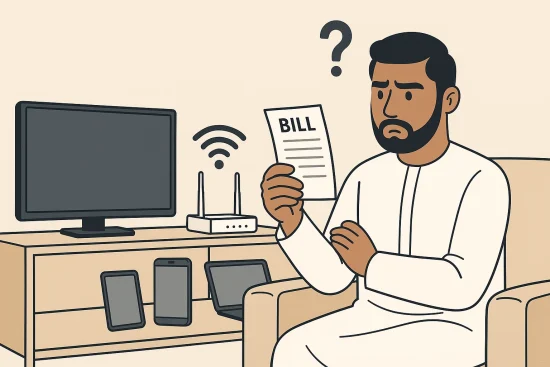
eLife is a bundled home service provided by Etisalat (now e& UAE), offering high-speed internet, TV channels, and sometimes landline services. These packages are widely used in the UAE for their convenience and fast connectivity.
However, there are several reasons why residents might consider cancelling their eLife subscription:
- Moving to a new location or leaving the UAE permanently
- Switching to a different provider with better rates or customer service
- Experiencing recurring service issues or slow internet speeds
- Cutting costs by eliminating non-essential services
- No longer needing bundled TV or landline features
Each eLife plan typically comes with a contract term of 12 to 24 months, and many include hardware like modems, routers, and TV boxes. Some users also receive promotional discounts or financing on devices tied to the contract.
But once circumstances change or your needs shift, cancelling the service becomes a necessary step. Knowing the correct process helps avoid fees, missed deadlines, or service delays that can be frustrating. Understanding what eLife includes and what your responsibilities are before cancelling is the first step in avoiding unnecessary costs.
How to Cancel eLife Subscription in UAE?
Cancelling your eLife subscription in the UAE requires a clear understanding of your options and what each method offers. Etisalat (e&) provides multiple ways for customers to cancel, by phone, in-store, or through digital platforms. However, the effectiveness of each method depends on the service type you’re cancelling.
Can You Cancel eLife by Phone?
Yes, one of the most straightforward ways to cancel your eLife service is by calling Etisalat’s toll-free number 8006665. This method allows you to speak directly with a customer care agent who can create a cancellation request on your behalf.
You’ll need to provide the following:
- Your account number
- Emirates ID or passport for verification
- Confirmation that you agree to return any equipment
- Consent to pay any outstanding charges or termination fees
The phone-based cancellation is often the first step for full-service closures, especially when bundled services or hardware returns are involved. If you’re eligible for cancellation through this method, the agent will walk you through the process and inform you of any exit charges.
Can You Cancel eLife in Person?
Visiting an e& business center or official Etisalat store is another reliable way to process your cancellation. This method is especially recommended when hardware such as routers or TV boxes must be returned.
In-store cancellation is helpful because:
- You can return devices on the spot
- You’ll receive an official receipt for returned equipment
- You can settle any remaining dues instantly
- It reduces the chances of equipment-related disputes
Always bring your Emirates ID and account details. Also, request a cancellation confirmation and a final invoice showing either a zero balance or the payment completed.
Can You Cancel eLife Subscription Online?
You can use the e& UAE mobile app or Etisalat website to cancel some services, particularly mobile add-ons or value-added packs. For full home-service subscriptions (internet plus TV), online cancellation is not always allowed. In such cases, the system might redirect you to call customer care or visit a store.
Still, the digital platforms are useful to:
- Review your current subscriptions
- Check for any outstanding balances
- Cancel auto-renewals or small add-ons
- Initiate basic cancellation requests that may later need confirmation by phone or in person
If the online method doesn’t fully process your cancellation, don’t delay, call 8006665 or head to a business centre to complete it.
What Are the Exact Steps to Cancel Your eLife Subscription?
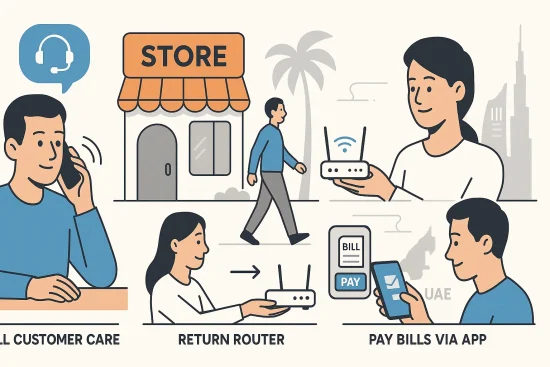
To successfully cancel your eLife subscription, it’s important to follow the right sequence of steps. Missing any of these can result in penalties, ongoing charges, or service delays.
- Review your contract: Check the start and end dates, and look for any minimum term or device financing clause.
- Calculate outstanding payments: Use the e& UAE app or website to check for any unpaid bills or early termination charges.
- Prepare your devices: Back up your router settings, save recordings from your TV box, and collect all accessories like remotes or chargers.
- Submit cancellation request: Choose from calling 8006665, visiting a store, or using the app.
- Return equipment: Drop off all devices listed in your contract at an official store or business centre.
- Get written confirmation: Always collect the cancellation reference number, final invoice, and device return receipt.
Following these steps ensures a clean exit without confusion or surprise charges later.
What Are the eLife Cancellation Fees in the UAE?
Cancellation fees vary depending on your contract terms and the remaining time in your commitment period. If you’re cancelling before the minimum contract term ends, expect to pay early termination fees.
Generally, the fees fall into these categories:
- One-month rental fee or a fixed cap (commonly AED 1,000), whichever is lower
- Outstanding device installment payments (if applicable)
- Prorated charges for ongoing services used in the final billing period
Here’s a simplified breakdown of possible cancellation fees based on your plan:
| Plan Type | Early Termination Fee | Additional Charges |
| 12-month contract | One-month rental or AED 1,000 | Device installments if financed |
| 24-month contract | One-month rental or AED 1,000 | Equipment non-return or damages |
| Post-contract period | Usually no fee | Only pending bill payments if applicable |
Always ask for a breakdown of your exit charges when you speak to an agent.
What Happens If You Try to Cancel Online but It Doesn’t Work?
While the e& app and website allow you to manage subscriptions, full cancellation of bundled home services is often restricted online. Many users face limitations when attempting to cancel eLife this way.
Common issues include:
- The app redirects to customer care for final confirmation
- Equipment return is not possible through digital platforms
- Some services still show as active even after clicking cancel
If this happens:
- Call 8006665 and ask to escalate the issue to the cancellation desk
- Visit a business centre if your request isn’t processed digitally
- Take screenshots or save cancellation attempt records for future reference
By acting quickly, you can prevent unwanted charges from a delayed or unprocessed cancellation request.
How to Cancel Only Add-Ons or Value-Added Packs?
Cancelling add-ons like TV channel packs, data bundles, or roaming services is much simpler than cancelling full home subscriptions. These services usually don’t involve contracts or hardware, making digital cancellation effective.
You can cancel using:
- USSD codes like *101# or *170# to access subscription management menus
- e& UAE app under “My Services” or “My Subscriptions” to cancel individual packs
- SMS commands such as sending STOP or CM to 1010 or 1012 (depending on the pack)
Ensure that you receive a confirmation message or notification after cancellation. Keep a screenshot or SMS record in case you need to dispute any ongoing charges later.
What to Do If You’re Leaving the UAE?
If you’re relocating or permanently leaving the UAE, make sure to start the cancellation process at least 48 hours before your departure. This gives you enough time to settle dues, return equipment, and avoid legal issues tied to unpaid services.
Contact e& customer care via 8006665 and inform them of your departure date. Be ready to verify your identity and provide account details.
Once your account is flagged for closure:
- Return all devices (router, TV box, accessories) to a business centre
- Settle any outstanding bills and get your final invoice
- Ask for a cancellation reference number for your records
For those wanting to keep their UAE number active without full cancellation, e& offers temporary solutions like Homebound Packs.
What Are the Most Common Problems When Cancelling eLife?

Several users have reported common issues when cancelling their eLife subscription. Knowing these in advance can help you avoid delays or disputes.
- App cancellation not working: Always follow up with a call or store visit if the app fails to process the request.
- Charges continue after cancellation: Provide your cancellation reference and final invoice to reverse these charges.
- Equipment return not recorded: Without a receipt, you may be wrongly charged. Always collect and save the return receipt.
- Retention offers not reflected on bill: Ask for any promotional retention deal in writing and verify it on your next invoice.
Being proactive in resolving these issues ensures a smoother cancellation experience.
Are There Alternatives to Cancelling eLife Subscription?
If you’re considering cancellation due to high costs or temporary relocation, there are alternatives that may work better depending on your situation:
- Downgrade your plan to a lower-cost version while keeping essential services
- Suspend the account temporarily if you’re going abroad for a short period
- Transfer the subscription to another user, such as a family member or new tenant (may require documentation)
- Switch to a no-commitment plan after your contract ends to avoid termination fees
These options help you save money or avoid full disconnection, especially when you’re still within a minimum contract period.
Do You Have the Right to Cancel Without Penalty?
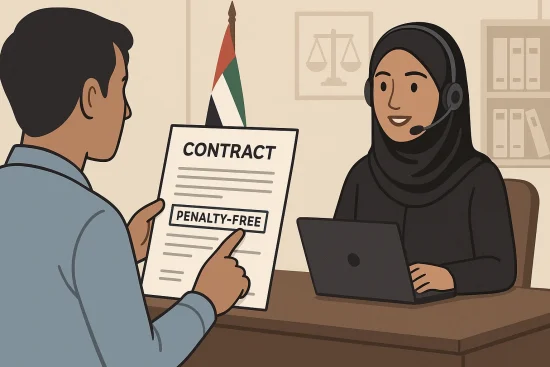
In certain situations, you may be eligible for penalty-free cancellation. Some e& contracts and promotions include a grace period where you can cancel without paying exit charges.
These include:
- Cancelling within a few days of activation (for mis-sold services)
- Promotional plans that advertise a penalty-free window
- Disputes where the service failed to meet advertised standards
Always check your contract’s Terms and Conditions or consult customer care to confirm if your plan qualifies. Ask specifically, “Is this plan eligible for penalty-free cancellation?” before signing or cancelling. Being aware of your rights can save you unnecessary fees and help you make better decisions about your service.
Conclusion
Cancelling your Etisalat eLife subscription doesn’t have to be stressful. By understanding your contract, choosing the right cancellation method, and following the proper steps, you can avoid unnecessary penalties and complications.
Whether you’re ending a full home bundle or just removing add-ons, it’s essential to verify your options and complete each step carefully.
Always return your devices, pay any outstanding charges, and collect written confirmation. If issues arise, don’t hesitate to escalate them and keep detailed records of your cancellation. This approach ensures a smooth exit from the service with minimal hassle.
With the right preparation, you can cancel your eLife subscription confidently and move forward without unexpected surprises.
FAQs
Can I cancel eLife without going to a store?
Yes, but only for some services. Full cancellations often require a store visit or phone call.
What if I don’t return the eLife router and TV box?
You will likely be charged equipment fees. Always return all devices and get a receipt.
How long does it take to complete the cancellation?
The process typically takes one to three working days. It depends on how quickly you return equipment and settle your balance.
Can I transfer my eLife account to someone else?
Yes, but documentation such as Emirates ID for both parties is required. The new user must accept full responsibility for the account.
Is there a way to cancel only TV or internet but keep phone service?
Partial cancellations can be requested. It depends on your current plan’s flexibility.
Do cancellation charges apply after my contract ends?
Usually no, if the contract is completed. You may still need to pay any outstanding bills.
Can I pause the service instead of canceling?
Yes, temporary suspension is available on some plans. You should ask customer support if you’re eligible.