In the UAE, your Emirates ID is far more than a simple identification card. It is the key that unlocks most essential services, from applying for utilities and banking to accessing healthcare and passing through airport e-gates.
Issued by the Federal Authority for Identity, Citizenship, Customs, and Port Security (ICP), the Emirates ID contains your personal and biometric details and is directly linked to your residency visa. Keeping it valid and up to date is critical for maintaining uninterrupted access to everyday services.
Knowing how to check your Emirates ID status is important, especially if you are awaiting a new card, renewing it, or updating personal information. One of the most convenient ways to do this is by using your passport number, making the process easy even if your ID number is not available. This guide explains all the steps you need to stay informed and avoid delays.
What Is an Emirates ID in the UAE?
The Emirates ID is an official identification document issued to all UAE citizens, residents, and eligible visa holders. It contains personal details such as your name, nationality, and date of birth, along with biometric information including fingerprints and an eye scan.
The card also features an embedded electronic chip for secure data storage, making it an essential tool for both personal and official use. This card is not just an identification document but also a requirement for completing most formal processes in the UAE.
Whether you are opening a bank account, applying for a government service, or travelling through an airport e-gate, your Emirates ID plays a central role. Without it, many services become inaccessible or delayed.
Maintaining a valid Emirates ID ensures you remain compliant with UAE laws and enjoy uninterrupted access to services. Understanding its significance is the first step to managing your residency status effectively.
What Are the Main Purposes of the Emirates ID?
Your Emirates ID serves as a multi-functional document that supports both your legal status and daily activities in the UAE. It acts as an official proof of identity for public and private services, making it essential for residents and citizens alike.
Some of the most common purposes of the Emirates ID include:
- Applying for government services such as water and electricity connections
- Sponsoring family members under your visa
- Renting apartments or commercial spaces
- Opening and managing bank accounts
- Passing quickly through airport immigration e-gates
- Obtaining mobile phone connections and home internet services
These uses highlight why the card is central to life in the UAE. Without it, basic transactions and services become more complicated.
By keeping your Emirates ID current, you can avoid unnecessary delays or disruptions. It is more than a piece of plastic; it is your personal key to a smooth and secure life in the UAE.
How Can You Check Your Emirates ID Status Online?

Checking your Emirates ID status online allows you to monitor the progress of your application or renewal without needing to visit service centres in person.
The Federal Authority for Identity, Citizenship, Customs, and Port Security (ICP) offers several official and convenient channels for checking your status. These options are accessible to both residents and citizens, ensuring you can stay informed wherever you are.
ICP Website
Visit the official ICP website and locate the “Check Application Status” section on the homepage. Enter your Emirates ID number or the application registration number (PRAN), then click the search button. The system will display your current status, whether it is pending, approved, issued, or rejected.
ICP Smart Services Portal
Log in to the ICP Smart Services portal using your UAE Pass or registered email. Enter your application details in the designated field, complete the CAPTCHA for verification, and submit your request. The portal will show the latest status instantly.
ICP Mobile App
Download the ICP Smart Services app from the App Store or Google Play. Once installed, log in using UAE Pass or your email credentials. Navigate to the Emirates ID section to view your application’s current stage.
ICP Helpline
For those who prefer speaking directly to a representative, call 600 522 222. Provide your PRAN Number or Emirates ID number, and a customer service agent will confirm your current status after verifying your details.
By using these methods, you can keep track of your Emirates ID progress, plan your next steps, and avoid unnecessary delays.
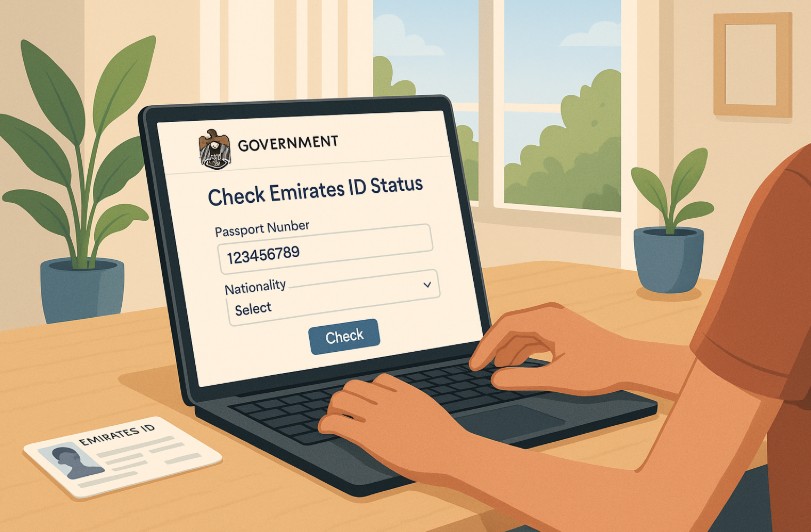
How Can You Check Emirates ID Status with Passport Number?
You can easily check your Emirates ID status using your passport number through the ICP Smart Services website. This method is especially useful if you do not have your Emirates ID or PRAN number available.
Step-by-step guide:
- Visit the ICP Smart Services website.
- Go to the “Public Services” section.
- Select “File Validity”.
- Choose “Passport Information” as your search option.
- Select “Residency” under type.
- Enter your passport number and expiry date.
- Choose your nationality from the dropdown list.
- Complete the CAPTCHA and click “Search”.
- View your residency and Emirates ID status on the screen.
This method is straightforward and available to both residents and citizens. It ensures you can verify your ID status even when you cannot access your ID number.
Who Needs an Emirates ID in the UAE?
The Emirates ID is required for various groups living in or associated with the UAE. Understanding who must have one helps ensure compliance with UAE regulations.
| Category | Description |
| UAE citizens | All nationals receive an Emirates ID automatically |
| Expats | Foreigners living or working in the UAE |
| GCC nationals | Citizens of Gulf Cooperation Council countries residing in the UAE |
| Long-term visa holders | Residents with valid long-term visas |
What Are the Key Features of the Emirates ID?
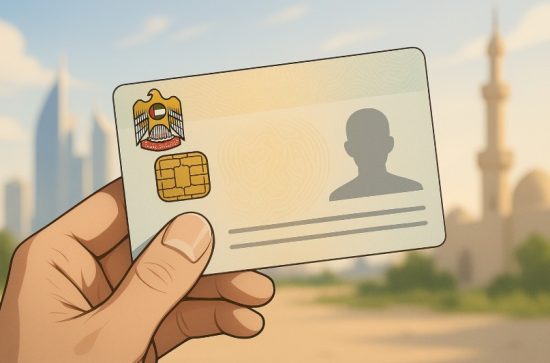
The Emirates ID is more than just an identity card; it is a technologically advanced tool designed for both security and convenience. Issued by the Federal Authority for Identity, Citizenship, Customs, and Port Security (ICP), it integrates multiple layers of security to protect your personal and biometric data.
Key features include:
- Smart card system with encrypted data storage for maximum protection.
- Biometric verification through fingerprint and eye scans to ensure only the rightful owner can use it.
- Unique 15-digit identification number assigned for life.
- Embedded electronic chip for secure offline and online authentication.
Additional physical security measures make it resistant to forgery:
- Micro lettering for detailed printing security.
- UV ink visible only under ultraviolet light.
- Complex background patterns that are difficult to replicate.
These combined elements make the Emirates ID highly reliable for identity verification in both government and private sector transactions. Whether you are passing through an airport e-gate, accessing a secure building, or conducting official business, the card’s security ensures your information stays safe.
The result is an identification system that not only confirms who you are but also protects you from identity fraud. By combining smart technology with strict security features, the Emirates ID serves as one of the most secure and trusted identification cards in the world.
How Can You Change the Mobile Number Linked to Your Emirates ID?
Your registered mobile number is directly linked to receiving important updates from the ICP regarding your Emirates ID. Keeping it accurate ensures you do not miss renewal notices, approval messages, or status alerts.
To update your mobile number:
- Log in to the ICP website or mobile app.
- Access your profile or personal information section.
- Enter your new mobile number and submit the update request.
- Confirm the change via SMS verification if prompted.
It is recommended to have your Emirates ID and passport details ready when making this change.
Why it matters:
- Ensures you receive SMS notifications about ID status updates.
- Helps you respond quickly to renewal or modification requests.
- Keeps your records accurate for official communications.
Inaccurate contact information can result in missed deadlines, delays in card issuance, and even penalties for late renewals. By taking a few minutes to update your number, you ensure smooth communication with ICP and uninterrupted access to services.
Keeping your contact details current is not just about convenience; it is a crucial step in managing your legal identity in the UAE effectively.
How Do You Apply for a New Emirates ID?

Applying for a new Emirates ID is part of the UAE residency visa process. Whether you are a first-time resident or changing your visa type, the procedure is straightforward but must be completed in the correct sequence.
Step-by-step process:
- Obtain an entry permit, which is issued to individuals entering the UAE for residency purposes.
- Complete a medical examination at an authorised Preventive Medicine Center.
- Submit your Emirates ID application at an ICP office, often located near medical centres.
- Provide biometric data, including fingerprints and eye scans.
- Wait for your visa approval the Emirates ID is issued shortly after.
| Stage | Average Time |
| Entry permit issuance | 1–3 days |
| Medical examination | 1 day |
| Biometric submission | Same day |
| ID issuance | 7–10 days |
Completing these steps in order helps avoid processing delays. Missing any stage or providing incomplete documentation can extend waiting times.
Once approved, your Emirates ID will be sent to an Emirates Post branch for collection. By following the official procedure carefully, you can ensure a smooth application process and timely receipt of your card.
How Much Does the Emirates ID Cost and How Long Does It Take?
The cost of an Emirates ID depends on the validity period you choose. This is generally aligned with your residency visa’s validity.
| Validity Period | Cost (AED) |
| 2 years | 390 |
| 10 years | 1,153 |
The application fee covers the card issuance, biometric data processing, and official registration.
Processing time:
- Most Emirates IDs are ready within 7 to 10 days after visa approval.
- Status updates are sent to your registered mobile number via SMS.
- Collection is usually done at an Emirates Post branch.
Why knowing the cost and time matters:
- Helps you budget for your residency expenses.
- Allows you to plan around your visa and ID processing timelines.
- Prevents last-minute stress by setting clear expectations.
In some cases, you can request express service for faster processing by paying an additional fee. Whether you opt for standard or expedited service, staying informed about costs and timelines helps you prepare effectively and avoid unnecessary delays.
How Do You Renew an Emirates ID?
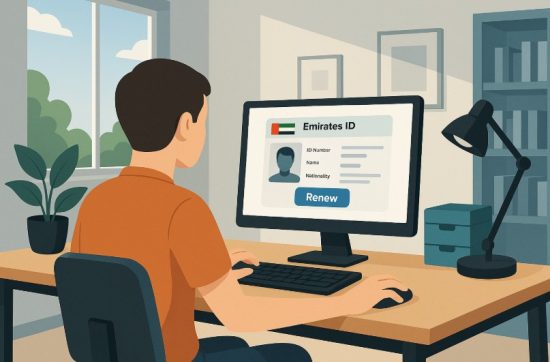
Renewing your Emirates ID on time ensures you maintain uninterrupted access to essential services. The renewal process should start before the expiry date to avoid penalties.
Renewal steps:
- Log in to the ICP portal.
- Submit a renewal request with updated personal details if required.
- Pay the renewal fees.
- Opt for express service if you need urgent issuance.
Grace period and penalties:
- You have a 30-day grace period after expiry.
- After this, late fees of AED 20 per day apply, capped at AED 1,000.
Renewal is faster than the initial application since biometric data is already stored unless ICP requests new scans. By renewing on time, you avoid unnecessary penalties and ensure there are no interruptions to your ability to use services such as banking, travel, or healthcare. Proactive management of your renewal dates is the simplest way to stay compliant.
How Do You Cancel an Emirates ID?
Cancelling your Emirates ID becomes necessary when leaving the UAE permanently or changing jobs in a way that requires a new visa.
Key points:
- Cancellation is linked to the visa cancellation process.
- You must return your Emirates ID to your employer or immigration authority when submitting your passport for visa cancellation.
- The ID is deactivated along with the visa, preventing any further official use.
Why it matters:
- Prevents misuse of your ID after departure.
- Ensures proper closure of your legal records in the UAE.
- Avoids complications if you return to the UAE in the future.
This process is mandatory and should not be skipped. Always use official channels to confirm that your ID has been cancelled alongside your visa to maintain a clear record with UAE authorities.
What Should You Do If You Lose Your Emirates ID?

Losing your Emirates ID can disrupt access to services, but the replacement process is straightforward if handled promptly.
Steps to replace a lost ID:
- Filing a police report costs AED 70.
- Notify ICP must be done within 7 days of loss.
- Submit a replacement request online or at an ICA office.
- Pay AED 300 plus application fees (AED 70 in person, AED 40 online).
- Collect your new ID from an Emirates Post branch.
Acting quickly helps reduce the risk of identity misuse. Keeping copies of your Emirates ID and passport can speed up the replacement process. By following these steps, you ensure minimal disruption and a smooth transition to receiving your new ID.
Why Should You Regularly Check Your Emirates ID Status?
Regularly checking your Emirates ID status is a proactive habit that can save time and prevent service interruptions.
Benefits of regular checks:
- Ensures timely renewal before expiry.
- Alerts you to delays in processing or delivery.
- Confirms successful updates to your personal details.
Delays or errors can sometimes occur, and discovering them early allows you to resolve issues before they affect your daily activities.
Whether you are using your Emirates ID for banking, healthcare, or travel, keeping track of its status ensures it is always ready for use. In short, regular monitoring helps you maintain control over one of the most important identification tools in the UAE.
Conclusion
Your Emirates ID is an essential document that plays a major role in everyday life across the UAE. It allows you to access public services, conduct financial transactions, and confirm your legal status as a resident or citizen.
By checking your Emirates ID status regularly, especially using your passport number, you can ensure that your identification remains valid and active without the need to physically visit service centres.
Following the official ICP process for checking your status is straightforward and reliable. Whether you are applying for a new ID, renewing it, or updating details, staying informed helps you avoid delays and unnecessary stress.
Make it a habit to monitor your Emirates ID status through the ICP’s official online tools so you can always stay compliant and ready to access the services you need in the UAE.
FAQs
How do I check my Emirates ID status without my ID number?
Use your passport number on the ICP Smart Services website under File Validity.
Can I check my Emirates ID status from outside the UAE?
Yes, as long as you have access to the ICP portal or mobile app.
What does Pending mean in my Emirates ID status?
It indicates your application is still being processed and reviewed.
How long does it take to issue a new Emirates ID?
Usually 7 to 10 days after visa approval.
Do I need to redo biometrics for renewal?
Not unless requested by the ICP.
Can I update my Emirates ID online?
Yes, through the ICP website or mobile app.
What is the cost of replacing a lost Emirates ID?
AED 300 plus any applicable application fees.