Are you a Nakheel property owner in the UAE looking for a hassle-free way to settle your service charges? You’re not alone. With the growing demand for digital convenience in everyday transactions, Nakheel introduced a fast, secure, and user-friendly online solution Nakheel Quick Pay.
This tool is tailored specifically for property owners who want to avoid logging into accounts and prefer instant, straightforward payments. Whether you’re managing one property or several, this service is designed to give you quick access to payment without the usual complications.
Available through both the Nakheel and Meydan websites, this feature has rapidly gained traction among residents. In this blog, we’ll walk you through everything you need to know, from how to use it to what changes are coming in 2025.
So, if you’re wondering how to stay on top of your property dues the smart way, keep reading to find out how Nakheel Quick Pay can make your life easier.
What Is Nakheel Quick Pay and Who Can Use It?

Nakheel Quick Pay is a streamlined online payment gateway that allows property owners in Nakheel-managed communities to pay their service charges instantly.
Unlike traditional portals, this service doesn’t require you to log in or create an account. It’s a frictionless process that focuses on speed, simplicity, and accessibility. If you’re a property owner in Dubai with a unit managed by Nakheel or in a Meydan-linked community, this service is for you.
You can use Nakheel Quick Pay if:
- You are a registered Nakheel property owner.
- You have access to your Property Reference Number and Customer Reference Number (or Owner Number).
- Your property is listed within the Nakheel service system or under the Meydan portal that supports Quick Pay.
Who benefits the most:
- Individuals managing multiple properties who need a fast solution.
- Users who’ve lost or forgotten login credentials.
- Owners who want to pay charges quickly from desktop or mobile without app logins.
With increasing property development across Dubai, especially within Nakheel communities, this tool ensures owners always have a convenient digital solution at their fingertips.
How Does Nakheel Quick Pay Work?
Nakheel Quick Pay works as a simplified online payment process where all you need are two specific reference numbers. This allows users to bypass logins and navigate directly to payment without registering an account.
Here’s how the process works:
- Access the Quick Pay portal: Go to the Quick Pay section on the official Nakheel or Meydan websites.
- Input required information: Enter your Property Reference Number and Customer Reference Number/Owner Number.
- Click “Verify Property”: The system checks your credentials and retrieves the payment details associated with your property.
- Enter payment information: Use your credit or debit card to complete the transaction securely.
- Receive confirmation: You’ll see a confirmation on-screen and get an email receipt with payment details.
Important features that enhance the process:
- No need to sign in or create an account.
- Real-time verification to ensure you’re paying for the right property.
- Multiple access options (Nakheel website, Meydan site, or app).
This smooth and efficient method is ideal for users who value time and simplicity, giving them peace of mind in just a few steps.
What Do You Need to Make a Nakheel Quick Pay Transaction?
To complete a Nakheel Quick Pay transaction successfully, you need to have two specific identifiers that link your payment to the correct property.
These are the Property Reference Number (also called Property Code) and the Customer Reference Number or Owner Number. These numbers are unique to your property and can be found either on your service charge invoice or within the My Nakheel app under your profile or customer details.
The Owner Number is especially important, as from April 1, 2025, it will become the only accepted identification number for Quick Pay transactions.
This number is generated through the Mollak system, which aligns with Dubai’s real estate regulatory framework. Ensuring accuracy when entering these numbers is critical to avoid payment errors or delays.
To complete a Nakheel Quick Pay transaction:
- Visit the Quick Pay section on the Nakheel website
- Enter your Property Reference Number
- Enter your Customer Reference or Owner Number
- Click on “Verify Property”
- Proceed to payment using your credit or debit card
With just these simple details, you can complete your payment without logging in or creating an account. Make sure to keep your invoice or app handy to find the required numbers quickly.
Where Can You Access Nakheel Quick Pay?
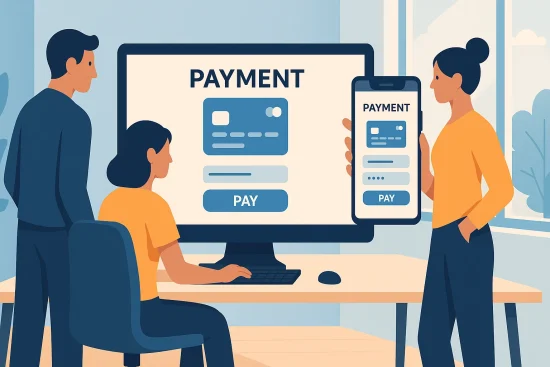
Nakheel Quick Pay is designed with accessibility in mind, and that includes offering multiple online platforms to initiate and complete your payment. Whether you’re on your desktop or smartphone, this service is available with just a few clicks. Let’s break down the access points and their features.
Nakheel Official Website
The primary access route for most users is via the official Nakheel website. The Quick Pay section is prominently listed under the payment or services area.
Steps:
- Visit nakheel.com and navigate to Quick Pay.
- Enter the Property Reference and Customer Number.
- Click on Verify Property.
- Proceed to the payment page and enter card details.
Benefits:
- No need to log into the main account.
- User-friendly interface suitable for desktop browsing.
- Secure online gateway with encrypted payment channels.
Meydan Website (For Specific Properties)
For certain developments, especially those under Nakheel’s extended partnerships, the Meydan website offers Quick Pay integration.
Steps:
- Visit the dedicated Quick Pay portal via Meydan’s property page.
- Enter the required reference numbers and verify the property.
- Follow the prompts to complete payment.
Why use Meydan’s portal:
- Some properties are registered here instead of Nakheel directly.
- Ensures service charge payments reach the correct entity.
App vs. Website Access Comparison
While both methods are secure and simple, there are slight differences between using the website vs. the app:
| Feature | Website (Nakheel/Meydan) | My Nakheel App |
| Login Required | No | Optional |
| Reference Numbers Needed | Yes | Auto-filled (if logged in) |
| Device Compatibility | Desktop & Mobile | Mobile Only |
| User Experience | Form-based | App interface |
| Email Confirmation | Yes | Yes |
Depending on your preference and device, both the app and website are equally reliable for Quick Pay, giving users the flexibility to choose what works best for them.
How Secure Is the Nakheel Quick Pay System?
Security is a major priority when it comes to online financial transactions, and Nakheel Quick Pay ensures that every step of the process is protected with top-grade measures. Users can rest assured that their data and card details are handled with care.
The payment system uses SSL encryption protocols to safeguard data transfers. When you input your credit card or debit card details, the information is processed through secure payment gateways that meet global compliance standards.
Additionally, Nakheel does not store your card details on their servers, reducing the risk of any data breach. The system also includes email confirmations for each transaction.
Once your payment is completed, you’ll receive a digital receipt sent directly to your registered email. This provides you with immediate proof of payment, adding a layer of transparency to the process.
Overall, the platform combines user convenience with bank-grade security, making it a trustworthy option for all property owners.
What’s Changing from April 2025?
A key update is rolling out starting April 1, 2025, that will affect how property owners use Nakheel Quick Pay. The update focuses on streamlining identification protocols and aligning the system more closely with the Mollak system used for regulatory compliance.
After this date, users will only be able to use the Owner Number (as generated from Mollak) instead of the Customer Reference Number. This move is designed to improve accuracy and consistency in payments, especially when managing multiple properties.
This change means:
- Invoices and profiles must reflect the Owner Number accurately.
- Users will need to check the Customer Details section of their invoices to locate the Mollak-generated number.
- Older customer IDs or profile codes may no longer be accepted by the system.
It’s advisable for all property owners to update their records now and ensure they are familiar with where to locate their Owner Number for future payments.
What Are the Key Benefits of Using Nakheel Quick Pay?
Nakheel Quick Pay offers multiple advantages to property owners seeking a streamlined, modern approach to handling service charges. Whether you manage a single property or several, these benefits can enhance your experience.
Top benefits include:
- No login required: Save time by skipping registration and password hassles.
- Fast transactions: Pay your dues in under two minutes with just two reference numbers.
- Multi-platform access: Use via the website, app, or even Meydan portals, depending on your property.
- Safe and secure: Payments processed via encrypted, verified gateways.
- Email receipts: Instant confirmation helps you keep financial records organized.
- Mobile-friendly: Access from your phone on the go.
For busy property owners in Dubai, this convenience means more control with less effort. The platform is designed to simplify what was once a lengthy process into a seamless, digital experience.
What Happens If Your Payment Fails?
While Nakheel Quick Pay is built for reliability, technical issues or incorrect input can occasionally result in failed payments. Understanding how to respond quickly can save time and stress.
The most common reason for payment failure is entering incorrect reference numbers. Always double-check your Property Reference Number and Owner Number (post-April 2025) before proceeding. Another issue could be related to insufficient card limits or expired card details.
If your payment does not go through:
- Wait a few minutes and try again using a different browser or device.
- Confirm you’ve used the correct numbers as per your invoice or app profile.
- If the issue persists, contact Nakheel customer service via their website or app for help.
Nakheel provides prompt support and can verify property information or guide you through reattempting the payment securely.
Can You Use Nakheel Quick Pay via Mobile?
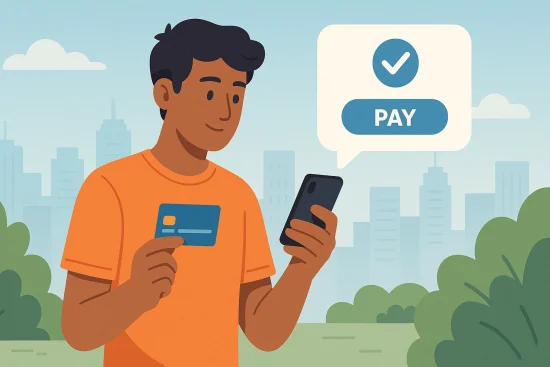
Yes, Nakheel Quick Pay is fully optimized for mobile use, offering you the flexibility to manage your property payments directly from your smartphone or tablet.
Whether you’re using a mobile browser or the My Nakheel app, the service is designed to provide a smooth and efficient experience without the need to log in. This makes it especially useful for busy property owners who are constantly on the go or managing multiple units.
You can choose between two mobile-friendly options: using the My Nakheel app or the mobile version of the Nakheel website. Both allow you to access the Quick Pay feature easily, as long as you have your Property Reference Number and Customer or Owner Number.
To use Quick Pay via mobile:
- Open your mobile browser and visit the Nakheel website.
- Navigate to the Quick Pay section.
- Enter your Property and Owner Numbers.
- Tap “Verify Property” to continue.
- Input your card details and confirm payment.
You’ll receive an on-screen confirmation and email receipt immediately.
Conclusion
Nakheel Quick Pay stands out as one of the most user-friendly, efficient tools for UAE property owners managing service charge payments. With the elimination of login steps, flexible access across platforms, and a simple two-number verification process, it brings unmatched convenience to everyday financial responsibilities.
As Nakheel continues to enhance its digital infrastructure, this service is a clear reflection of their commitment to offering seamless experiences for property owners. The upcoming shift to using Owner Numbers via Mollak will further improve data accuracy and integration with regulatory systems.
For those looking to save time and simplify their property management workflow, Nakheel Quick Pay is more than just a payment tool, it’s a smart solution for modern living.
FAQs
Is Nakheel Quick Pay safe for online transactions?
Yes, Nakheel Quick Pay uses encrypted payment gateways to ensure secure processing and data protection.
Can I use Nakheel Quick Pay without registering?
Yes, you do not need to create an account or log in to use Nakheel Quick Pay.
Where do I find my Owner Number for Nakheel Quick Pay?
You can find the Owner Number on your service charge invoice or in the My Nakheel app’s profile section.
What types of cards are accepted by Nakheel Quick Pay?
Nakheel Quick Pay accepts both credit and debit cards issued by major UAE banks.
How do I confirm if my Nakheel payment was successful?
A confirmation appears on-screen, and a receipt is automatically sent to your registered email.
What should I do if I can’t verify my property?
Ensure your reference numbers are correct; if issues persist, contact Nakheel customer service.
Is Nakheel Quick Pay available for tenants as well?
No, it is designed specifically for registered property owners within Nakheel-managed communities.