If you’re a regular commuter in Dubai, you’re likely familiar with the Nol card, a convenient contactless smart card that allows you to travel across the city’s public transportation network, including metro, buses, trams, and even water taxis. But running out of balance at the wrong time can disrupt your entire day.
That’s where the RTA Nol card recharge online feature becomes incredibly useful. With the Roads and Transport Authority (RTA) in Dubai offering multiple ways to recharge your Nol card digitally, you no longer have to wait in queues at metro stations or convenience stores.
In this guide, you’ll learn about the easiest and fastest ways to top up your Nol card online, how to activate your recharge, and the essential balance limits you need to follow to ensure your card is always ready for travel.
What is the RTA NOL Card?

The RTA Nol card is a contactless smart card introduced by Dubai’s Roads and Transport Authority (RTA) to streamline payments across various public transport services in the city.
Designed for convenience and ease of use, the Nol card functions as a unified fare system for the Dubai Metro, public buses, trams, water buses, and even paid parking zones. Instead of purchasing tickets for individual rides, passengers can simply tap their Nol card at gates or card readers to pay their fare.
There are four types of Nol cards to suit different needs:
- Red Ticket: Suitable for occasional or short-term users, especially tourists.
- Silver Card: Ideal for daily commuters and general public use.
- Gold Card: Offers access to the Gold Class cabins on the Dubai Metro.
- Blue Card: A personalized card that provides user registration benefits and added protection.
The Nol system promotes a cashless, efficient, and integrated transport experience in Dubai.
Why Should You Use the NOL Card?
Using the Nol card offers a seamless and efficient way to navigate Dubai’s public transportation network. It eliminates the hassle of carrying cash or buying separate tickets for each mode of transport.
With a single tap, you can access the metro, buses, trams, and even marine transport systems. The card is also accepted at RTA parking meters and select retail outlets, making it a multifunctional payment tool for residents and visitors alike.
Another key benefit is the flexibility it offers through its various card types, which cater to different user profilesfrom tourists to daily commuters and premium travelers. Moreover, the Nol card promotes faster boarding and fare processing, reducing queues and wait times at ticket counters.
If you value speed, convenience, and a smart way to get around Dubai, the Nol card is a must-have. It’s a central part of the city’s vision for a connected and digitally-enabled transport ecosystem.
What Are the Available Methods to Recharge Your NOL Card Online?
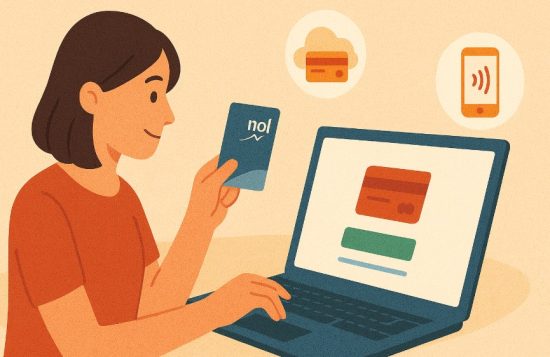
Dubai’s public transport authority has made it easy for residents and visitors to top up their Nol cards through various online platforms. Below are the most effective methods.
1. Recharge via the RTA Website
The official RTA website remains one of the most trusted and widely used platforms for online Nol card recharge.
Steps:
- Visit the RTA Nol Card Top-Up page.
- Enter your Nol Tag ID and email address.
- Choose the recharge amount.
- Complete the payment using a debit or credit card.
- After payment, wait between 45 minutes to 4 hours and activate your balance by tapping your card at a metro gate or similar terminal.
2. Use the NOL Pay Mobile Application
This app is specifically designed for Nol card services and is available for both iOS and Android devices.
Steps:
- Download and install the NOL Pay app.
- Sign in using your UAE Pass credentials.
- Tap your Nol card to your smartphone’s NFC chip, or select your virtual card.
- Enter the desired top-up amount and proceed with payment.
- If you use a virtual card, the credit is added instantly. Physical card users will need to activate it at a designated terminal.
3. Top Up Using the S’hail App
The S’hail app integrates several RTA services, including Nol card recharge.
Steps:
- Install the S’hail app and register an account.
- Tap on the “Top-Up Nol Card” option.
- Add your card using the plus sign.
- Select a top-up amount.
- Pay securely through the app and wait for the balance to be available after 45 minutes to 4 hours.
4. Recharge Through the RTA Chatbot – Mahboub
RTA’s virtual assistant, Mahboub, provides a conversational way to recharge your Nol card online.
Steps:
- Visit the RTA homepage or launch the RTA Dubai app.
- Start a chat session with Mahboub.
- Enter “Top Up Nol Card” in the chat box.
- Provide your Nol Tag ID and choose an amount (between 30 AED and 150 AED).
- Pay through the DubaiPay gateway.
- Activate the balance at the metro gates or parking meters.
5. Mobile Banking Apps
Some UAE-based banks allow customers to top up Nol cards through their mobile banking apps.
Steps:
- Log in to your banking app.
- Navigate to the “Bill Payments” or “Government Services” section.
- Select the Nol Card recharge option.
- Enter your Nol Tag ID and desired amount.
- Complete payment and activate the balance as required.
No matter which platform you choose, the process to recharge your Nol card online is designed to be user-friendly, secure, and accessible.
Whether you prefer using official apps, the RTA website, or a virtual assistant like Mahboub, each method allows you to top up your card without visiting a physical location.
By taking advantage of these digital tools, you can ensure your Nol card is always ready for travel, saving time, avoiding queues, and keeping your daily commute on track.
What Are the Offline Alternatives to Recharging the NOL Card?
If you prefer recharging in person or do not have access to digital platforms, you can still top up your card offline.
1. Ticket Office Machines
Located at metro and bus stations, these machines allow quick top-ups. Simply place your Nol card on the reader, choose your top-up amount, pay, and receive an instant balance update.
2. Ticket Office Counters
You can also walk up to the service counter at any metro station. Hand your card to the agent, specify the amount, and pay. Your card will be recharged immediately.
3. Solar Smart Top-Up Machines
Found at various bus stops, these self-service kiosks allow you to:
- Place your Nol card on the reader.
- Select a top-up amount.
- Insert cash and wait for the confirmation.
- The recharge is applied directly to your card.
4. Retail Stores
Many retail outlets in Dubai offer Nol card top-up services. This includes:
- ZOOM stores
- ENOC and EPPCO stations
- Standalone mini-marts
Over 50 locations across the city provide this service, making it a convenient option if you’re already out shopping or fueling up.
How Do You Activate a Pending Top-Up?

Even after you pay online, your Nol card will not reflect the balance until you activate it. Here’s how you can do that:
- Tap your Nol card at any Metro gate or RTA parking meter.
- Use a Smart Solar Top-Up machine at a bus stop.
- Open the Nol Pay app and update via NFC.
- Wait for at least 45 minutes and up to 4 hours for the recharge to be recognized by the system.
This step is essential to complete the top-up process.
What is the Minimum and Maximum NOL Card Balance Allowed?
Understanding the card balance rules helps prevent entry rejections during transit.
| NOL Card Type | Minimum Balance | Maximum Balance |
| Anonymous NOL Card | 7.5 AED | 1,000 AED |
| Registered/Personal Card | 7.5 AED | 5,000 AED |
To board any mode of public transport, your card must have at least 7.5 AED. If the balance is below this, you’ll be denied access at entry gates.
Is It Safe to Recharge Your Nol Card Online?
Yes, recharging your Nol card online is completely safe when using verified platforms. The RTA has implemented robust encryption standards and secure payment gateways to protect your data.
Always ensure you’re using:
- The official RTA website
- Verified apps like Nol Pay or S’hail
- Trusted mobile banking apps
- The Mahboub chatbot on official portals
Avoid entering card information on third-party or suspicious websites.
Why You Should Choose Online NOL Recharge Over Manual Methods?
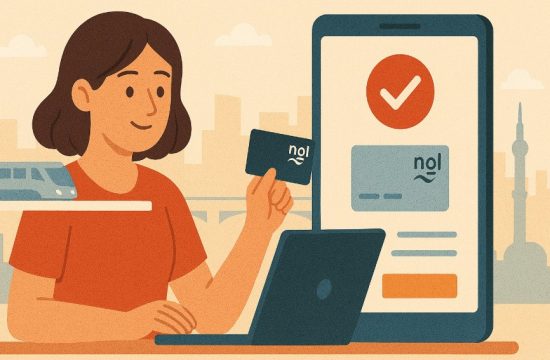
Online vs Offline Nol Recharge Comparison:
| Feature | Online Recharge | Offline Recharge |
| Availability | 24/7 via apps and websites | Limited to store or station hours |
| Speed | Recharge within 45 minutes to 4 hours | Instant recharge |
| Convenience | Recharge from anywhere | Requires visiting a physical location |
| Payment Methods | Credit, debit, digital wallets | Mostly cash |
| Queue-Free Experience | Yes | No, queues may occur during peak hours |
Online recharge provides the most flexible and efficient way to keep your Nol card active and ready for travel.
Conclusion
Staying connected to Dubai’s public transportation system is seamless when your Nol card is always ready for use. With a variety of secure online recharge methods provided by the RTA, managing your travel balance no longer requires a trip to the station or store.
Whether you prefer using the official RTA website, a mobile app, a chatbot, or even your bank’s application, each method is designed to fit into your lifestyle and routine.
By understanding how to recharge your Nol card online and activate the balance correctly, you can ensure smooth, uninterrupted travel across all modes of public transport in Dubai. Embrace the convenience of digital top-ups and make the most of what the city’s smart transport network has to offer.
FAQs
How long does it take for an online Nol recharge to show up?
It usually takes 45 minutes to 4 hours after payment. The balance will reflect after you activate it at a metro gate or parking terminal.
Can I recharge someone else’s Nol card online?
Yes. If you have the Nol Tag ID of the other person’s card, you can top it up via the RTA website or Nol Pay app.
What is the minimum amount required to recharge a Nol card?
Although the card must maintain a minimum of 7.5 AED for travel, online top-up options often start from 30 AED.
Can I use Google Pay or Apple Pay to recharge?
Yes. Supported apps like Nol Pay and payment gateways like DubaiPay allow the use of Google Pay or Apple Pay for transactions.
What happens if I enter incorrect card details during payment?
Incorrect payments may not be credited. It’s crucial to double-check your Nol Tag ID. Contact RTA support immediately in case of errors.
Is there a way to check the NOL card balance online?
Yes. You can check your balance via the RTA website, S’hail app, or Nol Pay app by entering your Nol Tag ID.
What should I do if the top-up isn’t showing even after activation?
Wait up to 4 hours and retry. If it still doesn’t reflect, contact RTA on 8009090 or via the Mahboub chatbot for assistance.