If you are wondering how to check FAB balance in the UAE, the quickest way is through the FAB Mobile App, while SMS banking, ATMs, online banking, and telephone banking also provide reliable access to your account details. First Abu Dhabi Bank offers multiple secure channels so you can monitor your balance anytime, whether you have internet access or not.
Here are the key takeaways you should know:
- The FAB Mobile App provides instant balance visibility on the homepage
- SMS banking works without internet using your registered mobile number
- ATMs across the UAE allow balance inquiry within seconds
- You can call 600 52 5500 for telephone banking support
- Ratibi and prepaid card users must use the PPC Inquiry Portal or dedicated helpline
By understanding each method clearly, you can choose the most convenient and secure way to manage your finances.
Why Is It Important to Check Your FAB Balance Regularly?
Keeping track of your bank balance is an essential financial habit, especially when you live or work in the UAE. When you regularly check your FAB balance, you stay aware of your available funds, recent transactions, and salary credits. This helps you avoid overdraft charges and unexpected declined payments.
Monitoring your balance also allows you to detect unusual transactions early. If you notice unfamiliar deductions, you can immediately contact First Abu Dhabi Bank for clarification. Early detection plays a key role in protecting your account from potential misuse.
Another important reason is budgeting. When you review your available balance frequently, you gain better control over daily expenses, utility payments, and loan instalments.
If your salary has just been credited, checking your FAB balance ensures that the amount has been received correctly. Regular balance checks support financial discipline and help you make informed spending decisions.
How to Check FAB Balance Using the FAB Mobile App?

The FAB Mobile App is the fastest and most recommended method if you want to know how to check FAB balance instantly. Designed for both Android and iOS users, the app provides secure access to your account summary, recent transactions, and other banking services.
When you log in, your available balance appears directly on the homepage, making it highly convenient for daily monitoring. The app also supports biometric authentication such as fingerprint or face recognition for faster and safer access.
Step-by-Step Process to View Your Balance in the FAB App
Follow these simple steps:
- Download the FAB Mobile App from the Google Play Store or Apple App Store
- Open the app and log in using your registered username and password
- If enabled, use biometric login for quicker access
- Navigate to the Accounts section on the homepage
- Select the account you want to view if you have multiple accounts
- Your available balance and recent transactions will be displayed instantly
The mobile app also notifies you when your salary is credited, helping you track income without repeated manual checks. If you frequently manage payments or transfers, the app remains the most efficient solution for checking your FAB balance securely and quickly at any time.
How to Check FAB Balance via SMS Banking?
If you do not have internet access, SMS banking offers a practical alternative. This method is especially helpful when you are travelling or facing connectivity issues. To use this service, your mobile number must be registered with First Abu Dhabi Bank.
SMS banking allows you to receive your account balance within seconds after sending a formatted message. It is simple, direct, and accessible from any standard mobile phone.
SMS Format and Official Number
Before sending a request, ensure you are registered for SMS banking. If not, you may need to contact customer support or visit a branch for activation.
Here is the typical process:
- Open your phone’s messaging app
- Type BAL followed by a space and your account number
- Send the message to 2121
- Wait for the automated reply containing your account balance details
Always send the SMS from your registered mobile number. For security reasons, never share your account information with unknown parties. SMS banking provides a quick way to check your FAB balance without logging into online platforms, making it a reliable option when internet access is limited.
How to Check FAB Balance at an ATM in the UAE?
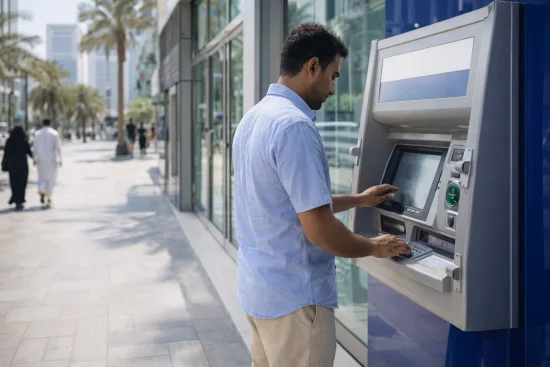
Using an ATM is one of the most traditional and dependable ways to check your FAB balance. First Abu Dhabi Bank ATMs are widely available across the UAE, including shopping centres, business districts, and residential areas.
To perform a balance inquiry, insert your debit card into the ATM machine and enter your personal identification number. Once you access the menu, select the balance inquiry option. Your available balance will appear on the screen within seconds. You may also choose to print a receipt for record-keeping.
Here is a quick overview of the process:
- Visit any FAB ATM near you
- Insert your debit card
- Enter your secure PIN
- Select Balance Inquiry from the menu
- View the displayed balance or print a receipt
This method does not require internet access and works at any time of day. It is particularly useful if you are already withdrawing cash and want to confirm your remaining balance immediately.
Can You Check FAB Balance Through Online Banking?
Yes, online banking provides another secure way to understand how to check FAB balance from your computer or laptop. The FAB online banking portal gives you access to detailed account information, including current balance and transaction history.
To begin, visit the official First Abu Dhabi Bank website and log in using your online banking credentials. Once logged in, navigate to the Account Summary section. Your available balance will be clearly displayed along with recent transactions.
Key steps include:
- Visit the official FAB online banking website
- Enter your username and password
- Complete any required security verification
- Access the Account Summary dashboard
- Review your balance and recent activity
Online banking is ideal if you prefer managing finances on a larger screen or if you handle multiple accounts. It provides comprehensive information beyond a simple balance check, helping you review payments, transfers, and salary deposits in detail.
How to Check FAB Balance by Calling Customer Service?

If you prefer direct assistance or face issues with digital channels, telephone banking is another reliable option. First Abu Dhabi Bank offers automated and representative support through its customer service numbers.
You can call 600 52 5500 from within the UAE. If you are calling from outside the country, dial +971 2 681 1511. Follow the automated voice instructions and select the balance inquiry option.
The process generally involves:
- Dialling the official customer service number
- Choosing your preferred language
- Selecting the balance inquiry option from the menu
- Providing required verification details
- Listening to the automated system state your account balance
Telephone banking is useful if you need clarification regarding recent transactions. It ensures you can still check your FAB balance even when you cannot access the app, ATM, or online banking platform.
How to Check FAB Ratibi or Prepaid Card Balance?
If you hold a Ratibi salary card or a prepaid card, the balance inquiry process differs slightly from regular savings or current accounts. These cards are commonly issued to employees who receive wages through the Wage Protection System in the UAE.
To understand how to check FAB balance for Ratibi or prepaid cards, you must use the designated services provided by the bank.
Checking Balance via PPC Inquiry Portal
The PPC Inquiry Portal is specifically designed for prepaid and Ratibi cardholders. You can access the portal online and enter your card details to view the available balance securely.
Using the Payit App
Some prepaid users can check their balance through supported digital platforms such as the Payit app. After logging in, your card balance is displayed clearly within the dashboard.
Calling the Dedicated Helpline
You may also contact the prepaid card helpline by dialling 600 52 2298. Follow the automated instructions to receive balance details after verification.
Key points for prepaid users:
- Ensure your mobile number is registered
- Use official portals only
- Keep your card details confidential
- Contact support if your balance does not update after salary credit
Ratibi and prepaid services are structured differently from regular bank accounts, so always use the correct platform for accurate results.
What Is the Fastest Method to Check FAB Balance?

When comparing all available options, the FAB Mobile App stands out as the fastest method. It displays your balance immediately after login without additional steps. However, each method has its own advantages depending on your situation.
Below is a comparison to help you decide:
Method Internet Required Speed Best For Availability
Mobile App Yes Instant Daily users 24/7
SMS No Fast No data access 24/7
ATM No Moderate Physical access 24/7
Phone Banking No Moderate Assistance needed 24/7
If you need immediate access, the mobile app is recommended. If internet connectivity is limited, SMS or ATM services remain dependable alternatives for checking your FAB balance efficiently.
What Security Tips Should You Follow When Checking Your FAB Balance?
Whenever you check your bank balance, security should remain a priority. Always use official FAB platforms such as the mobile app or official website. Avoid accessing your account through unknown links or third-party websites.
Keep your login credentials confidential and never share one-time passwords with anyone. If you use the mobile app, enable biometric authentication for added protection. When using an ATM, shield the keypad while entering your PIN.
Avoid checking your balance over public WiFi networks without secure protection. If you notice suspicious activity, contact customer support immediately. Practising these safety measures ensures that when you check your FAB balance, your financial information remains protected at all times.
Common Issues You May Face When Checking FAB Balance
Although checking your balance is usually simple, you may occasionally encounter technical difficulties. Understanding common problems helps you respond quickly and effectively.
One common issue is login failure on the mobile app due to incorrect credentials. In such cases, use the password recovery option or contact support. Another issue involves SMS banking not responding, which may occur if your mobile number is not properly registered.
You might also face ATM related challenges such as card blockage after multiple incorrect PIN attempts. In addition, delays in salary credit can cause confusion when checking your FAB balance.
Common concerns include:
- App not loading properly
- SMS response delay
- Forgotten online banking password
- ATM card retained by machine
- Balance not reflecting recent deposit
If any of these issues persist, contacting customer service ensures accurate guidance. Acting promptly helps prevent further inconvenience and ensures continued access to your funds.
Conclusion
Understanding how to check FAB balance gives you complete control over your finances in the UAE. Whether you choose the FAB Mobile App for instant access, SMS banking for convenience, an ATM for traditional verification, or telephone banking for assistance, each method is designed to provide secure and reliable service.
For most users, the mobile app remains the quickest and most efficient solution. However, having multiple options ensures you can monitor your account anytime, regardless of internet availability.
By checking your balance regularly and following essential security practices, you maintain financial awareness and avoid unexpected issues. Staying informed about your available funds empowers you to manage expenses confidently and make smarter financial decisions every day.
FAQs
Can you check FAB balance without internet access?
Yes, you can use SMS banking or visit any FAB ATM to check your balance without internet. Telephone banking also provides access through automated support.
Is SMS banking available for all FAB customers?
SMS banking is available for registered customers with an active mobile number. You may need to activate the service before using it.
What number should you call to check FAB balance in the UAE?
You can call 600 52 5500 within the UAE for balance inquiries. International callers can dial +971 2 681 1511.
How can Ratibi cardholders check their balance?
Ratibi users can use the PPC Inquiry Portal or call 600 52 2298. Some services may also be accessible through supported digital apps.
Is the FAB Mobile App the fastest way to check balance?
Yes, the mobile app shows your available balance immediately after login. It is considered the quickest and most convenient method.
What should you do if your balance does not reflect your salary?
Wait briefly for processing and refresh your account view. If the issue continues, contact customer support for clarification.
Can you check multiple FAB accounts in one login?
Yes, if you have multiple accounts linked to your profile, they appear within the app or online banking dashboard. You can select each account to view its balance separately.