
Last Updated: 04.04.2026
If you use a FAB prepaid card, salary card, or Ratibi card in the UAE, checking your available balance quickly is probably one of the first things you do after receiving your salary or making a purchase.
The good news is that FAB balance checking online prepaid card services have become much easier in 2026. You no longer need to visit a branch or wait for a printed statement just to know how much money is available on your card.
Today, you can check your FAB prepaid card balance online through the official inquiry portal, the FAB mobile app, SMS banking, or even an ATM.
Each method is designed for different situations, whether you have internet access or not. This guide explains every available option in a simple way, so you can choose the fastest and safest method for your needs in the UAE.
What Is FAB Balance Checking Online for a Prepaid Card?
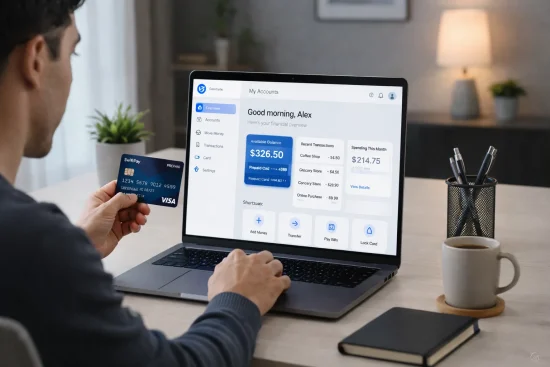
FAB balance checking online for a prepaid card is a service that allows you to see your current card balance, recent salary deposits, and transaction history without visiting a branch. It is mainly designed for people who use a FAB prepaid card, salary card, or Ratibi card instead of a regular bank account.
Many people in the UAE use these cards because they are simple, easy to manage, and do not always require a full bank account. Employers often use them to send salaries through the Wage Protection System.
With this service, you can:
- Check your available balance at any time
- Confirm whether your salary has been credited
- Review recent transactions
- Identify unusual deductions quickly
- Manage spending more confidently
FAB offers several ways to access this information, including the online inquiry portal, mobile app, ATM, and SMS banking. Most prepaid card users prefer the online method because it is fast, free, and available 24 hours a day. You only need your card details and internet access to get started.
How Can You Check Your FAB Prepaid Card Balance Online?
Checking your FAB prepaid card balance online is one of the easiest methods because it does not require a separate banking login. The process usually takes less than a minute and works for FAB prepaid cards, salary cards, and Ratibi cards.
To check your balance online:
- Open the official FAB prepaid card inquiry portal
- Enter the last two or four digits of your card number, depending on the card type
- Type the Card ID printed on your card
- Complete the security verification if required
- Click the “Go” button
Once your information is submitted, your available balance appears immediately. In many cases, you can also see your recent transactions and the current status of your card.
Before starting, make sure you have:
- Your FAB prepaid or salary card
- The Card ID shown on the card
- A secure internet connection
This method is especially useful if you want a quick balance update without downloading the FAB app or visiting an ATM. It also works on mobile phones, tablets, and computers.
Why Is the Magnati PPC Inquiry Portal the Fastest Way to Check Your FAB Balance?

For most FAB prepaid card and Ratibi users, the Magnati PPC Inquiry Portal is the quickest way to check a balance. Unlike online banking, there is no need to register, remember a password, or install an app. You simply enter a few card details, and your balance appears almost instantly.
The portal is especially useful for employees who receive their salary through a FAB prepaid card and want to know whether the payment has arrived. Many users in the UAE prefer this method because it works on any browser and can be accessed at any time of day.
What Information Do You Need Before Using the PPC Inquiry Portal?
Before opening the portal, keep your card nearby because you will need a few details printed on it. Entering the wrong information is the most common reason why the balance does not appear.
Usually, the portal asks for:
- The last two or four digits of your FAB prepaid card
- Your Card ID number
- The security CAPTCHA is shown on the screen
The Card ID is normally printed on the front or back of the card, depending on the version you have. If your card has become damaged or the numbers are difficult to read, you may need to contact FAB customer support.
It is also helpful to use:
- A stable internet connection
- An updated browser such as Chrome, Safari, or Edge
- A private device instead of a public computer
One employee using a Ratibi card explained the experience clearly:
“I only needed the last digits of my card and the Card ID. Within a few seconds, I could see if my salary had arrived. It was much faster than waiting in line at an ATM.”
That reflects why so many prepaid card users in the UAE prefer this method.
How Do You Use the FAB PPC Inquiry Portal Step by Step?
Once you have your card details ready, using the portal is straightforward. The process only takes a few simple steps.
Start by opening the official Magnati PPC prepaid card inquiry page. After the page loads, enter the requested details carefully.
The normal process looks like this:
- Enter the last digits of your card number
- Enter the full Card ID
- Type the CAPTCHA code shown on the screen
- Click “Go”
After that, the portal displays your account information. Most users will immediately see:
- Current available balance
- Recent transactions
- Salary deposit status
- Whether the card is active or blocked
The portal is useful because it does not ask for a username or password. It is designed mainly for prepaid and salary card users who may not have full online banking access.
A UAE worker who uses the PPC portal every month described it this way:
“The balance appears in less than a minute. I usually check it right after payday because I can also see my last few transactions.”
That convenience is one of the biggest reasons why the PPC inquiry portal remains the preferred balance-check method in 2026.
What Problems Can Occur During PPC Inquiry and How Can You Fix Them?
Although the portal is simple, there are times when it may not work properly. In most cases, the issue is small and can be fixed within a few minutes.
The most common problems include:
- Incorrect card number digits
- Wrong Card ID
- Expired or blocked card
- Slow internet connection
- Browser errors or cache problems
If the balance page does not load, try these steps:
- Refresh the page and enter the details again
- Double-check the numbers on your card
- Clear your browser cache
- Switch to another browser
- Try using a different device
If the portal still does not work, contact FAB support. The UAE customer care number is 600 52 5500, while international users can call +971 2 6811511.
One customer who experienced a portal issue shared this:
“I thought my salary had not arrived, but the problem was only that I entered the wrong Card ID. After correcting it, the balance appeared immediately.”
This is why it is important to verify every number before assuming there is a problem with your account.
Can You Check Your FAB Balance Through the FAB Mobile App?
Yes, the FAB Mobile App is another reliable way to check your FAB prepaid card balance. This option is best if you check your balance often and want access to additional features.
To use the app:
- Download the FAB Mobile App from Google Play or the Apple App Store
- Register using your card number or customer ID
- Enter the OTP sent to your registered mobile number
- Create a PIN for future logins
- Open the dashboard to see your balance
The app is useful because it shows more than just your available funds. After logging in, you can also view:
- Recent transactions
- Salary deposits
- Bill payments
- Card settings
- Money transfers
Unlike the inquiry portal, the mobile app keeps all your banking information in one place. It is especially helpful if you manage more than one FAB account or prepaid card. The app also supports fingerprint and face recognition for extra security.
How Can You Check Your FAB Balance by SMS in 2026?
SMS banking continues to be one of the easiest ways to check your FAB balance when you do not have internet access. It works on almost any mobile phone and only takes a few seconds. This method is particularly useful for people who use salary cards or prepaid cards and want a quick update after payday.
To use this service, you must first register your mobile number with FAB. After registration, you can send a short SMS command and receive your balance almost immediately.
How Do You Register for FAB SMS Banking?
Before you can use SMS banking, your mobile number must be linked to your FAB account or prepaid card. FAB usually allows registration through several methods.
You can register by:
- Visiting a FAB branch
- Calling customer support
- Using an FAB ATM
- Activating the service through online banking or the mobile app
During registration, make sure the mobile number you provide is active because all future balance messages will be sent there.
You may also need:
- Your card number
- Emirates ID or account details
- Verification through an OTP
Once registration is complete, your number becomes the approved number for all SMS banking requests. Only messages sent from this registered number will work correctly.
What SMS Format Should You Use to Get Your FAB Balance?
After registration, checking your balance by SMS is simple. Open your messaging app and type:
BAL XXXX
The “XXXX” should be replaced with the last four digits of your card or account number.
Then send the message to:
2121
For example, if your card ends in 4582, your message would look like this:
BAL 4582
After sending the message, FAB replies with your current available balance. In some cases, the reply may also include your most recent transaction.
Keep these points in mind:
- Send the message only from your registered mobile number
- Make sure the last four digits are entered correctly
- Keep enough mobile balance if SMS charges apply
This method is ideal when you need a quick answer and do not want to open an app or visit an ATM.
How Can You Check Your FAB Balance at an ATM?
Checking your FAB balance at an ATM is useful if you prefer an offline method or need a printed record. This option works for FAB prepaid cards, salary cards, Ratibi cards, and standard debit cards.
To check your balance:
- Visit any FAB ATM
- Insert your card
- Enter your PIN
- Choose the “Balance Inquiry” option
- View your available balance on the screen
Some ATMs also allow you to print a mini statement showing your latest transactions.
This method is helpful when:
- You do not have internet access
- You want to confirm your balance immediately
- You need a paper record of your recent activity
FAB ATM balance checks are generally free and available 24 hours a day. If there is no FAB ATM nearby, some cards may also work at other ATM networks in the UAE. However, using another bank’s ATM could involve additional charges depending on the card type.
Can Ratibi Card Users Check Their Salary Balance Online?

Yes, Ratibi card users can check their salary balance online even if they do not have a full FAB bank account. This is one of the biggest advantages of the Ratibi card system in the UAE.
Ratibi cards are usually provided to employees whose salaries are paid through the Wage Protection System. Since these cards do not always include standard online banking access, FAB offers other balance-check options.
Ratibi users can check their balance through:
- The Magnati PPC inquiry portal
- FAB mobile app
- SMS banking
- FAB ATM
To use the online inquiry method, Ratibi users generally need:
- The last digits of the card number
- The Card ID printed on the card
- A phone or computer with internet access
After entering these details, the available salary balance appears instantly. Many users rely on this method every month to confirm that their employer has transferred their salary successfully.
What Is the Difference Between FAB Prepaid Cards, Salary Cards, and Ratibi Cards?
Although these cards are often discussed together, they are not exactly the same. Each one is designed for a different purpose.
Card Type Main Purpose Requires Bank Account? Best Balance Check Method
FAB Prepaid Card Everyday spending and online payments No PPC Inquiry Portal
FAB Salary Card Salary deposits from employer Sometimes Mobile App or SMS
FAB Ratibi Card Salary card for employees without bank accounts No Ratibi Inquiry Portal
A FAB prepaid card is usually used for purchases, travel, and salary payments. A salary card is linked more closely to employer salary transfers and may sometimes connect to a regular bank account.
Ratibi cards are designed mainly for workers who do not have traditional bank accounts. Because of this, the PPC or Ratibi inquiry portal is usually the easiest way for those users to check their available funds.
Understanding the difference between these cards helps you choose the correct balance-check method and avoid confusion when entering your details online.
What Should You Do If Your FAB Balance Is Not Showing Correctly?

If your FAB balance does not appear correctly, do not panic immediately. In many situations, the issue is temporary and can be fixed quickly.
Sometimes the salary deposit may still be processing, especially during weekends, public holidays, or employer payroll delays. It is also possible that the wrong card details were entered into the inquiry portal.
Before contacting support, check the following:
- Confirm the card number and Card ID
- Refresh the page or reopen the app
- Wait a few minutes and try again
- Make sure the card has not expired
- Check if the internet connection is stable
If the balance still seems wrong, contact FAB customer care and keep your card details ready. The support team can verify whether there is a technical issue or a delay in the salary transfer. In most cases, the balance updates shortly after the issue is resolved.
Is FAB Balance Checking Safe and Secure in 2026?
FAB balance checking methods are designed to be safe and secure when you use the official channels. The online inquiry portal, mobile app, and online banking platform all use encrypted connections to protect your information.
FAB also includes extra security features such as:
- OTP verification
- Secure login PINs
- Biometric login in the mobile app
- CAPTCHA protection on the PPC inquiry portal
Even though these systems are secure, you should still be careful. Never share your Card ID, OTP, or PIN with anyone. Avoid using public Wi-Fi or unfamiliar websites when checking your balance.
Always make sure you are using the official FAB or Magnati portal rather than a copied website. If a page looks unusual or asks for unnecessary details, leave immediately and use the official service instead. Following these simple steps helps keep your FAB prepaid card information protected in 2026.
What Other Features Can You Access After Checking Your FAB Balance?

After checking your balance, FAB gives you access to several other useful features through the app and online services. These tools help you manage your money more effectively instead of only viewing your available funds.
Depending on the method you use, you may also be able to:
- View recent transactions
- Download mini statements
- Check salary deposit history
- Transfer money
- Pay utility bills
- Change or reset your card PIN
- Freeze or block a lost card
- Receive payment notifications
The FAB Mobile App offers the widest range of features because it combines balance checking with full account management. Many users open the app to check their salary and then stay to review spending or make a transfer.
One FAB prepaid card holder described it this way:
“At first I only used the app to check my salary. Now I also use it to review transactions and control my card whenever I travel.”
These extra features make balance checking more useful because you can take action immediately if you notice an unusual payment or a missing salary deposit.
What Are the Main Benefits of Using FAB Balance Checking Online?
Using FAB balance checking online prepaid card services makes everyday money management much easier. Instead of waiting for a branch visit or printed statement, you can see your available balance in seconds.
The biggest benefits include:
- Instant confirmation when salary is deposited
- Better control over spending and budgeting
- Faster detection of unusual transactions
- Access from anywhere in the UAE
- No need to stand in long lines at a bank
Regular balance checks can also help you avoid unexpected fees or declined payments. If your salary has not arrived or a deduction looks incorrect, you can notice the issue quickly and contact support.
For prepaid card and Ratibi users, this is especially important because many people depend on these cards for daily expenses. By checking your balance often, you stay informed, reduce stress, and keep better control of your money throughout the month.
Conclusion
FAB balance checking online prepaid card services have become much more convenient in 2026, especially for users in the UAE who rely on prepaid cards, salary cards, and Ratibi cards. Whether you prefer using the Magnati PPC inquiry portal, the FAB Mobile App, SMS banking, or an ATM, there is now a method for every situation.
The PPC inquiry portal remains the fastest choice for most prepaid card users because it does not require registration or a banking login. If you want more features such as transaction history, bill payments, and salary notifications, the FAB Mobile App may be a better option. Meanwhile, SMS and ATM balance checks continue to help users who do not have internet access.
The most important thing is to choose the method that matches your needs and use it regularly. Checking your balance often can help you confirm salary payments, avoid unnecessary charges, and identify unusual activity before it becomes a bigger problem.
As more people in the UAE continue to use FAB prepaid and salary cards, having quick access to your balance is no longer just convenient. It is an essential part of managing your money confidently and staying in control of your everyday finances.
FAQs
Can You Check Your FAB Prepaid Card Balance Without a Mobile App?
Yes, you can check your FAB prepaid card balance without using the mobile app. The easiest option is the Magnati PPC inquiry portal or SMS banking.
What Should You Do If You Forget Your FAB Card ID?
If you forget your FAB Card ID, check the front or back of your prepaid card because it is usually printed there. If the number is missing or unreadable, contact FAB customer support for help.
Does the FAB Balance Inquiry Portal Work Outside the UAE?
Yes, the FAB balance inquiry portal can usually be accessed from outside the UAE. You only need an internet connection and your card details to log in.
How Often Is Your FAB Balance Updated?
Your FAB balance is updated almost instantly after a salary deposit, withdrawal, or purchase. In some cases, it may take a few minutes if the transaction is still processing.
Can You Use the Same Method for Both Salary Cards and Prepaid Cards?
Yes, most FAB salary cards and prepaid cards can be checked through the same PPC inquiry portal. However, some salary card users may also have access to the FAB mobile app.
Is There a Fee for Checking Your FAB Balance Online?
No, FAB does not normally charge any fee for checking your balance online. However, standard internet or SMS charges from your mobile provider may still apply.
Can You View Recent Transactions Along With Your FAB Balance?
Yes, the FAB inquiry portal and mobile app often show your recent transactions together with your balance. This helps you confirm salary deposits and track your latest spending.