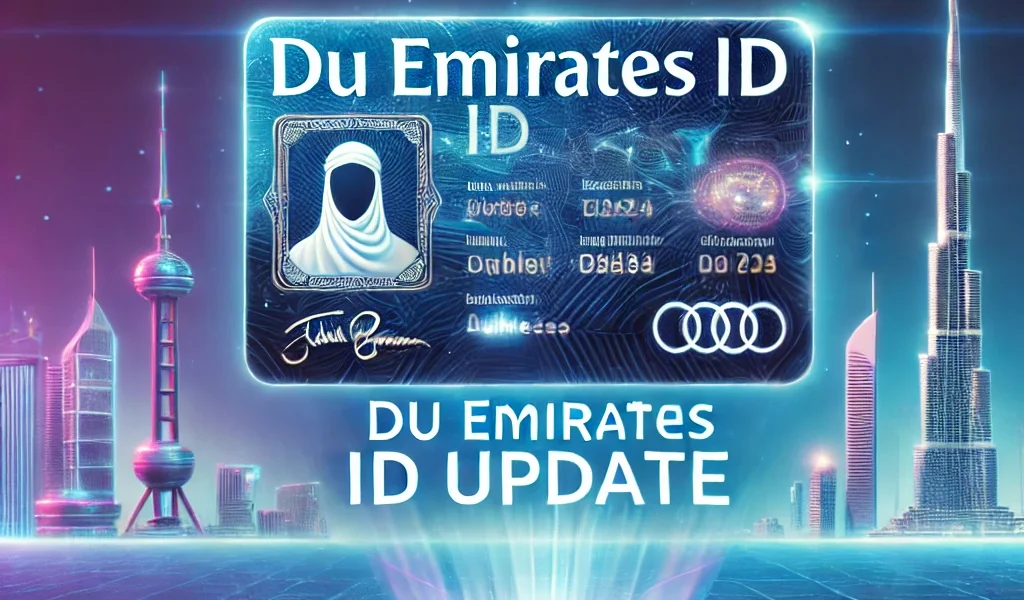
Are you a DU customer wondering how to update your Emirates ID online? The UAE government requires all telecom users to keep their Emirates ID information up to date to ensure compliance with security regulations.
DU, one of the country’s leading telecom providers, has made it mandatory for customers to renew their Emirates ID details to avoid service disruptions. But what happens if you don’t update your ID on time? Will your DU SIM card get deactivated?
Updating your Emirates ID with DU is a simple process that can be done online in just a few steps. This guide will walk you through why the update is necessary, who needs to complete it, the step-by-step process, and how to resolve any issues if your submission is rejected.
Why Do You Need to Update Your Emirates ID with DU?

The Emirates ID is a crucial identification document for all UAE residents. It is issued by the Federal Authority for Identity and Citizenship (ICP) and serves as proof of identity for various official transactions.
DU, one of the leading telecom providers in the UAE, requires an updated Emirates ID to comply with government regulations and maintain accurate customer records.
What Are the Reasons for Updating Your Emirates ID with DU?
- Regulatory Compliance: The UAE government mandates that telecom operators verify and update customers’ Emirates IDs to prevent fraudulent activities.
- Service Continuity: Failure to update your ID may result in service disruptions, including SIM card deactivation.
- Security Measures: Updating your Emirates ID enhances security by ensuring that your mobile number is linked to the correct identity.
- Account Management: An up-to-date Emirates ID helps you manage your DU services more efficiently, including prepaid and postpaid plans.
What Are the Consequences of Not Updating Your Emirates ID?
- You may experience service suspension or SIM card blockage.
- You could face difficulties in renewing DU services, including mobile plans and data packages.
- DU may not be able to verify your identity for customer support and account-related requests.
Ensuring your Emirates ID is up to date with DU helps you maintain seamless access to telecom services while complying with UAE regulations.
Who Needs to Update Their Emirates ID for DU?
Updating your Emirates ID with DU is mandatory for all customers, regardless of whether they use prepaid or postpaid services. The UAE government requires telecom operators to keep customer identification records up to date to prevent identity fraud and unauthorized usage.
Who Must Update Their Emirates ID?
- Existing DU Customers: If you are an active DU user, you must update your Emirates ID when it is renewed or about to expire.
- New DU Subscribers: Anyone purchasing a new DU SIM card must submit a valid Emirates ID at the time of activation.
- Business & Corporate Users: Companies and organizations using DU services must update the Emirates ID details of the registered account holder.
When Should You Update Your Emirates ID?
- If your Emirates ID is about to expire, you should update it immediately after receiving the new one.
- When registering a new SIM card, you must provide a valid Emirates ID during activation.
- If you receive a notification from DU, requesting an ID update, it’s important to complete the process promptly to avoid service disruptions.
Can Both Prepaid and Postpaid Users Update Their Emirates ID?
Yes, both prepaid and postpaid DU customers must update their Emirates ID. Failing to do so may lead to SIM deactivation or restricted access to DU services.
Keeping your Emirates ID updated with DU ensures uninterrupted mobile services while complying with UAE telecom regulations.
What Are the Requirements for Updating Emirates ID with DU?

Before updating your Emirates ID with DU, you need to ensure that you have the necessary documents and meet the eligibility criteria. The process is straightforward, but missing any required information may cause delays or rejection.
What Documents Do You Need for the Update?
To successfully update your Emirates ID with DU, you must provide:
- A valid Emirates ID (both front and back scans or photos for online submission).
- A registered DU mobile number linked to your Emirates ID.
- A stable internet connection if updating your ID online.
- Business license (for corporate or business accounts).
Are There Any Eligibility Criteria?
- You must be a legal resident of the UAE with a valid Emirates ID.
- The name on the Emirates ID must match the name on the DU account to avoid processing errors.
- Your Emirates ID should be renewed before updating it with DU. Expired IDs will not be accepted.
Do You Need an Active DU Account to Update Your ID?
Yes, only active DU customers can update their Emirates ID. If your DU account is inactive or suspended, you may need to reactivate it before proceeding with the ID update.
Ensuring you have all the required documents and meeting the eligibility criteria will help complete the Emirates ID update smoothly and without unnecessary delays.
How to Update Your Emirates ID with DU Online? (Step-by-Step Guide)
Updating your Emirates ID with DU online is a simple and convenient process that can be done in just a few minutes. DU provides an official online portal for customers to submit their Emirates ID details without visiting a store. Below is a step-by-step guide to completing the process.
How Can You Access the DU Emirates ID Update Portal?
To begin the Emirates ID update, follow these steps:
- Visit the DU ID Renewal Portal: Go to the official DU website at DU Emirates ID Renewal.
- Login to Your Account: Enter your DU mobile number and the OTP (One-Time Password) sent to your registered number.
- Proceed to Emirates ID Update: Once logged in, navigate to the ID update section.
What Are the Steps to Submit Your Emirates ID?
- Upload Your Emirates ID: Scan or take clear photos of both the front and back of your Emirates ID.
- Verify Your Details: Ensure that your Emirates ID number, name, and other details match the information on your DU account.
- Submit Your Request: Click on the submit button to complete the process. You should receive a confirmation message from DU.
How Long Does the Update Process Take?
- The Emirates ID update process usually takes 24 to 48 hours for verification.
- In some cases, it may take up to 5 working days if additional verification is needed.
- You will receive a confirmation SMS once your ID has been successfully updated.
Completing your Emirates ID update online ensures a hassle-free experience without needing to visit a DU store. However, always double-check your submitted details to avoid rejection or delays.
How to Check Your DU Emirates ID Update Status?

After submitting your Emirates ID update request, you may want to track its progress to ensure there are no delays or issues. DU provides an online platform where customers can check their ID update status.
Where Can You Track the Status of Your ID Update?
To check the status of your Emirates ID update, follow these steps:
- Visit the DU Status Check Portal: Go to DU ID Renewal Status Check.
- Enter Your DU Mobile Number: Provide the registered DU number linked to your Emirates ID.
- Verify with OTP: DU will send a one-time password (OTP) to your mobile number for authentication.
- Check Your Status: Once logged in, you can see whether your update is pending, approved, or rejected.
What Should You Do If Your Update Is Delayed?
- If your request is taking longer than 5 working days, try checking for any error messages in your application.
- Ensure that your Emirates ID details match the records on your DU account.
- Contact DU customer support if the delay exceeds the expected processing time.
How Can You Contact DU Customer Support for ID Update Issues?
- Call DU’s customer service at 155 (from a DU number) or +971 55 567 8155 (from other networks).
- Visit a DU store for in-person assistance if your update is rejected multiple times.
- Use the DU live chat feature on the official website for quicker responses.
Tracking your DU Emirates ID update status helps ensure your mobile services remain active and that there are no unnecessary disruptions.
What to Do If Your Emirates ID Update Is Rejected?

If your Emirates ID update request is rejected, it’s essential to identify the reason and take corrective action. Common rejection issues include incorrect document uploads, mismatched details, or expired IDs.
What Are the Common Reasons for ID Update Rejection?
- Blurry or incomplete Emirates ID scans: Ensure that both the front and back images of your ID are clear and readable.
- Mismatch between Emirates ID and DU account details: The name and ID number must match DU’s records.
- Expired Emirates ID: You must renew your Emirates ID before submitting it for an update.
- Technical errors: System glitches or incorrect file formats may lead to rejection.
How Can You Re-Submit Your Emirates ID?
- Check the Rejection Reason: Log in to the DU update portal and review the reason for rejection.
- Correct Any Errors: Ensure all information is accurate before re-submitting.
- Upload New Documents: If needed, take clearer scans or photos of your Emirates ID and re-upload them.
- Submit Again: Follow the same steps as before to complete the submission.
Who Should You Contact for Further Assistance?
If your ID update is rejected multiple times, you may need to visit a DU store with your original Emirates ID for manual verification. Alternatively, you can contact DU’s customer support for guidance.
Resolving rejection issues quickly ensures that your DU services remain uninterrupted and that your account stays compliant with UAE regulations.
Conclusion
Keeping your Emirates ID updated with DU is essential to maintaining uninterrupted telecom services. The process is straightforward and can be completed online, ensuring that your mobile number remains active and compliant with UAE regulations.
Failure to update your Emirates ID may lead to service restrictions, making it crucial to complete the renewal process on time. If your ID update is delayed or rejected, you can track your application status online and take corrective steps to resolve any issues.
In case of persistent problems, DU’s customer support and retail stores are available for further assistance. By staying proactive with your Emirates ID renewal, you can avoid unnecessary disruptions and continue enjoying DU’s services without any interruptions.
FAQs About DU Emirates ID Update
Can I update my Emirates ID with DU through the mobile app?
No, DU currently does not offer an Emirates ID update through its mobile app. You must update it via the DU website or visit a DU store for assistance.
Is there a deadline for updating my Emirates ID with DU?
Yes, DU typically sets a deadline for customers to update their Emirates ID. If you fail to do so on time, your services may be suspended until the update is completed.
Will my DU SIM card be blocked if I don’t update my Emirates ID?
Yes, if you do not update your Emirates ID within the required timeframe, DU may suspend or deactivate your mobile number as per UAE telecom regulations.
Can I update my Emirates ID at a DU store instead of online?
Yes, if you prefer, you can visit a DU store with your original Emirates ID, where DU staff can assist you with the update process manually.
How long does it take for DU to process my Emirates ID update?
The ID update process usually takes 24 to 48 hours but may extend to 5 working days in case of additional verification requirements.
What should I do if my Emirates ID update is rejected?
Check the reason for rejection, ensure your documents are clear and correct, and resubmit the application. If the issue persists, visit a DU store for assistance.
Can I update my Emirates ID with DU if I am outside the UAE?
Yes, you can update it online from outside the UAE, provided you have access to your DU-registered mobile number to receive the OTP verification.