A customer can generally begin cancelling an Etisalat home internet service by:
- Calling 101 from an e& line
- Calling 800 101 from another UAE network
- Visiting an official e& Business Centre or retail outlet
- Checking the e& UAE app for an available cancellation or customer-support option
The customer should have their account number, registered mobile number and original Emirates ID available for identity verification. Before approving the cancellation, e& may calculate outstanding usage, an early exit charge and any unpaid device instalments. Customers should also ask whether equipment must be returned or whether it remains their property.
Etisalat Home Internet Cancellation Summary:
| Cancellation point | What the customer should know |
| Main contact numbers | 101 for e& customers or 800 101 from another UAE network |
| In-person option | An official e& Business Centre or retail outlet |
| Online option | The e& UAE app may support cancellation or account-management requests for certain services |
| Identification | The account holder should have their original Emirates ID and account details |
| Contract fee | A charge may apply when cancelling during a minimum commitment period |
| Device charges | Outstanding router, TV box, telephone or other device instalments may be added |
| Equipment return | Depends on the product and device agreement; not every router must be returned |
| Final bill | Outstanding balances and applicable exit charges normally need to be cleared |
| Proof of cancellation | The customer should request an SMS, email, receipt or reference number |
For product-specific cancellation conditions, customers can review the official e& UAE Wi-Fi Home Zone subscriptions and cancellations guidance. It explains how cancellation requests are handled and confirms the applicable equipment ownership rules for Wi-Fi Home Zone customers.
What Should Be Checked Before Cancelling Etisalat Home Internet?
Before submitting the cancellation request, the customer should identify the exact service shown on the bill or in the e& UAE app. A household may have more than one connected product, such as eLife internet, television, a home telephone, Full Home Wi-Fi or an entertainment add-on.
Cancelling one add-on does not necessarily terminate the main broadband connection. Similarly, cancelling the internet package may affect connected television, landline, streaming or promotional benefits.
Is the Minimum Contract Period Still Active?
The first step is to check the contract start date and minimum commitment period.
For eLife Ultra plans with a 12- or 24-month minimum term, e& states that cancelling before the end of the minimum period can result in a basic exit charge equal to one monthly recurring charge or AED 1,000, whichever is lower. Prorated charges for devices may be added separately.
Once an eLife Ultra commitment period ends, the account may continue on a monthly-commitment basis at the same package price. The customer should nevertheless confirm the current status shown on the account before assuming that no cancellation charge applies.
Are There Outstanding Device Instalments?
Some home internet contracts include devices under a separate agreement.
These may include:
- A router
- A 4K television box
- A home telephone
- A gaming controller
- Wi-Fi access points or extenders
For relevant eLife plans, the remaining device charge is calculated using the device’s retail price, the original device-agreement period and the number of monthly payments already made.
This means a no-commitment internet plan may still generate a cancellation balance if its bundled devices have not been fully paid for.
Is the Customer Moving Rather Than Leaving e&?
A subscriber moving to another UAE property may not need to cancel the service. e& provides a Home Move request through the e& UAE app for eligible fixed-line connections, subject to service and network availability at the new address.
A relocation request may preserve the existing account and package, although installation, contract or technical conditions should be confirmed before deciding between relocation and cancellation.
How to Cancel Etisalat Home Internet Step by Step?

Step 1: Identify the Account Holder and Service
The cancellation should normally be requested by the registered account holder. Before contacting e&, the customer should collect:
- The original Emirates ID
- The e& account or landline number
- The registered mobile number
- The latest bill
- The contract or package name
- Details of routers, TV boxes and other supplied equipment
If another person visits a Business Centre, e& may require additional authorisation. The customer should confirm this requirement before travelling.
Step 2: Contact e& Customer Care
The customer can call 101 from an e& connection. Someone calling from a non-e& UAE network can use 800 101. e& lists its individual customer-care numbers as operating 24 hours a day.
During the call, the customer should clearly state that they want to terminate the complete home internet account, rather than remove an add-on or downgrade the package.
Useful questions include:
- What is the contract end date?
- What is the estimated basic exit charge?
- Are there remaining device instalments?
- Does any equipment need to be returned?
- On which date will the service stop?
- Will another final bill be issued?
- How will cancellation confirmation be provided?
A request or complaint reference number should be recorded before the call ends.
Step 3: Use the e& UAE App Where Available
The e& UAE app supports account management, bill payments, virtual-assistant support and the removal of certain services. Some products, including Full Home Wi-Fi, specifically allow cancellation through the mobile app.
However, customers should not assume that every eLife or Home Wireless account can be fully terminated through the same menu. Where no cancellation button appears, the app’s virtual assistant can be used to request support or check the status of an existing request.
The customer should save screenshots of the submitted request and any confirmation displayed in the app.
Step 4: Visit an e& Business Centre if Necessary
An in-person visit can be useful when:
- The account holder’s identity cannot be verified remotely
- The contract or charges are disputed
- Equipment needs to be handed over
- The account is connected to several home services
- The customer is leaving the UAE soon
- A previous cancellation request has not been completed
e& confirms that Full Home Wi-Fi unsubscription requests can be made through customer care or an e& Business Centre. Its Wi-Fi Home Zone support page also directs customers to customer care, Business Centres and outlets for service requests.
The customer should take the original Emirates ID, account details, relevant devices and any previous request numbers.
Step 5: Confirm the Cancellation Charges
The representative should provide a breakdown of the amount due. The customer should ask for the basic exit charge, device balance, outstanding monthly usage and VAT to be shown separately.
Charges vary significantly by service.
eLife Ultra
For applicable 12- or 24-month commitment plans, the basic early termination charge is generally one monthly recurring charge or AED 1,000, whichever is lower. Remaining device charges can be added on a prorated basis.
Home Wireless
For the Home Wireless Advance and Premium plans described by e&, early termination can involve one standard monthly charge plus remaining router instalments where applicable.
The published standard monthly amounts are AED 229 for Advance and AED 299 for Premium, although the current account terms should always be checked.
Full Home Wi-Fi
The published Full Home Wi-Fi terms state that cancellation during the first two years can produce an AED 1,000 exit fee, excluding 5% VAT. This is a separate service and should not be confused with every eLife broadband package.
No-Commitment Plans
A monthly or no-commitment plan may have no basic internet exit charge, but remaining device payments can still be due. Customers should therefore request a complete account calculation before cancelling.
How Are Etisalat Cancellation Charges Calculated?
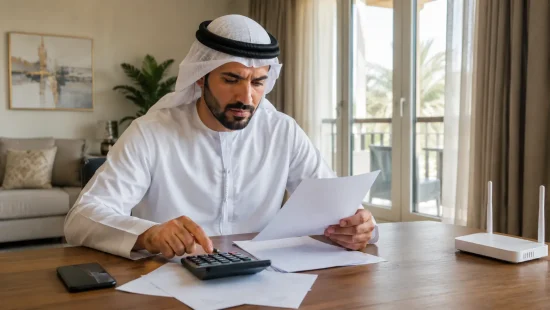
For certain eLife plans, the total early termination amount consists of:
Basic exit charge + remaining device charge
The basic exit charge may be the lower of:
- One monthly recurring package charge
- AED 1,000
The remaining device balance is generally calculated by spreading the device’s retail price across its agreement period and charging the unpaid portion.
Practical Cancellation Example
Suppose a customer has an eLife plan costing AED 399 per month and cancels while the minimum commitment period is active.
The basic exit charge could be AED 399 because it is lower than AED 1,000. If the customer also has a router or television box with an unpaid device balance, that amount may be added to the AED 399 charge.
This is only an illustration. The actual charge depends on the customer’s package, device agreement, previous payments, usage and applicable VAT.
Does the Router Need to Be Returned?
Not necessarily. Equipment rules depend on the service.
For Wi-Fi Home Zone, e& states that ownership of the devices and accessories remains with the user after cancellation. Full Home Wi-Fi terms also state that customers can keep the devices and routers after cancelling that service.
Home Wireless follows different rules in certain penalty-free cancellation situations. e& states that the router must be returned with its accessories and documentation in the original packaging.
Router collection can be requested by calling 101 or 800 101. Missing items may be charged at their retail price.
A customer should therefore avoid returning, discarding or selling any equipment until e& has confirmed in writing what must happen to it.
Where equipment is returned, the customer should obtain a receipt listing:
- The device type
- Serial number
- Accessories returned
- Date of return
- Account number
- Staff or collection reference
Can Etisalat Home Internet Be Cancelled Without an Exit Fee?
Cancellation without an exit fee may be possible where the minimum term has ended, the plan has no commitment, or the relevant penalty-free cancellation conditions are satisfied.
For Home Wireless, e& publishes different penalty-free periods depending on the package and whether a router was supplied.
These include three days for certain service-only arrangements, seven days for Home Wireless Advance with a router and 14 days for Home Wireless Premium with a router. Equipment-return and service-condition requirements apply.
This should not be treated as an unrestricted change-of-mind period.
Penalty-free cancellation protections commonly relate to circumstances such as a service being mis-sold or failing to comply with its contractual terms, followed by the provider being unable to correct the problem or offer an acceptable alternative.
Customers relying on such protection should report the problem promptly and retain installation reports, speed-test records, messages, complaint references and technician notes.
What Happens to the Final Etisalat Bill?
A cancellation request is not necessarily complete when the initial exit charge is paid.
A final bill may include:
- Usage up to the disconnection date
- Monthly rental charged on a prorated basis
- Early termination charges
- Outstanding device payments
- Unreturned or missing equipment charges
- Add-on or entertainment charges
- VAT where applicable
e& states that outstanding exit charges must be cleared for a cancellation request to be processed successfully. Payments can be made through the website, e& UAE app, payment machines or customer care.
The customer should keep any direct debit or card payment arrangement active until the final bill has been issued and paid. It can then be removed once e& confirms that the account balance is zero and the service is closed.
How Can a Customer Confirm That the Account Is Fully Cancelled?
The strongest evidence is written confirmation from e&.
A customer should request:
- An SMS or email confirming closure
- The effective disconnection date
- A cancellation reference number
- A final bill showing a zero balance
- An equipment-return receipt where relevant
- A clearance letter if one is required
A verbal statement that the request has been “raised” is not the same as confirmation that the account has been terminated.
The e& UAE app or website virtual assistant may also be used to check an existing request or review the account status. The customer should verify that no active home service remains attached to the account.
What Should a Customer Do if Etisalat Does Not Cancel the Service?
The customer should first submit a formal complaint to e& and obtain a complaint reference number.
The complaint should state:
- When cancellation was requested
- Which channel was used
- What amount was paid
- Whether equipment was returned
- Whether bills continued after the requested closure date
- What resolution is required
If e& does not resolve the matter satisfactorily, the customer may escalate the dispute to the UAE’s Telecommunications and Digital Government Regulatory Authority, commonly known as TDRA.
TDRA’s dispute-resolution service requires the customer to complain to the service provider first. The regulatory service is free, accepts supporting documents and can be accessed through the TDRA website, smart app or call centre.
How Can Cancellation Delays Be Avoided?
A customer can reduce the likelihood of further billing by:
- Requesting cancellation before moving out of the property
- Checking the contract and device agreement first
- Using the words “full account termination”
- Recording every request and complaint number
- Confirming the proposed disconnection date
- Returning equipment only when instructed
- Keeping equipment-return receipts
- Paying the final bill promptly
- Requesting written closure confirmation
- Checking the following month for unexpected charges
Where the customer is moving abroad, the cancellation should be started early enough to deal with identification checks, equipment collection and final billing before departure.
Final Takeaway
To cancel Etisalat home internet successfully, the account holder should first identify the exact e& service and check whether its minimum commitment or device agreement is still active.
The cancellation can usually be initiated through customer care, an e& Business Centre or, for certain products, the e& UAE app.
The customer should obtain a complete breakdown of exit charges, follow the correct equipment instructions, pay the final bill and keep written evidence of closure.
Because eLife, Home Wireless, Full Home Wi-Fi and Wi-Fi Home Zone have different terms, the final amount and equipment requirements should always be confirmed against the individual account.
Frequently Asked Questions
Can Etisalat Home Internet Be Cancelled Online?
Some e& services can be managed or cancelled through the e& UAE app. However, the available option depends on the product. Where no cancellation control appears, the customer should call 101 or 800 101 or visit an e& Business Centre.
What Number Is Used to Cancel Etisalat Home Internet?
An e& customer can generally call 101. A person calling from another UAE network can use 800 101.
What Documents Are Needed to Cancel Etisalat Internet?
The registered account holder should have their original Emirates ID, account number, registered mobile number and latest bill. Additional authorisation may be required if someone acts for the account holder.
How Much Does It Cost to Cancel Etisalat eLife?
For relevant commitment plans, the basic charge may be one monthly recurring charge or AED 1,000, whichever is lower. Remaining device charges and other outstanding amounts may be added.
Can Etisalat Internet Be Cancelled Before the Contract Ends?
Yes. However, an early termination charge and remaining device payments may apply unless the customer qualifies for a penalty-free cancellation under the relevant terms.
Can a Customer Keep the Etisalat Router After Cancellation?
That depends on the service and device agreement. Wi-Fi Home Zone and Full Home Wi-Fi terms allow customers to keep certain equipment, while Home Wireless routers may need to be returned in specified circumstances.
How Long Does Etisalat Cancellation Take?
The completion time depends on identity verification, payment, equipment arrangements and the product involved. The customer should ask e& for a specific disconnection date and written confirmation rather than relying on a general timeframe.
What Happens if Bills Continue After Cancellation?
The customer should contact e& immediately, quote the cancellation reference and dispute charges arising after the agreed closure date. If e& does not resolve the complaint, it may be escalated to TDRA.
Note: This article has been reviewed against official e& UAE and Telecommunications and Digital Government Regulatory Authority guidance.