Planning an international trip and wondering how to activate roaming in DU to stay connected outside the UAE? Whether you’re a prepaid or postpaid user, du makes it simple to use your mobile line abroad with flexible roaming options tailored for every traveller.
From sending a quick SMS to accessing the MyWorld app or visiting a du store, activating du’s roaming service ensures you can make calls, use mobile data, and receive texts seamlessly wherever you go.
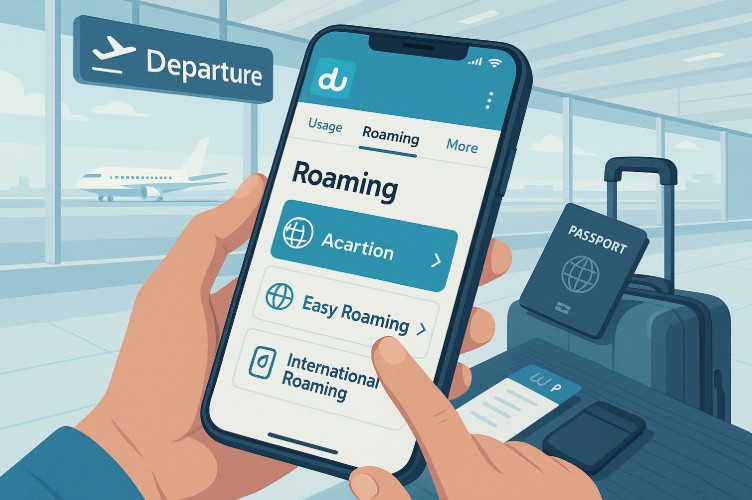
With choices like Easy Roaming for simplified access and International Roaming for extended global coverage, you can choose what best fits your travel plans and budget.
This guide provides a detailed walkthrough on activating du roaming, selecting roaming bundles, supported countries, and troubleshooting issues. Avoid unwanted charges and ensure smooth connectivity by understanding how du roaming works before you board your next flight.
What Are The Different Roaming Options Available With Du?
Du offers two main roaming services to suit different travel needs. Each option comes with its own method of activation, supported countries, and cost.
The two available options are:
- Easy Roaming, ideal for short-term travelers visiting select countries, offering flat-rate pricing with easy activation via SMS.
- International Roaming, designed for frequent travelers requiring broad coverage, provides access to over 120 countries and numerous partner networks.
Both services are available for prepaid and postpaid customers. Choosing the right one depends on the country you’re traveling to, your expected usage, and whether you’re using prepaid or postpaid mobile service.
How Can You Activate Easy Roaming In Du?
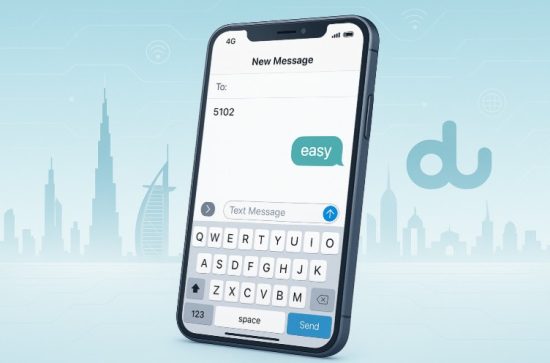
Easy Roaming is convenient for travelers heading to selected destinations. It allows you to pay a one-time activation fee and enjoy standardized rates on calls and data.
To activate Easy Roaming, follow these steps:
- Send “easy” via SMS to 5102
- Activation works both while in the UAE and abroad
- You will receive a confirmation once activated
Details include:
- AED 10 one-time activation fee
- Special rates apply in participating countries
- Available for both prepaid and postpaid customers
Easy Roaming is best used in regions supported under du’s Easy Roaming list. Charges apply only after successful activation and usage in supported networks.
How Do You Activate International Roaming With Du?
International Roaming offers comprehensive coverage across more than 120 countries. Activation can be completed either through the du mobile app or by visiting a du store in the UAE.
Activation Through MyWorld App
- Open the MyWorld app
- Select Roaming from the main menu
- Tap Start Roaming
- Restart your phone to complete the activation
Activation At Du Store
- Visit the nearest du store
- UAE nationals must present an Emirates ID, while expats need a salary certificate or a Platinum/Titanium credit card for roaming activation at du stores
International Roaming activation ensures access to a broader list of roaming partners and full support for voice and data bundles abroad.
How Can You Check The Status Of Your Roaming Service?
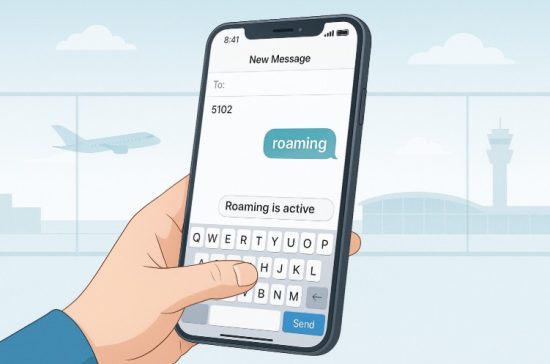
To verify if roaming is active on your du line:
- Send “roaming” to 5102 via SMS
- You will receive an instant update about the roaming status
- You can also confirm activation through the du App
It’s recommended to check status at least 24 hours before travel, to allow time for support if any issue arises.
What Are The Roaming Data Bundle Options In Du?
Du offers multiple data and voice roaming bundles with different price points and durations. These bundles are suited to travelers with varying needs, including short trips or long stays abroad.
Below is a table of selected du roaming bundles:
| Price (AED) | Type | Validity | Data | Voice | Activation Keyword |
| 35 | Data | 24 hrs | 500MB | – | D or B |
| 100 | Voice | 7 days | – | 100 minutes (in/out) | W |
| 200 | Data | 7 days | 10GB or 15GB | – | V |
| 350 | Voice & Data | 15 days | 15GB | Unlimited outgoing + 500 in | U |
| 1200 | Data | 365 days | 50GB | – | V |
Bundles are one-time use unless specified. The only exception is the daily auto-renewal bundle, which renews automatically every 24 hours when roaming.
To stop the auto-renewing bundle, send “D Stop” to 5102. This ensures you won’t be billed after returning to the UAE unless you reactivate it.
How Can You Purchase A Roaming Bundle Before Travelling?
Du allows you to buy roaming bundles ahead of your travel schedule. This feature is especially helpful for those who prefer to avoid in-country purchases or sudden disconnections.
Roaming bundles can be purchased through:
- The du App
- By sending SMS with the correct activation keyword to 5102
Important points:
- You can activate up to five bundles at a time
- Voice and data bundles activate immediately at the time of purchase
- Data-only bundles activate once you connect to a roaming partner abroad
- You can purchase the bundle up to 60 days before travel
Your bundle will remain available on your line and will only begin usage during international roaming.
Will Your Roaming Bundle Work In All Countries?
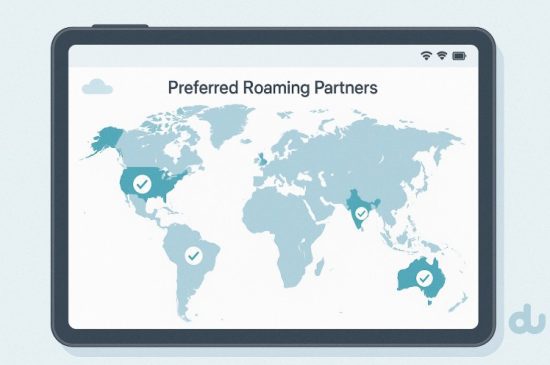
Roaming bundles only function in preferred countries where du has roaming partnerships. If you’re travelling to a non-preferred country, the roaming bundle will not work. Always verify the network compatibility in your travel destination before purchase.
You can do this via:
- Du App roaming section
- Du official preferred partner country list
Below is a sample list of popular partner countries and their roaming networks:
| Country | Partner Networks |
| India | Airtel, Vodafone, IDEA |
| United States | AT&T, T-Mobile |
| United Kingdom | EE, Vodafone, O2, H3G |
| Saudi Arabia | STC, Zain, Mobily |
| Australia | Vodafone, Optus |
Roaming outside these preferred networks will either block the bundle or lead to standard pay-per-use rates, which are often higher.
How Do You Use Roaming Data Without An Active Bundle?
If you do not activate a roaming bundle:
- Roaming data is automatically blocked for your safety
- This is to prevent accidental high charges
To resume data access, you must:
- Activate a roaming bundle
- Or use the roaming data available under your Power Plan if eligible
If your bundle expires or is fully used, you can purchase a new one anytime.
What Should You Do If Your Roaming Bundle Isn’t Working?
There are a few simple steps you can follow if you face issues using your du roaming bundle abroad:
- Restart your phone
- Check bundle status in the du App
- Perform a network settings reset
Reset Network Settings:
- On iPhone: Go to Settings > General > Reset > Reset Network Settings
- On Android: Settings > Connections > Mobile Networks > Access Point Names > Reset to Default
If the problem continues, you can reach out to du support via:
- Live chat on du App
- WhatsApp: +971 58 242 8268
What Are The Most Popular Countries And Networks For Du Roaming?
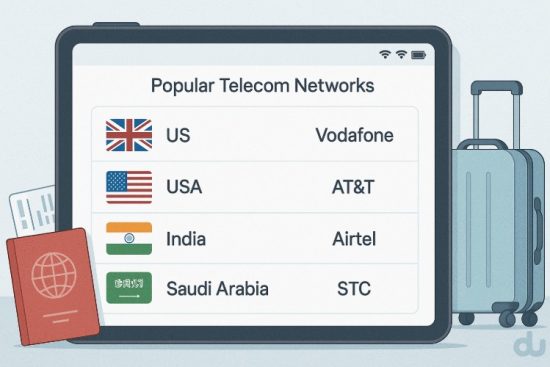
Du supports roaming in over 120 countries with established telecom operators. Some of the most popular travel destinations and their networks include:
- India: Airtel, Vodafone, IDEA
- UK: EE, O2, Vodafone
- USA: AT&T, T-Mobile
- KSA: STC, Zain, Mobily
- France: Orange, Bouygues Telecom
- Germany: Vodafone, T-Mobile, O2
Your phone may connect automatically, but if not, you can select the preferred network manually through your phone’s mobile network settings.
What Tips Should You Follow When Using Du Roaming Abroad?
Using du roaming effectively requires a few smart practices. Follow these suggestions for an uninterrupted experience:
- Enable Data Roaming in phone settings before travel
- Restart your phone upon landing to connect to a local partner network
- Use the du App or du.ae to track bundle usage
- Dial UAE numbers with +971 instead of starting with “0”
- Deactivate automatic app updates and location services to preserve data
- Set up SIM and phone PIN to protect against misuse in case of loss
- Call +971 55 5678155 to temporarily suspend service if your device is stolen
These best practices will ensure you stay connected and in control of your roaming expenses while abroad
Conclusion
Activating roaming on your du line doesn’t have to be complicated. Whether you’re heading out for a quick business trip or an extended vacation, knowing how to activate roaming in du ensures you stay connected with ease.
With convenient methods like SMS activation for Easy Roaming or full-feature access through International Roaming via the MyWorld app or du stores, du accommodates all types of travelers.
The available roaming bundles offer flexibility across daily, weekly, monthly, and even yearly durations, so you’re never without coverage or control over your costs.
Just remember to check the list of preferred countries, monitor your usage through the du app, and follow simple setup steps to enable roaming on your device. With the right bundle and activation method in place, you can travel confidently knowing your du mobile services are ready to go wherever you are.
FAQs
How Long Does It Take for du Roaming Activation to Work?
Activation is usually immediate, especially when done via SMS or the du app. However, it may take a few minutes to reflect on your network. Restarting your phone after activation helps the network apply changes faster.
Can I Activate du Roaming While Already Abroad?
Yes, you can activate roaming while abroad by sending an SMS or using the du app. Make sure your phone has temporary access to another Wi-Fi or mobile network to send the activation message or access the app.
Do I Need To Enable Roaming In My Phone Settings Too?
Yes, enabling roaming on your mobile device is essential. Go to your phone’s settings and switch on “Data Roaming” to ensure du’s roaming service functions correctly once you’re outside the UAE.
What Happens If I Don’t Choose a Bundle While Roaming?
If you haven’t purchased a roaming bundle, your data services will remain blocked to avoid accidental charges. You’ll still be able to receive calls and SMS if International Roaming is active.
Can I Use My UAE Number for OTP While Roaming?
Yes, once roaming is activated, you can receive OTP (One-Time Password) messages and bank alerts while abroad, just as you would within the UAE. Ensure your roaming service remains active throughout your trip.
Will I Be Notified When My Roaming Data Is Running Low?
Yes, du will send you automatic SMS alerts when you consume 70%, 80%, and 100% of your roaming data allowance. These notifications help you manage your data use efficiently and avoid disruptions.
Can I Use Internet Calling Apps Like WhatsApp While Roaming?
Yes, you can use internet-based voice and video calling apps like WhatsApp, Skype, and Zoom using your du roaming data bundle, provided such apps are supported in the country you’re visiting.