Last Updated: 04.04.2026
If you still search for an “NBAD balance inquiry,” you are not alone. Many people in the UAE continue to use the old NBAD name even though the bank became First Abu Dhabi Bank, or FAB, several years ago.
Whether you use a salary card, Ratibi card, prepaid payroll card, or a regular FAB account, checking your balance is now easier than ever. You can do it online, through the FAB mobile app, by ATM, SMS, or customer support without visiting a branch.
For many workers and families, checking a balance quickly means knowing whether a salary has arrived, whether a payment has gone through, or whether enough money is available for daily expenses. This guide explains every method clearly, so you can choose the fastest and safest option for your needs.
What Is an NBAD Balance Inquiry and Why Is It Still Called NBAD?

An NBAD balance inquiry simply means checking the available money in your bank account, salary card, or prepaid card that originally belonged to the National Bank of Abu Dhabi. Although NBAD no longer exists as a separate bank, many UAE residents still use the older name because they have been familiar with it for years.
In 2017, NBAD merged with First Gulf Bank to create First Abu Dhabi Bank, now commonly called FAB. Since then, all NBAD salary cards, Ratibi cards, payroll cards, and personal banking services have been managed under the FAB system.
That is why you may still see people searching for “NBAD balance inquiry online” even though the official website, mobile app, and customer service are now operated by FAB. The process remains almost the same. You still use your existing card details, account number, or mobile number to check your balance.
One salary card user explained it this way:
“I still call it NBAD because that is what my card was when I first received it. When I check online now, it opens the FAB page, but the process still feels exactly the same. I only needed the card details and my phone number.”
How Can You Check Your NBAD Balance Online Without Visiting a Branch?
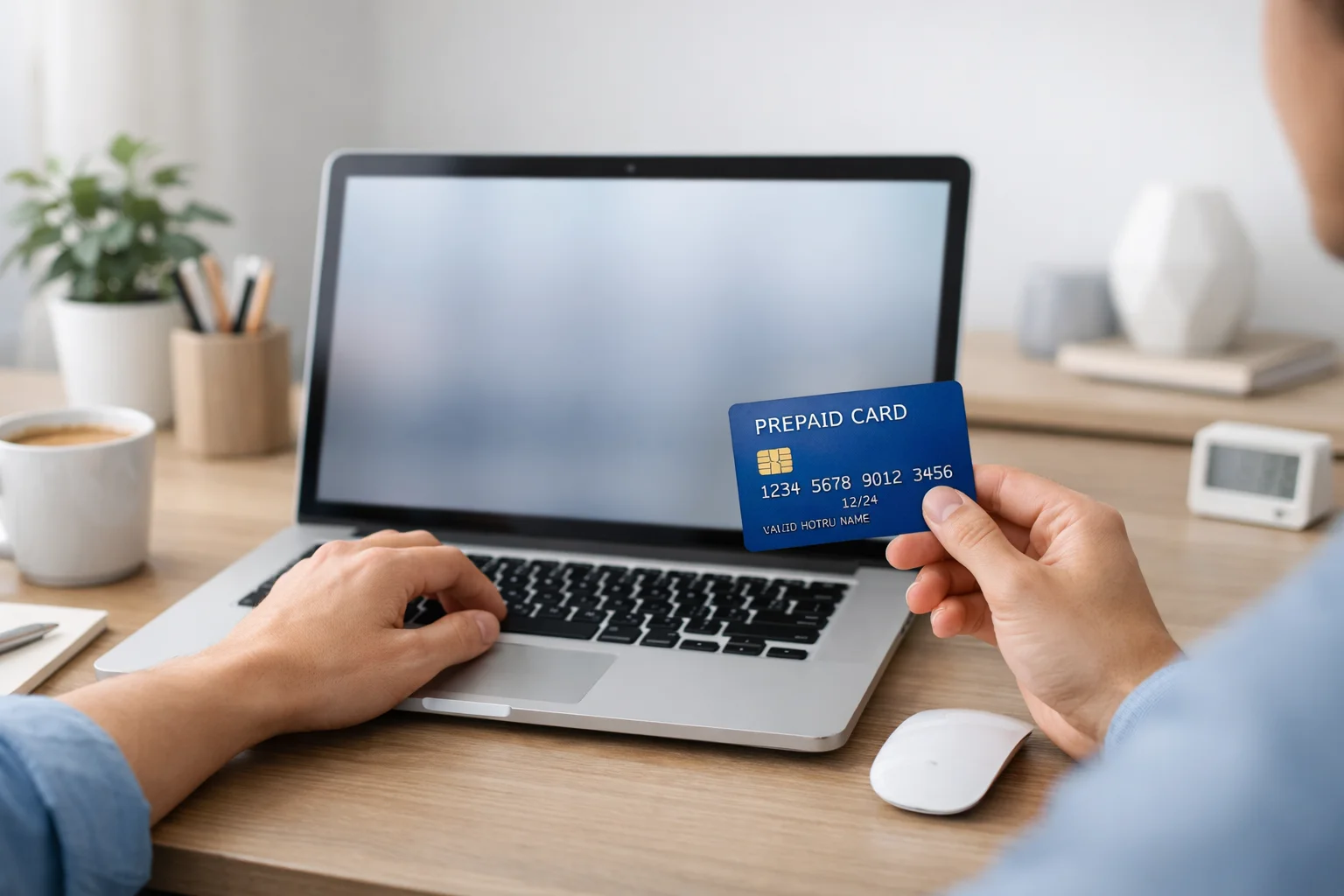
The fastest way to complete an NBAD balance inquiry is through the official FAB prepaid card inquiry page. This option is useful if you want to avoid downloading the app or travelling to an ATM. It works especially well for salary cards, Ratibi cards, and prepaid payroll cards.
To check your NBAD balance online, you usually need only a few details from your card:
- The last two or four digits of your card number
- The Card ID is printed on the front or bottom of the card
- Your registered mobile number in some cases
After entering these details on the official inquiry page, your available balance appears immediately. Many users can also view a short list of recent transactions, which helps confirm whether a salary deposit or purchase has been processed.
This method is popular because it does not require a username or password. It is also useful if you forget your online banking login details. The page is designed mainly for prepaid and salary card holders, including Ratibi and PPC cards. The official FAB prepaid inquiry system continues to support these older NBAD-linked cards today.
How Can You Use the FAB Mobile App for an NBAD Balance Inquiry?
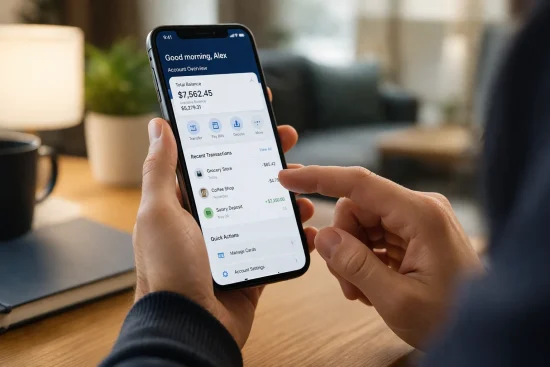
The FAB mobile app is the most complete option if you check your balance often. Unlike the online inquiry page, the app gives you access to your full account information, salary history, transactions, transfers, and alerts. It works for regular bank accounts, salary cards, prepaid cards, and former NBAD accounts.
When you open the app, your balance usually appears on the home screen within seconds. You can also switch between multiple accounts if you have more than one FAB product.
How Do You Register for the FAB App for the First Time?
If you have never used the FAB app before, the registration process takes only a few minutes. Download the official FAB app from the Apple App Store or Google Play Store. Then choose the option that says you are already a customer.
You may be asked to provide:
- Your Emirates ID number
- Your debit card, prepaid card, or account number
- Your registered mobile number
- A temporary password sent by SMS
After verification, you create a six-digit PIN or use Face ID or fingerprint login for future access. Once registration is complete, you do not need to repeat these steps again.
Many users prefer this method because it avoids remembering long passwords. It also keeps your account protected with biometric login and one-time security codes.
A prepaid card holder described the first registration process like this:
“The first time looked confusing because I thought I needed to visit the bank. But after I entered my Emirates ID and card number, the app sent a code to my phone immediately. Within a few minutes, I could see my salary balance.”
FAB allows both old NBAD customers and new customers to use the same mobile banking system. Even if your card still has NBAD written on it, the app recognizes it under the FAB platform.
How Can You Check Your NBAD Salary Card Balance Inside the App?
After signing in, you can view your balance directly from the dashboard. Salary card users often see both the available balance and the recent salary credit amount. If you have several cards or accounts linked to your profile, you can tap the account name to choose the correct one.
Inside the app, you can quickly:
- View your current available balance
- Check your latest salary deposit
- Review recent transactions
- Confirm whether money has been withdrawn or transferred
- Download a mini statement if needed
If your salary has not appeared yet, the app may still show the previous balance. In that case, wait a few minutes and refresh the page. Some salary deposits appear later in the day, depending on your employer’s payroll schedule.
The app is especially useful because it shows more than just one number. For example, if you recently used your card at a shop, you can immediately confirm whether the amount has already been deducted. That makes it easier to track spending and avoid confusion.
You may also notice two separate amounts: total balance and available balance. The total balance includes all funds in the account, while the available balance reflects what you can use immediately. Sometimes a recent card transaction is still pending, which explains the difference.
- Total balance = all money in the account
- Available balance = money you can spend or withdraw now
- Pending transactions may reduce the available amount temporarily
The app is particularly helpful for people who receive salaries on Ratibi or PPC cards because they can check the balance instantly without waiting for an SMS or going to an ATM.
What Can You Do in the FAB App Besides Checking Your Balance?
The FAB app does much more than a simple NBAD balance inquiry. Once you log in, you can manage nearly every part of your account from your phone.
Some of the most useful features include:
- Transfer money to another UAE bank account
- Send money internationally
- Freeze or unblock your card
- Set spending or withdrawal limits
- Download account statements
- Turn on salary or transaction alerts
- Pay utility bills or mobile bills
- Find the nearest FAB branch or ATM
Many people also use the app to receive notifications. For example, the app can send an alert as soon as your salary is deposited. This saves time because you no longer need to check manually every few hours.
Another useful feature is card security. If your card is lost, you can temporarily freeze it from the app without calling the bank. Once you find the card, you can activate it again instantly.
The FAB mobile app has become the easiest all-in-one option for former NBAD users because it combines balance inquiry, account monitoring, and account protection in one place.
How Can You Check Your NBAD Balance at an ATM?
If you do not have internet access, an ATM is still one of the easiest ways to complete an NBAD balance inquiry. You can use any FAB ATM, and in many cases, your old NBAD card will still work because the account is now connected to the FAB system.
Insert your card, enter your PIN, and choose the “Balance Inquiry” option from the screen. Within a few seconds, the ATM displays your current balance. You can also choose to print a receipt if you want a paper record.
The process usually follows these steps:
- Insert your NBAD or FAB card
- Enter your four-digit PIN
- Select “Balance Inquiry”
- View the available balance on the screen
- Print a receipt if needed
An ATM is especially useful if your mobile app is not working or if you want to confirm the balance immediately after a salary deposit. FAB ATMs do not normally charge a fee for this service, but another bank’s ATM may charge a small amount.
You may also notice two balance figures. One is the total account balance, and the other is the amount available to withdraw. The second figure is usually lower if you recently made a card purchase or if part of your salary is still processing.
A worker who regularly uses ATMs said:
“I still use the ATM because I trust it more when my salary arrives. The screen shows the balance instantly, and I always print the receipt. That way, I know exactly how much is available before I withdraw cash.”
FAB operates one of the largest ATM networks in the UAE, making this method widely available.
Can You Check Your NBAD Balance by SMS or Phone Call?
Yes, you can still complete an NBAD balance inquiry through SMS or by calling FAB customer service. This is useful if you do not have internet access or if the app is not working.
For SMS banking, you normally send a simple message from your registered mobile number. Depending on the card type, you may need to send:
- “BAL” followed by the last four digits of your card
- Or only your prepaid card number for Ratibi and PPC cards
- Send the message to the official FAB SMS number 2121
Within a few seconds, you usually receive a message showing your available balance. Standard SMS charges may apply. SMS banking works best when your mobile number is already linked to your account.
If you prefer to speak with someone, FAB customer support is also available by phone. The main support numbers are:
- UAE: 600 52 5500
- Outside UAE: +971 2 681 1511
- Ratibi support: 600 52 2298
Phone support is helpful if your salary is missing, your card is blocked, or your balance appears incorrect.
What Is the Difference Between an NBAD Salary Card, Ratibi Card, and PPC Card?
Many people use the terms salary card, Ratibi card, and PPC card as if they mean the same thing. In reality, they are closely related but not identical. Understanding the difference helps you choose the correct balance inquiry method.
A standard NBAD salary card usually refers to any payroll card used to receive salary through the old NBAD system. After the merger, these cards continued under FAB.
A Ratibi card is a special type of salary card designed mainly for employees who do not have a regular bank account. A PPC card, or prepaid payroll card, is the wider category that includes Ratibi and other employer-issued salary cards.
What Is an NBAD Ratibi Salary Card?
The Ratibi card is one of the most common salary cards in the UAE. It is mainly used for employees earning up to AED 5,000 per month. Employers can deposit the salary directly onto the card without requiring the employee to open a traditional bank account.
The card can be used for:
- Receiving salary
- Withdrawing cash from ATMs
- Shopping in stores
- Paying online
- Sending money in some cases
The biggest advantage is simplicity. Workers who do not qualify for a regular bank account can still receive their salary safely and on time. Ratibi cardholders also receive SMS alerts whenever a salary is deposited. FAB continues to offer this service today.
How Can You Check Your PPC Salary Online?
A PPC salary card usually works through the prepaid inquiry portal. To check the balance online, enter the card details shown on the card itself. In most cases, you need the last digits of the card and the Card ID.
The system then displays:
- Current available balance
- Last salary deposit
- Recent transactions
- Date of the last account activity
This method is often faster than waiting for an SMS. It is especially useful if you need to know whether a salary has arrived before traveling to an ATM.
The PPC portal is designed specifically for prepaid salary cards, including Ratibi cards and some employer-issued payroll cards. Many users choose this method because there is no need to remember a username or password.
Which Balance Inquiry Method Works Best for Each Card Type?
Different cards work better with different methods. For example, a regular FAB account holder may prefer the mobile app, while a Ratibi cardholder may find the online PPC portal easier.
For most users:
- Salary account holders: FAB app or online banking
- Ratibi card holders: PPC inquiry portal or SMS
- PPC card holders: PPC inquiry portal or ATM
- Former NBAD customers: Any FAB method works
If you need quick access without internet, SMS and ATMs are the best choices. If you want more details, such as transaction history or salary alerts, the mobile app gives the most information.
The right method depends on how often you check your balance, whether you have internet access, and what type of card you use.
Which NBAD Balance Inquiry Method Is Best for You?
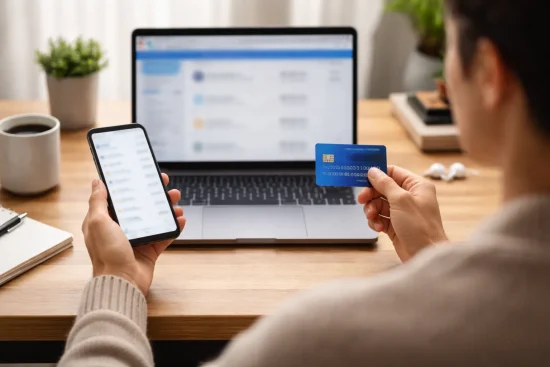
There is no single best method for everyone. The right option depends on whether you need speed, convenience, or extra account details. If you want the quickest answer, the online inquiry page is often enough. If you regularly monitor your salary and spending, the FAB mobile app is usually the better choice.
Method Speed Convenience Internet Needed Best For
Website / PPC Portal Instant High Yes Ratibi and PPC card users
Mobile App Instant Very High Yes Full account and salary tracking
ATM Fast Medium No Cash withdrawal and printed receipt
SMS Very Fast High No Quick balance checks without internet
Customer Support Slower Medium No Solving missing salary or card issues
The app and website are usually the easiest for day-to-day use, while ATM and SMS options are better when you are away from internet access.
Why Is Your NBAD Balance Not Showing Correctly?
Sometimes your balance may appear lower, higher, or completely missing. In most cases, the problem is temporary and easy to fix.
One common reason is entering the wrong card number or Card ID on the inquiry page. Even one incorrect digit can stop the balance from appearing. Another common reason is a delayed salary transfer from your employer. Some companies process salaries later in the day or even the next morning.
Pending card transactions can also affect the balance. For example, if you used your card at a shop, the amount may be reserved immediately but not fully processed yet. That can make your available balance look different from your total balance.
If your balance still does not appear:
- Refresh the app or website
- Check your internet connection
- Confirm your card details carefully
- Wait a few hours if salary day has just started
- Contact FAB if the issue continues
Most balance problems are caused by timing rather than a banking error.
How Can You Keep Your NBAD or FAB Balance Inquiry Safe?

Checking your balance is simple, but it is important to do it safely. Fraudsters sometimes create fake websites or send false messages pretending to be from NBAD or FAB.
Always use the official FAB website, app, ATM, or SMS number. Never enter your card number or PIN on an unfamiliar website. If you receive a suspicious message asking for your password or one-time code, do not reply.
To protect your account:
- Never share your PIN or OTP with anyone
- Use biometric login in the FAB app
- Avoid public Wi-Fi when checking your balance
- Log out after using online banking
- Report a lost card immediately
If your card is lost, freeze it through the FAB app or contact customer service immediately. The bank can block the card and protect your remaining balance. FAB also recommends enabling instant transaction alerts so you know immediately if anyone uses your card without permission.
What Should You Remember Before Checking Your NBAD Balance?
Before you check your balance, make sure you have the correct card details and access to your registered phone number. This saves time and prevents login problems.
Keep these points in mind:
- NBAD and FAB are now the same banking system
- The PPC inquiry page is usually best for salary and Ratibi cards
- The FAB app gives the most complete account information
- SMS and ATMs are useful when you do not have internet
- Delayed salary updates are often temporary
- Only use official FAB services
If you receive your salary on a Ratibi or PPC card, it is a good idea to check the balance regularly, especially around payday. This helps you avoid unnecessary trips to the ATM or confusion about whether the salary has arrived.
The more familiar you are with these methods, the easier it becomes to manage your money and avoid unexpected surprises.
Conclusion
An NBAD balance inquiry is still an important part of daily money management for many people in the UAE. Even though NBAD became FAB, the familiar ways of checking your salary or account balance remain available.
You can use the online inquiry page, the FAB mobile app, an ATM, SMS, or customer support depending on what feels easiest for you. Each method has its own advantage. The website is fast, the app provides more details, and the ATM works when you do not have internet access.
The most important thing is to use official FAB channels and keep your information secure. By checking your balance regularly, you can stay informed about your salary, avoid missed payments, and manage your finances with more confidence and less stress.
FAQs
How can you check your NBAD balance without the FAB app?
You can check your NBAD balance through the official PPC inquiry website, by SMS, or at any FAB ATM. You only need your card details and, in some cases, your registered mobile number.
Can you check your NBAD balance outside the UAE?
Yes, you can check your balance from outside the UAE by using the FAB mobile app, online banking, or by calling FAB customer support. International users may need roaming service enabled to receive verification codes.
What should you do if your salary is not showing in your account?
First, wait a few hours because some employers process salary payments later in the day. If the salary still does not appear, contact your employer or FAB customer service for assistance.
Is NBAD the same as FAB?
Yes, NBAD became part of First Abu Dhabi Bank after the merger with First Gulf Bank in 2017. Today, all former NBAD accounts and cards are managed by FAB.
How long does it take for salary deposits to appear?
Most salary deposits appear immediately after the employer processes the payment. In some cases, it may take a few hours or until the next working day.
Can you use any ATM for an NBAD balance inquiry?
You can use any FAB ATM without extra charges to check your balance. Other bank ATMs may also work, but they could charge a service fee.
Is the NBAD balance inquiry service free?
Yes, checking your balance through the FAB app, online inquiry page, or FAB ATM is usually free. SMS balance inquiries may include a small charge depending on your mobile provider.