Have you ever boarded a Dubai Metro only to realise you’re unsure about your card balance? With the city’s fast-paced lifestyle and reliance on efficient public transport, staying updated on your Dubai Metro Card balance is essential.
Whether you’re a resident or a tourist, the convenience of checking your card’s funds on the go ensures you avoid delays, denials, or embarrassing gate rejections. Thankfully, there are several easy and smart ways to perform a Dubai Metro card balance check, allowing you to stay on top of your travel game.
From mobile apps and kiosks to quick SMS methods and official websites, managing your metro expenses has never been more user-friendly. In this guide, you’ll discover every verified and convenient way to check, recharge, and track your NOL card usage to make your daily commute seamless and stress-free.
What Is the Dubai Metro Card and How Does It Work?

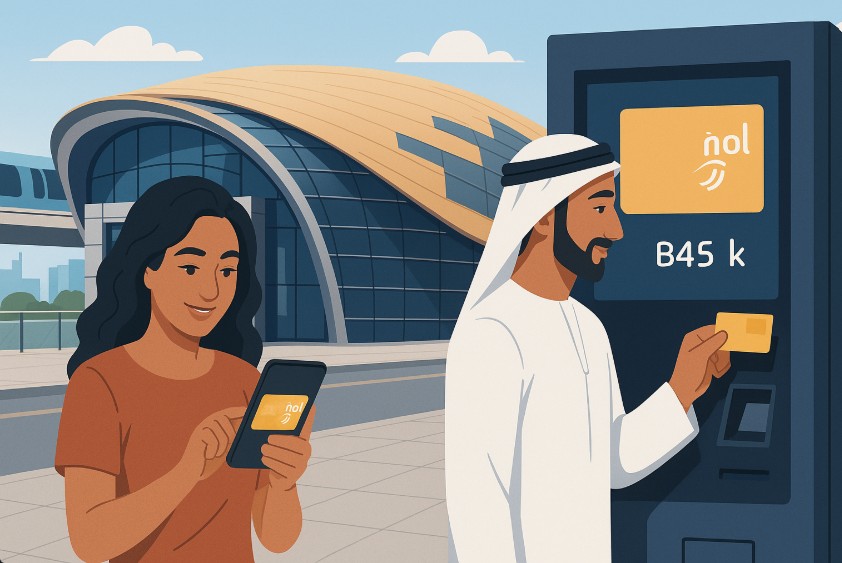
The Dubai Metro Card, officially known as the NOL card, is a rechargeable smart card that lets you travel across Dubai’s public transport network. Whether you’re hopping on the metro, tram, bus, or even using paid parking, the NOL card is your digital ticket to move around the city with ease.
This card uses contactless technology. Simply tap it on the reader at the entry or exit gate, and the correct fare will be automatically deducted. The NOL card eliminates the need for paper tickets or standing in long queues to buy tokens.
Here are some of the card’s core features:
- Reusable and reloadable: Save time by topping it up online or at various locations.
- Versatile usage: Accepted across metro, bus, tram, water bus, and public parking.
- Multiple tiers: Different types available for different travel needs.
| Type of NOL Card | Cost (AED) | Preloaded Balance | Best For |
| Silver Card | 25 | 19 | Daily commuters |
| Gold Card | 25 | 19 | Premium cabin access |
| Red Ticket | 2 | 0 | Occasional or single trips |
| Blue Card | Custom | Varies | Personalised for students, senior citizens |
The right card depends on how frequently you travel and the level of service you prefer. Whether you’re a student using the Blue Card or a business professional opting for Gold, there’s a NOL card tailored to your needs. This card makes public transportation in Dubai simpler, faster, and more efficient. Keeping track of its balance is key to uninterrupted travel.
How Can You Check Your Dubai Metro Card Balance Online?
Checking your Dubai Metro Card balance online is the quickest way to stay informed without visiting a metro station. This method is efficient, user-friendly, and accessible on any device with an internet connection.
To begin, visit the official RTA website. Once there, look for the “Check NOL Balance” service, usually found under the Public Transport section. You’ll be prompted to enter your NOL Card Tag ID, which is a 14-digit number printed on the back of your card. This is the unique identifier used to pull up your card’s balance.
Here’s a step-by-step summary:
- Go to the RTA website
- Navigate to “Check NOL Balance”
- Enter your 14-digit NOL Tag ID
- Click on the “Search” or “Submit” button
- View your current balance, pending credits, and card expiry date
This platform also shows your pending balance (if any), which will be activated when you tap your card at a gate or top-up machine. You don’t need to create an account, making this method ideal for quick checks.
It’s especially handy for users who prefer not to download apps or use SMS. Online balance checking ensures you’re always one step ahead in planning your trips around Dubai.
How Do You Use the RTA App to Check Your Metro Card Balance?
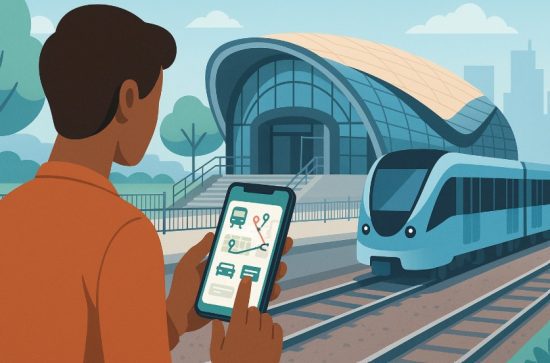
The RTA app is a smart companion for anyone navigating public transportation in Dubai. With it, you can monitor your Dubai Metro Card balance on the go and access several other useful features.
To start, download the RTA Dubai app from either Google Play Store or Apple App Store. Once installed, register or log in using your email or mobile number. If you’re already an RTA user, signing in will take seconds.
From the home screen, navigate to the “My NOL” or “NOL Services” section. Here, you’ll see a field to enter your 14-digit NOL Card Tag ID. Upon submission, your current balance, pending credit, and expiry date will be displayed instantly. To track your full transaction history, select “Transaction History” and choose your desired date range.
You can:
- View fare deductions per journey
- See top-up amounts and dates
- Download or save the history for records
The app provides a user-friendly dashboard, perfect for both residents and visitors. Whether you want to plan your week’s travel or ensure you have enough balance before stepping out, the RTA app keeps you in control. It’s a reliable tool to help avoid surprises and make your commuting experience smoother.
Is It Possible to Check Your NOL Card Balance via SMS?
Yes, you can check your Dubai Metro Card balance through SMS, making it ideal for users without internet access or those using feature phones. This method is fast and convenient, offering real-time updates wherever you are.
Start by composing a new message in your phone’s messaging app. Type your 14-digit NOL Card Tag ID and send it to 511, the official RTA SMS service number. Your number will be automatically registered with the system after the first message.
After registration, checking your balance becomes even easier. Simply type BAL and send it to 511, and you’ll receive a reply with your current balance within seconds.
Here’s a quick breakdown:
- Open your SMS app
- Type your 14-digit NOL Card Tag ID
- Send it to 511
- For future checks, just send BAL to 511
- Get balance info via text reply
This service is especially useful for people in a hurry or in areas with poor internet connectivity. You’ll never be left guessing how much balance is on your card.
Just remember, standard SMS charges may apply depending on your mobile provider. For quick access on the move, this method is as simple as it gets.
Can You Check Your Dubai Metro Card Balance at Metro Stations?
Absolutely. Checking your NOL card balance at metro stations in Dubai is both convenient and instant. This method suits those already en route or anyone who prefers in-person services over digital ones.
Most metro stations are equipped with self-service kiosks or ticket vending machines. These machines allow you to check your balance simply by tapping your card on the reader. Within seconds, the screen displays your current balance along with any pending credit and expiry details.
Here’s how to use these machines effectively:
- Locate a ticket vending machine or self-service kiosk
- Tap your NOL card on the marked reader
- View the displayed balance and card details
- Choose to top up if needed directly from the same machine
These kiosks also allow you to recharge your card using cash or card, making them a one-stop solution for your travel needs. This method is especially useful before boarding, so you can confirm your card is topped up and ready for travel.
For added convenience, metro staff are available near machines if you need help. Using station kiosks ensures that you’re always informed and ready for a smooth journey.
What Are Other Ways to Check Your NOL Card Balance?

In addition to online checks, mobile apps, SMS, and station kiosks, there are other methods available across Dubai to check your NOL card balance. These alternative options provide flexibility for those who may prefer in-person interactions or need additional services.
Customer Service Centers
You can visit any RTA customer service center across Dubai. The staff there can check your card balance, provide travel advice, and even help with lost or damaged cards. You’ll just need to present your NOL card, and they’ll handle the rest.
Authorized Retail Outlets
Several convenience stores and authorised retail partners across the city are equipped with NOL card readers. Simply hand your card to the staff, and they can scan it to provide your current balance. Some outlets also allow top-ups, giving you dual service in one visit.
Dedicated Card Readers at Stations and Select Stores
Some stations and retail outlets have standalone card reader devices. These require no human interaction. Just tap your NOL card on the reader, and your balance will appear instantly. This is a quick, contactless way to stay updated.
Here’s a breakdown of these options:
These methods are perfect for users who prefer face-to-face interactions or need help with more than just balance checking. Using any of these ensures you’re always prepared to travel without interruptions.
How Do You Check Your Dubai Metro Card Transaction History?
Tracking your transaction history is useful for monitoring your travel expenses and verifying charges. The NOL system allows you to review all your previous journeys and top-ups in just a few steps. You can access this history using either the RTA website or the RTA mobile app.
On the website, locate the “Transaction History” page. Enter your 14-digit NOL Card Tag ID, pass a human verification step, and click “Next” to proceed.
You’ll see a detailed record of every transaction including:
- Entry and exit stations
- Fare amounts deducted
- Top-up values and methods
- Date and time of each activity
Using the RTA app, you’ll need to log into your account, navigate to “My Account,” and select the “Balance History” or “Transaction History” option. You can select the date range you want to review and even download a copy for your records.
This feature is helpful for regular travellers who want insights into their commuting patterns. It can also help you manage your travel budget more effectively or spot unusual activity on your card. With quick access and clear details, managing your NOL usage has never been easier.
What’s the Easiest Way to Recharge Your Dubai Metro Card?
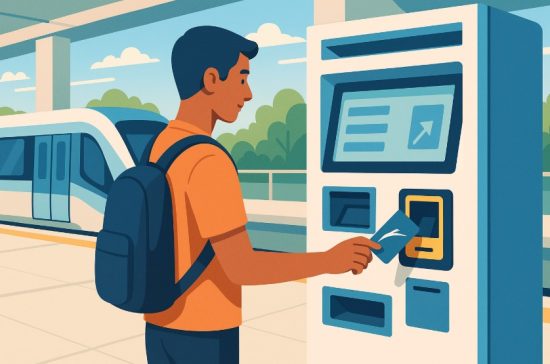
Recharging your NOL card is just as convenient as checking your balance. Dubai offers several ways to top up your card, depending on your preference for digital or in-person methods.
Online recharge can be done via the RTA website. Simply log in or proceed as a guest, enter your 14-digit Tag ID, select the amount, and pay using your card. After completing the payment, the recharge will reflect on your card once you tap it at any metro gate or top-up machine.
The RTA app also allows quick recharge. Just log into your account, choose your NOL card, and complete the payment. This method is ideal for mobile-first users who want to manage everything on the go.
For in-person top-ups, ticket vending machines at metro stations accept both cash and card. They’re available 24/7 and are easy to use with on-screen instructions.
You can also visit retail outlets or customer service centers that support NOL top-ups. These provide added assurance if you prefer assistance.
Keep in mind:
- Online recharges may take up to 4 hours to reflect
- Always use secure internet connections for online payments
With so many options available, keeping your card ready for travel is effortless and accessible from anywhere in the city.
How Much Does a NOL Card Cost and Which Type Should You Choose?
Choosing the right NOL card depends on your travel habits and budget. There are several types available, each designed for specific user needs, whether you’re a tourist, a student, or a regular commuter.
The most common options include:
- Silver Card: Costs AED 25 and comes with AED 19 preloaded. It’s great for daily commuters who prefer standard travel.
- Gold Card: Also priced at AED 25 with AED 19 preloaded. This gives you access to the Gold Class cabins for a more premium experience.
- Red Ticket: At just AED 2, this paper-based card is suitable for single or occasional trips. You can load up to 10 journeys.
- Blue Card: A personalised card ideal for students, senior citizens, and people with disabilities. Costs vary, and ID verification is required.
Each card allows access to the entire Dubai transport network, including metro, bus, tram, and marine transport. If you travel often or want a long-term solution, the Silver or Gold cards are the best fit. For casual use, the Red Ticket does the job. For discounted fares and ID-based access, the Blue Card is best suited. Pick the card that aligns with your travel goals for maximum benefit.
What Should You Do If Your NOL Card Shows Pending Credit?
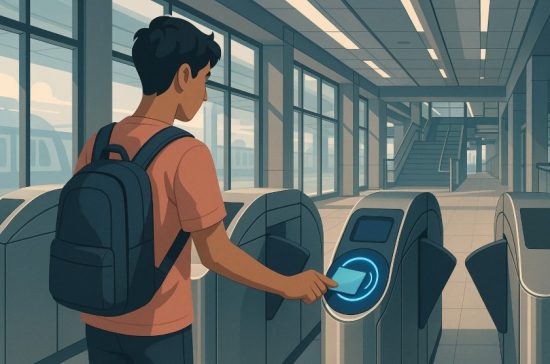
Pending credit is a temporary status that appears when you recharge your NOL card online or via the app. Although payment has been made, the amount won’t reflect immediately on your card until it is activated.
To activate pending credit, you need to physically tap your NOL card at an authorised location.
These include:
- Metro gate entry or exit points
- Ticket vending machines
- Bus top-up machines
- Public parking meters
Once the card is tapped at any of these spots, the system processes the pending amount and adds it to your available balance.
Here’s how to ensure activation goes smoothly:
- Recharge online or via app
- Visit a metro station or any authorised top-up location
- Tap the NOL card on a reader
- Wait for confirmation on-screen showing updated balance
This step is essential for the recharge to take effect. Many users assume that an online top-up instantly updates their card, but the NOL system requires a physical tap to complete the transaction. Always check your balance again after activation to verify that the recharge is complete and accurate.
Can You Use the Same NOL Card for Multiple Travel Modes?
Yes, one of the biggest advantages of the NOL card system is its multi-modal capability. A single card can be used across almost all public transportation options in Dubai.
With your NOL card, you can:
- Ride the Dubai Metro for quick and efficient travel
- Take RTA buses around the city and outskirts
- Board Dubai Tram for short-distance urban routes
- Use Water Buses for scenic and functional commutes across the creek
- Pay for public parking in designated RTA zones
- Make purchases at select retail outlets equipped with NOL readers
Each time you tap your card at a reader, the system automatically deducts the correct fare based on your travel zone. The same balance can be used interchangeably across all these services.
This makes the NOL card an incredibly convenient tool for residents and tourists alike. You don’t need separate tickets or cards for each mode of transport.
It simplifies travel, reduces paper usage, and gives you better control over your commuting expenses. For those using multiple services daily, having one card for all needs is not only efficient but also smart travel planning.
Conclusion
Staying on top of your Dubai Metro Card balance doesn’t have to be complicated. With the wide variety of methods available, from online portals and mobile apps to station kiosks and SMS services, you can choose the one that suits your lifestyle best.
The NOL card system is built for convenience, giving you access to Dubai’s integrated transport network and even retail services. Regular balance checks, transaction history reviews, and prompt recharges ensure you never miss a ride or face travel hiccups.
Whether you’re a daily commuter, a student, or a visitor, using your card wisely will make every journey in the city smooth and stress-free. With these easy and practical tools at your fingertips, your next metro trip is just a tap away, fully funded and ready to go.
FAQs
How do I know if my Dubai Metro card is still valid?
You can tap your NOL card at any metro gate or parking meter to check its expiry date and validity status.
Can I recharge my NOL card online while outside the UAE?
Yes, online recharge is possible from anywhere. You only need your 14-digit tag ID and a valid payment method.
Why isn’t my recharge showing on my NOL card immediately?
Online top-ups remain pending until you tap the card at a metro gate, parking meter, or top-up machine to activate it.
Can I use my NOL card to pay at shops?
Yes, select retail outlets in Dubai accept NOL card payments. Look for stores with NOL readers at the counter.
How can I download my NOL card transaction history?
You can log into the RTA app or website, view your transaction history, and download it within your selected date range.
Is there a minimum balance required to board public transport?
Yes, depending on your journey’s zones, a minimum balance is required to begin travel. Always check before tapping.
Can I use one NOL card for multiple passengers?
No, each passenger must have their own NOL card. Sharing is not allowed for fare calculation accuracy.