I often see users confused when trying to access their router settings, and the direct answer is simple. 192.168.1.0 is a private IP range used within local networks, and it helps you manage and understand how devices communicate through your router, although the actual login gateway is usually a nearby address like 192.168.1.1. Many users mistakenly type 192 l.168.1.0, where the letter “l” replaces the number “1”, which causes access issues.
Key takeaways you should know immediately:
- 192.168.1.0 belongs to a private IP network used by routers
- You can only access router settings from within your local network
- Login access allows you to control security, WiFi, and connected devices
What Is 192.168.1.0 and How Is It Used?
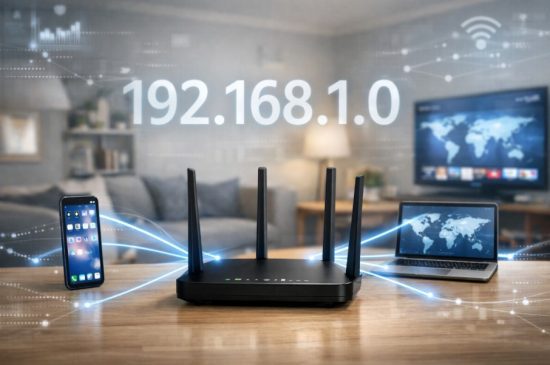
192.168.1.0 refers to a private IP network range that is widely used in home and office routers, including many networks across the UAE. When you connect your devices to a router, the router assigns IP addresses from this range to manage communication between devices. This IP range is not designed to identify a single device but instead represents the entire local network segment.
Within this network, the router usually sits at addresses like 192.168.1.1, while other devices such as laptops, phones, and smart TVs receive addresses like 192.168.1.2 or higher. The purpose of this structure is to keep your internal network organized and secure. Data moves efficiently between devices without exposing internal IP details to the public internet.
In UAE households and offices, this IP range is commonly seen in routers provided by internet service providers and popular brands. It helps you manage internet access, control traffic flow, and apply security rules. Although you cannot log in directly to 192.168.1.0 itself, understanding its role helps you correctly access your router and avoid common mistakes.
How Do You Log In to 192.168.1.0?
Before attempting to log in, you should understand that 192.168.1.0 is part of a network range, not a direct login page. The router login page is usually located at 192.168.1.1, which operates within this network. You must be connected to the router either through WiFi or a wired Ethernet connection.
To access your router settings, open a web browser and carefully type the correct IP address into the address bar. Make sure the numbers are accurate, as even a small typo can stop the page from loading. Once the login page appears, you will be asked for a username and a password.
Helpful steps to follow include:
- Ensure your router is powered on and connected
- Connect your device to the same network
- Use a modern browser and clear the address bar
- Enter the correct numeric IP format
After successful login, you gain access to the router admin panel, where you can control network settings, security options, and connected devices.
What Are the Default Router Login Credentials?
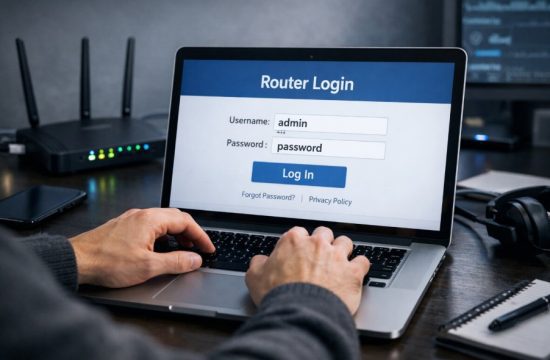
When you access a router for the first time, it usually requires default login credentials provided by the manufacturer. These credentials allow you initial access to the admin panel so you can configure your network securely.
Most routers ship with simple usernames and passwords to make first time access easy. However, these defaults are widely known and should always be changed after login to protect your network from unauthorized access. If you never changed them, your router is likely still using these factory settings.
Most Common Usernames and Passwords
Many routers use simple combinations such as:
- Username admin and password admin
- Username admin and password password
- Blank username with admin as password
These combinations appear frequently across router brands and are documented in manufacturer guides.
UAE Specific Router Providers
In the UAE, routers supplied by Etisalat often use standard admin credentials during initial setup. TP Link and D Link routers also follow similar default login patterns.
Huawei routers distributed by service providers may use printed credentials on the router label, which should be checked carefully before resetting the device.
Default Logins by Router Brand
| Router Brand | Default IP | Username | Password |
| TP Link | 192.168.1.1 | admin | admin |
| D Link | 192.168.1.1 | admin | admin |
| Etisalat Router | 192.168.1.1 | admin | printed on a label |
| Huawei | 192.168.1.1 | admin | printed on a label |
| NETGEAR | 192.168.1.1 | admin | password |
Always change these details after logging in to protect your network.
Why Can’t You Access 192.168.1.0?
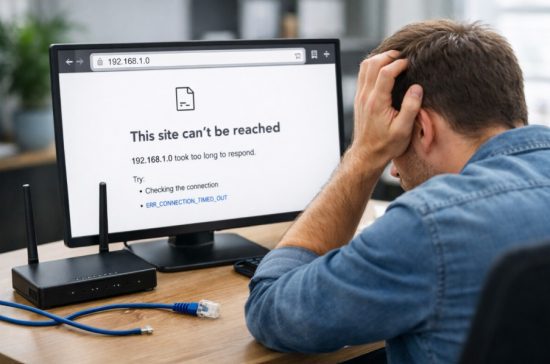
Many access problems occur because users misunderstand what 192.168.1.0 represents. Since it is a network identifier, typing it directly into a browser will not load a login page. Another frequent issue is mistyping the address, such as using a letter instead of a number.
Other common causes include browser cache problems, VPN connections, or devices not being connected to the correct network. If your device is using mobile data instead of WiFi, the router page will not open.
You can troubleshoot access issues by:
- Verifying the correct gateway IP on your device
- Restarting your router and device
- Disabling VPN services temporarily
- Trying a different browser
If problems persist, checking the router documentation or performing a controlled reset may be necessary.
What Can You Do Inside the Router Admin Panel?
Once logged into the router admin panel, you gain control over essential network functions. This interface allows you to customize how your internet connection behaves and how devices interact with your network.
You can improve security by changing default passwords and enabling encryption settings. Network performance can be optimized by adjusting wireless channels and monitoring connected devices. Parental controls help you manage internet access for children, while guest networks provide safe access for visitors.
Common actions include:
- Changing the WiFi name and password
- Viewing connected devices
- Setting parental controls
- Updating router firmware
These tools give you full authority over your home or office network.
What’s the Difference Between Private and Public IP Addresses?

Understanding the difference between private and public IP addresses helps you manage your network more confidently. Private IPs like 192.168.1.0 are used inside local networks and are not visible on the public internet.
What Is a Private IP?
A private IP address is assigned by your router to devices within your network. These addresses help devices communicate internally without exposing their identity online. This design improves security and efficiency.
Importance in Home and Office Networks
Private IPs allow multiple devices to share a single internet connection safely. Routers translate private addresses into a public IP when communicating with external servers, which keeps internal devices protected.
IPv4 vs IPv6 Quick Explanation
| Feature | IPv4 | IPv6 |
| Address Length | 32 bit | 128 bit |
| Format | Numeric | Alphanumeric |
| Availability | Limited | Vast |
Why You Cannot Access 192.168.1.0 Externally
Private IP addresses are blocked from public access by design. You must be connected to the local network to interact with them, which prevents unauthorized external control.
Which Router Brands Use 192.168.1.0 or Similar IPs in UAE?
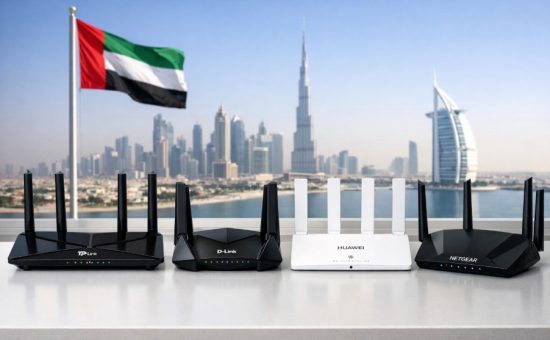
Many router brands used in the UAE rely on the 192.168.1.x network range. Internet service providers often configure routers with similar default settings to simplify setup.
Common brands include TP Link, D Link, Huawei, NETGEAR, Cisco, and routers supplied by Etisalat. These devices use the same private IP structure to manage connected devices efficiently.
You may see slight variations in the gateway address, but the network range remains consistent. Checking the router label or settings page confirms the correct login address.
Final Thoughts on Accessing 192.168.1.0
Accessing and understanding the 192.168.1.0 network helps you take full control of your router and connected devices. While you cannot log in directly to this address, knowing its purpose prevents confusion and saves time.
Always ensure you use the correct numeric IP and secure your router by changing default credentials. Regular firmware updates and basic monitoring improve performance and safety. With the right knowledge, managing your network becomes simple and reliable.
FAQs
What is 192.168.1.0 used for?
192.168.1.0 represents a private network range used by routers. It helps manage device communication inside local networks.
Is 192.168.1.0 the same as 192.168.1.1?
No, 192.168.1.0 identifies the network itself. 192.168.1.1 is usually the router gateway used for login.
Why does 192.168.1.0 not open in my browser?
It does not host a web interface. You must use the router gateway address instead.
How do I find my router login IP?
You can check your device network settings to view the default gateway. This value shows the correct login address.
Are default router passwords safe to use?
Default passwords are not secure for long term use. You should change them immediately after login.
Can I access my router settings from outside my home?
Router admin panels are usually restricted to local access. Remote access must be enabled manually.
What should I do if I forget my router login details?
You may need to reset the router to factory settings. This restores default credentials.